AI Digital Portrait Enhancer
Free AI Photo Retouching Tool
The AI digital portrait enhancer on gotimage2.com is the free AI photo retouching tool powered by the GOT IMAGE 2 Pro model. Pick a portrait preset, optionally type a brief about subject, mood, lighting, or color grading, and a sharp 4K enhanced portrait lands in the tab in about fifteen seconds — studio beauty, wedding, vintage restoration, professional headshot, fashion editorial, or warm family portrait. Free AI portrait editing tool — no login, no email, no card. Same Pro-tier model paying customers use.
Try the AI Digital Portrait Enhancer — Free Right Here
Pick a portrait preset, optionally describe subject, mood, lighting or color grade, and the AI digital portrait enhancer returns a 4K enhanced portrait in about fifteen seconds — no signup
AI Digital Portrait Enhancer — Free AI Photo Retouching Tool
Pick a portrait preset, optionally type a brief about subject, mood, lighting, or color grading, and hit Generate. The AI digital portrait enhancer returns a sharp 4K retouched portrait — free, no sign up.
Made with the AI Digital Portrait Enhancer
Real 4K outputs from the AI digital portrait enhancer — every portrait preset, no account
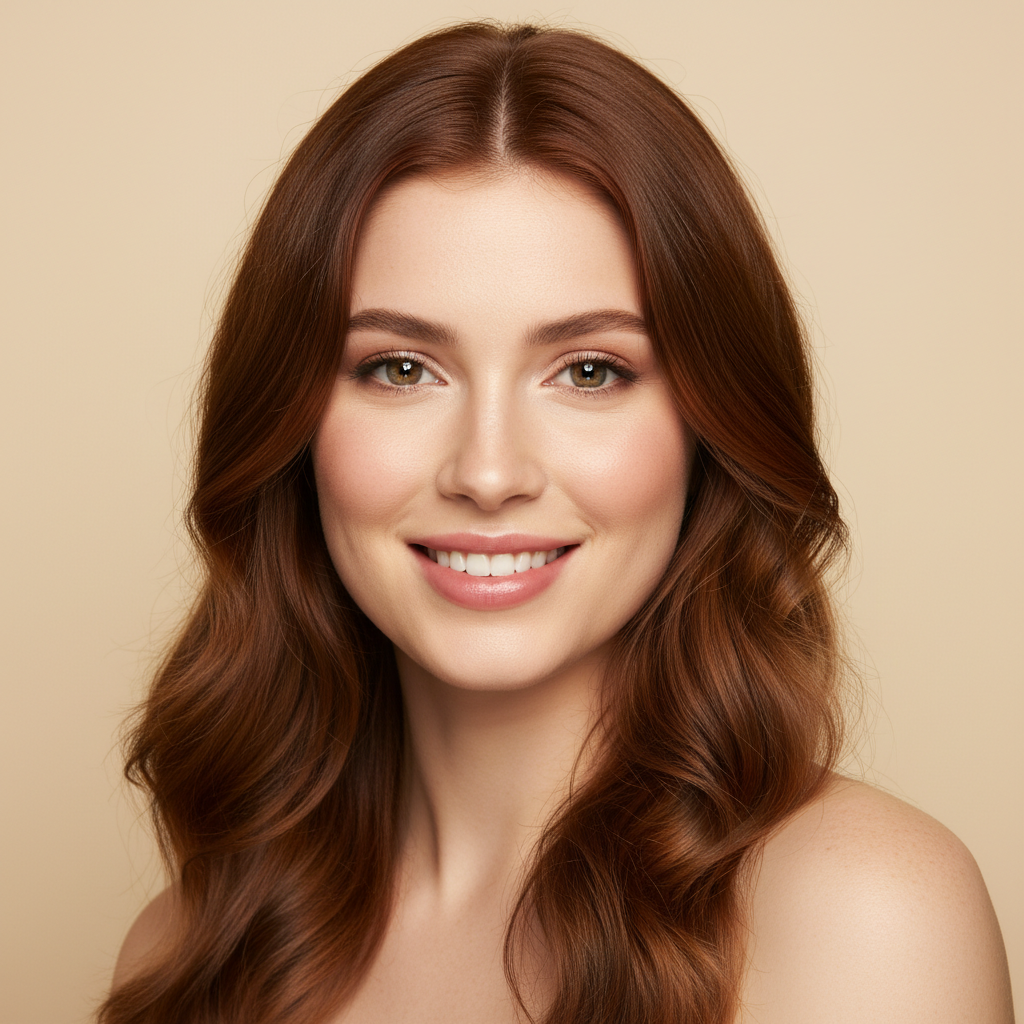
Studio Portrait Enhancement
AI Digital Portrait Enhancer
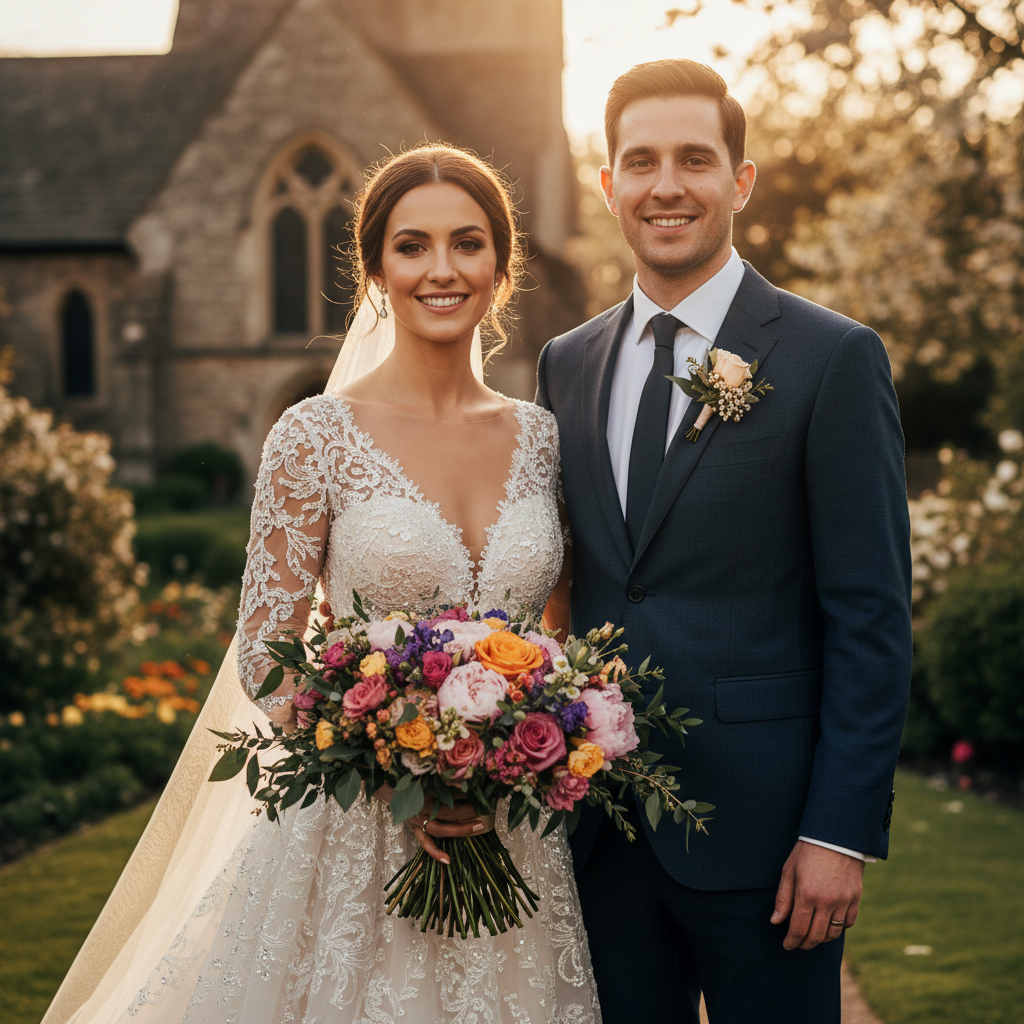
Wedding Portrait Retouch
AI Digital Portrait Enhancer
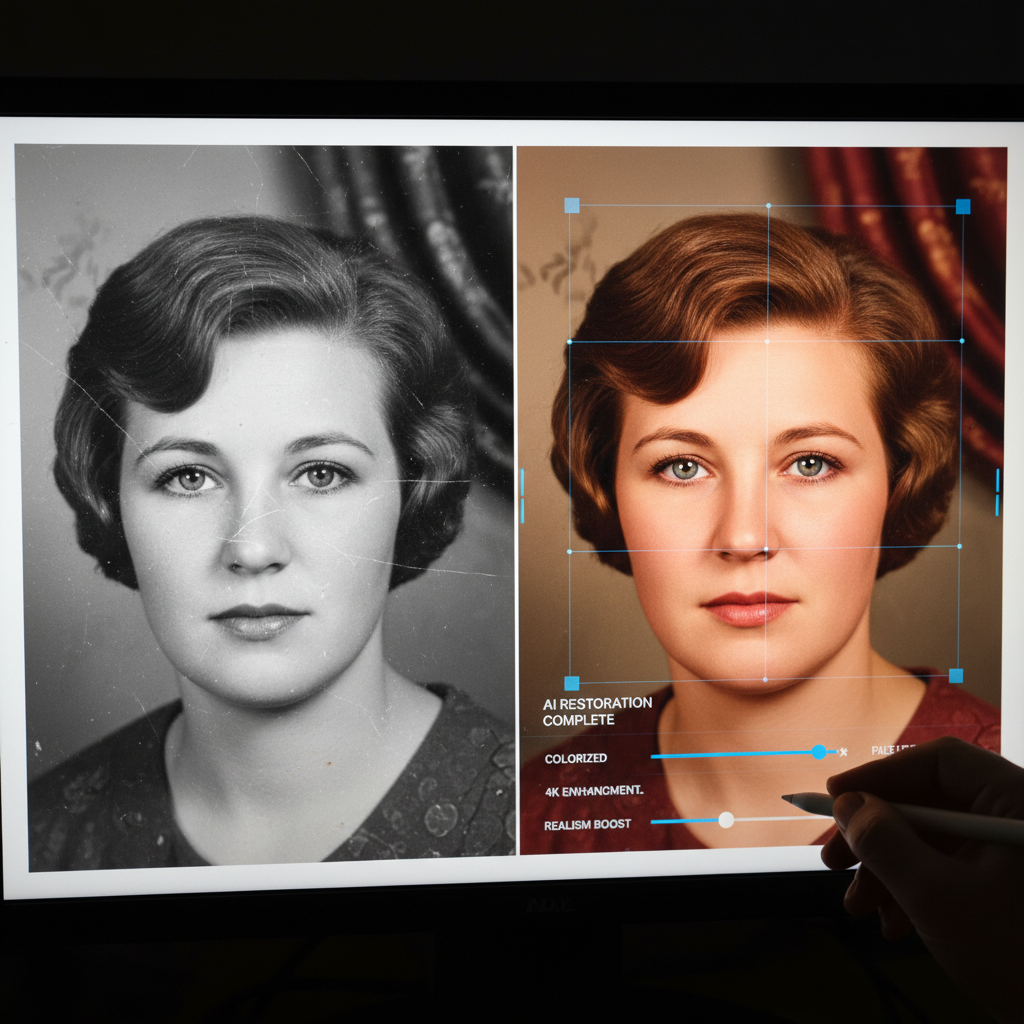
Vintage Portrait Restoration
AI Digital Portrait Enhancer

Professional Headshot Retouch
AI Digital Portrait Enhancer
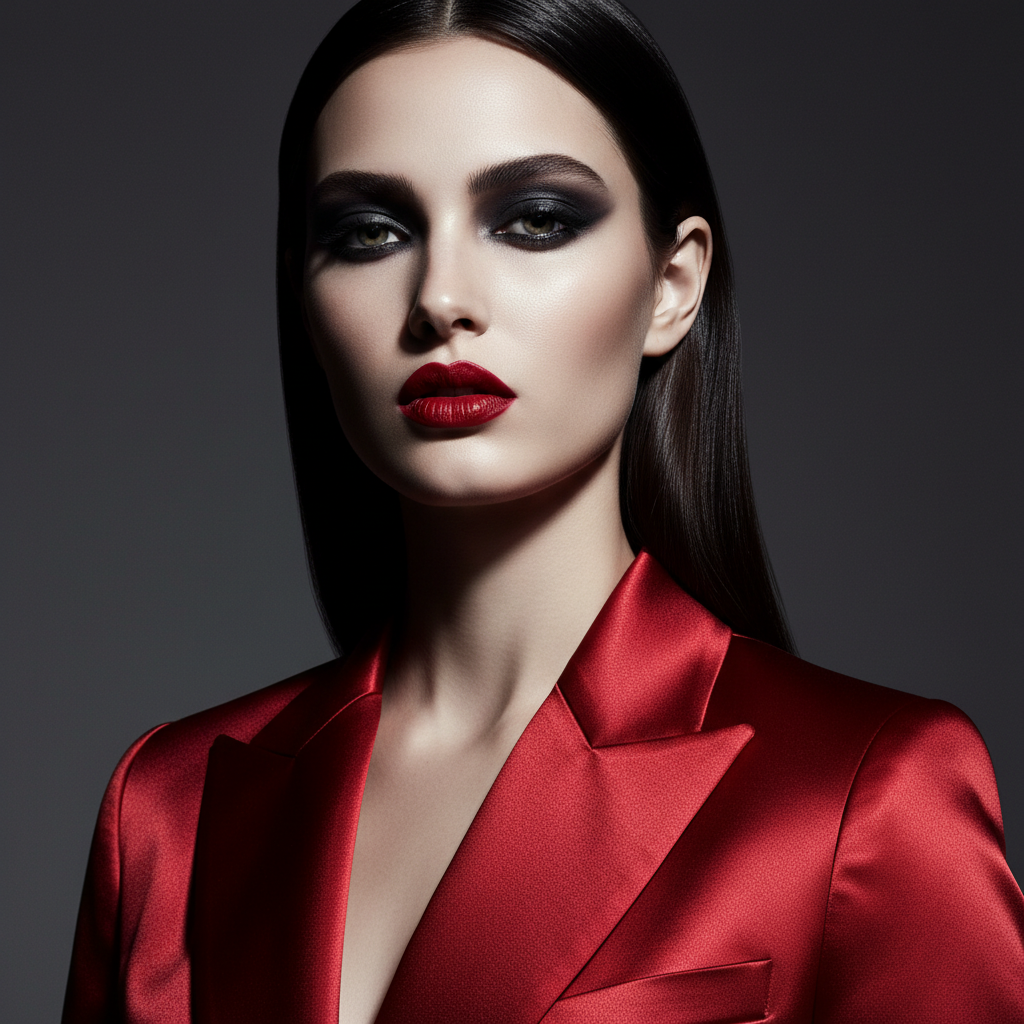
Fashion Editorial Enhancement
AI Digital Portrait Enhancer
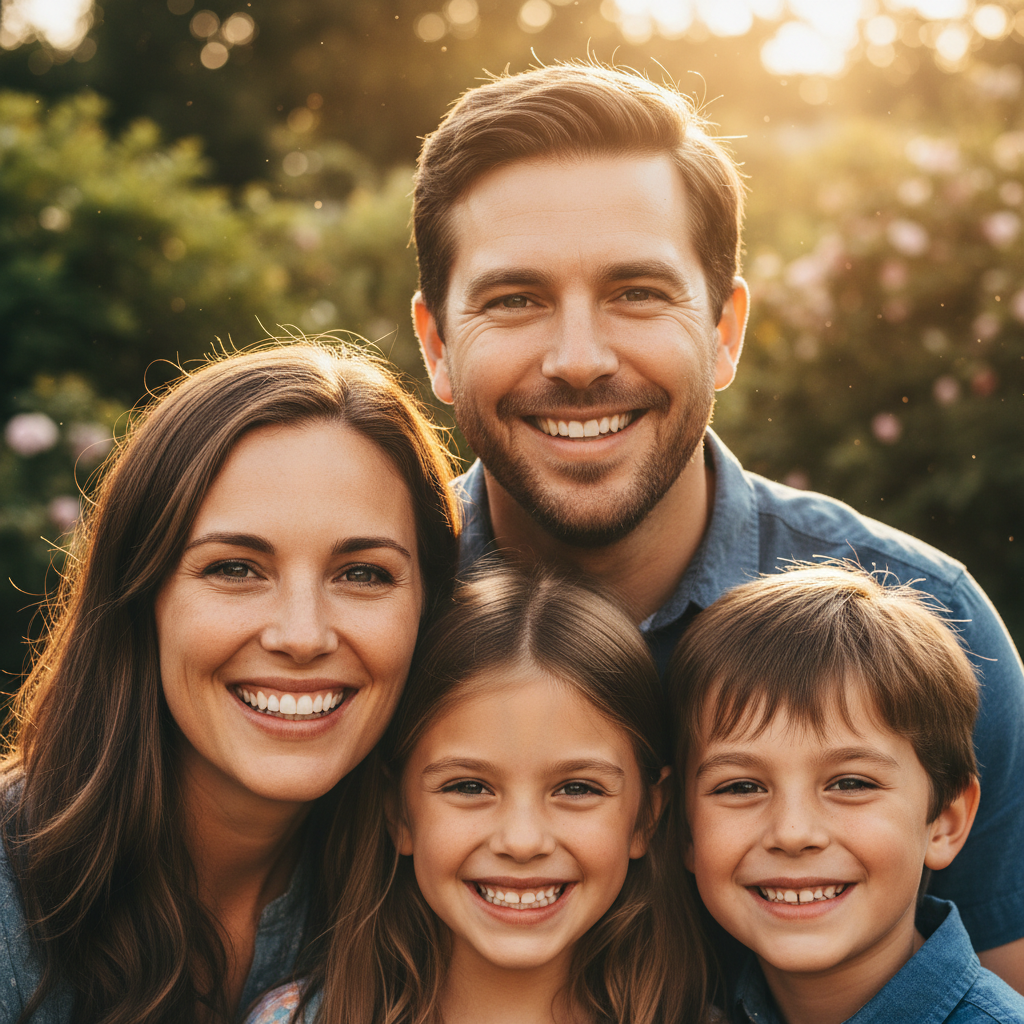
Family Portrait Enhancement
AI Digital Portrait Enhancer
How the AI Digital Portrait Enhancer Works
Three steps, zero accounts, instant 4K AI photo retouching
Pick a Portrait Preset
Choose from six tuned presets in the AI digital portrait enhancer: Studio Beauty, Wedding Portrait, Vintage Restoration, Pro Headshot, Fashion Editorial, or Family Portrait. Each preset is hand-tuned with the right lighting, skin tone, color grading, and bokeh atmosphere for that portrait type.
Add Your Portrait Brief
Optionally type the subject, mood, lighting, or color grade — "auburn-haired bride at golden hour", "navy blazer corporate headshot", "1960s family black-and-white restoration". The AI digital portrait enhancer routes your brief into GOT IMAGE 2 Pro and stitches it into the chosen preset, lighting, and skin tone.
Save Your 4K Enhanced Portrait
In about 15 seconds the AI digital portrait enhancer paints a 4K retouched portrait into the tab. Right-click → Save, or use the Download button. Sharp enough for Instagram profile pictures, LinkedIn headshots, dating-app photos, printed A2 framed portraits, or magazine editorial spreads. No watermark, no signup wall.
Why the AI Digital Portrait Enhancer Wins
Free AI photo retouching — Pro-tier model, brief-aware portrait detail, zero friction
Six Tuned Portrait Presets
Studio beauty, wedding, vintage restoration, professional headshot, fashion editorial, family portrait — each preset in the AI digital portrait enhancer is hand-tuned with its own lighting, skin tone, and color grading, ready to drop straight onto LinkedIn, Instagram, or A3 print.
Cohesive Skin & Eye Detail
The AI digital portrait enhancer paints skin texture, catchlights in the eyes, hair definition, and background bokeh in one consistent style — so every retouched portrait reads as professional editorial, not a slider-pushed Lightroom export.
No Lightroom or Photoshop Setup
No Lightroom catalog import, no Photoshop frequency-separation tutorial, no Topaz Photo AI license, no Luminar Neo subscription. Pick a portrait type, type an optional brief, and a polished 4K AI photo retouching render lands in the tab in fifteen seconds.
Free, No Sign Up
The AI digital portrait enhancer is free with no credit card, no email, no Discord OAuth, and no trial countdown. Open the page, pick a portrait preset, hit Generate — every single time, on every device, without an account.
Brief-Aware Portrait Details
Pass an optional subject description, mood, lighting, or color grade and the AI portrait editing tool weaves it into the preset — "auburn-haired bride at golden hour", "navy blazer corporate headshot", "1960s family black-and-white restoration" — so the enhanced portrait matches your actual subject story.
Sharp 4K Portrait Output
Native 4K PNG output from the AI digital portrait enhancer scales cleanly from Instagram profile pictures and LinkedIn headshots up to printed A2 framed portraits and magazine editorial spreads without losing detail or compressing skin texture.
AI Digital Portrait Enhancer vs Lightroom & Retouchers
Free AI digital portrait enhancer versus slider editors and human retouching commissions
| Feature | AI Digital Portrait Enhancer | Lightroom / Retoucher |
|---|---|---|
| Sign up required | No | Yes (Adobe ID or retoucher intake) |
| Time per enhanced portrait | ~15 seconds | 30–90 min editing · days for retoucher |
| Source photo required | No — synthesized from brief | Yes — needs RAW or high-res source |
| Cost per portrait | $0 free tier | $10–25/mo Adobe · $50–$200 retoucher |
| Output format | 4K painted portrait PNG | Edited TIFF/JPEG (varies) |
| Portrait types supported | 6 tuned portrait presets | Open-ended · preset purchase often required |
| Skin & lighting style | Painted in — beauty, golden hour, vintage, editorial | Slider tuning + brushwork required |
| Iteration cost | 15s per new variant | Re-edit time + extra retoucher rounds |
| Watermark on free output | No | Often yes on free tiers |
| Starting paid price | $2.99 (optional) | $10/mo Lightroom · $50+ retoucher |
AI Digital Portrait Enhancer FAQ
Honest answers about the free AI digital portrait enhancer
AI Digital Portrait Enhancer — Free AI Photo Retouching with GOT IMAGE 2 Pro
The AI digital portrait enhancer on gotimage2.com is the free AI photo retouching tool powered by the GOT IMAGE 2 Pro model. The page you are reading is the dedicated portrait enhancement workflow for searches like "AI digital portrait enhancer", "enhance portraits with AI", "AI photo retouching", and "AI portrait editing tool" — they all land here, on the same AI digital portrait enhancer with the same free no-signup access. There is no sign-up screen, no email confirmation, no Google or Apple SSO handoff, no Discord OAuth modal, and no phone-number verification. You open the page, scroll to the tool, pick one of six tuned portrait presets, optionally type a short portrait brief, and hit Generate — about fifteen seconds later a sharp 4K AI retouched portrait paints back into the tab, ready to drop into your LinkedIn profile, Instagram story, dating-app gallery, or printed A2 framed portrait.
Why does the AI digital portrait enhancer beat Lightroom and freelance retouchers for portrait work? Three reasons. First, the AI digital portrait enhancer runs on GOT IMAGE 2 Pro — the same Pro-tier model paying customers use, with no "free tier downgrade" applied to anonymous users. Second, the six presets are pre-tuned for full-stack portrait retouching: skin texture, eye sharpness, hair detail, lighting, palette, and background bokeh all painted in one consistent style. You skip the Lightroom catalog import and the Photoshop frequency-separation tutorial, and get retoucher-grade AI photo retouching output on the first try. Third, it is genuinely free with no Adobe Creative Cloud subscription, no $10/month Lightroom plan, and no $50–$200 retouch commission queue. The brief field lets you weave in subject description, mood, lighting, or color grading without writing a long prompt, so the AI portrait editing tool output stays on-brief without an hour of re-rolls.
The six tuned presets in the AI digital portrait enhancer cover the portrait types ninety percent of photographers, graphic editors, and influencers actually shoot. Studio Beauty for magazine cover shoots, beauty brand campaigns, and influencer profile pictures (razor-sharp catchlights, even skin tone, butterfly key lighting, creamy beige seamless backdrop). Wedding Portrait for bridal previews, engagement shoots, and wedding-album hero shots (golden hour rim lighting, glowing skin, lace texture detail, romantic chapel garden bokeh). Vintage Restoration for old family photo revival, heirloom portrait restoration, and historical archive colorization (faded black and white revived as vibrant 4K, scratches removed, natural skin tones recovered). Pro Headshot for LinkedIn profile pictures, executive bio shots, and corporate website headers (retouched skin, sharp eyes, neat groomed hair, clean office bokeh). Fashion Editorial for Vogue-style spreads, brand-deal lookbook portraits, and fashion blogger shoots (bold makeup detail, porcelain skin, dramatic studio rim lighting). Family Portrait for warm outdoor sessions, photo-album hero shots, and seasonal greeting cards (sharp faces, natural skin tones, golden hour park sunlight, lush green foliage backdrop). Each preset in the AI photo retouching tool is a hand-tuned prompt — lighting, skin tone, palette, atmosphere — so non-photographers and non-retouchers still get a polished portrait that reads as editorially retouched.
Try the AI digital portrait enhancer right now without committing to anything. There is no credit card, no "start free trial" gate, no email-required confirmation, and no follow-up sequence. Whether you are a wedding photographer prepping client preview portraits, a fashion blogger drafting Instagram beauty shots, an influencer rebuilding a profile picture, a corporate exec needing a sharper LinkedIn headshot, a graphic editor restoring an heirloom family photo, or a content creator producing thumbnail portraits, the AI digital portrait enhancer renders identically on Mac, Windows, Linux, Chromebook, iPhone, or Android, and returns the same clean 4K PNG. Open the tool above, pick a portrait preset, optionally type your subject, mood, lighting, or color grade, and let the AI digital portrait enhancer paint a Pro-tier retouched portrait into the tab. AI digital portrait enhancer, enhance portraits with AI, AI photo retouching, AI portrait editing tool — one page, one prompt, one 4K enhanced portrait, zero signup steps. That is the entire promise of the AI digital portrait enhancer, and it stays that simple every time you come back.