AI Food Map Generator
Hand-Drawn Foodie Walking Maps in 15 Seconds, Free
The AI food map generator on gotimage2.com is the hand-drawn foodie walking map workflow powered by the GPT Image 2 Pro model. Pick a city — Chengdu, Tokyo, Bangkok, Paris — upload an optional location photo, type the city name, and a sharp 4K food illustration map with twelve hand-drawn local food vignettes, watercolor and colored-pencil texture, decorative chili and vine borders, and a hand-drawn compass lands in the tab in about fifteen seconds. Free AI food map with no login, no email, no card. Same Pro-tier model paying customers use.
Try the AI Food Map Generator — Free Right Here
Upload a city or restaurant photo or skip and just type a city name, pick a foodie map style, and a 4K hand-drawn food illustration map lands in about fifteen seconds — no signup
AI Food Map Generator — Hand-Drawn Foodie Walking Map Maker
Upload a photo of any city or skip and just type a city name, pick a regional food map style, and hit Generate. The AI food map generator returns a 4K hand-drawn foodie walking map with 12 local food vignettes — free, no sign up.
Upload a city, restaurant, or location photo and pick a regional food map style — or skip the upload and just type the city name in the brief
Made with the AI Food Map Generator
Real 4K outputs from the AI food map generator — every regional cuisine style, no account
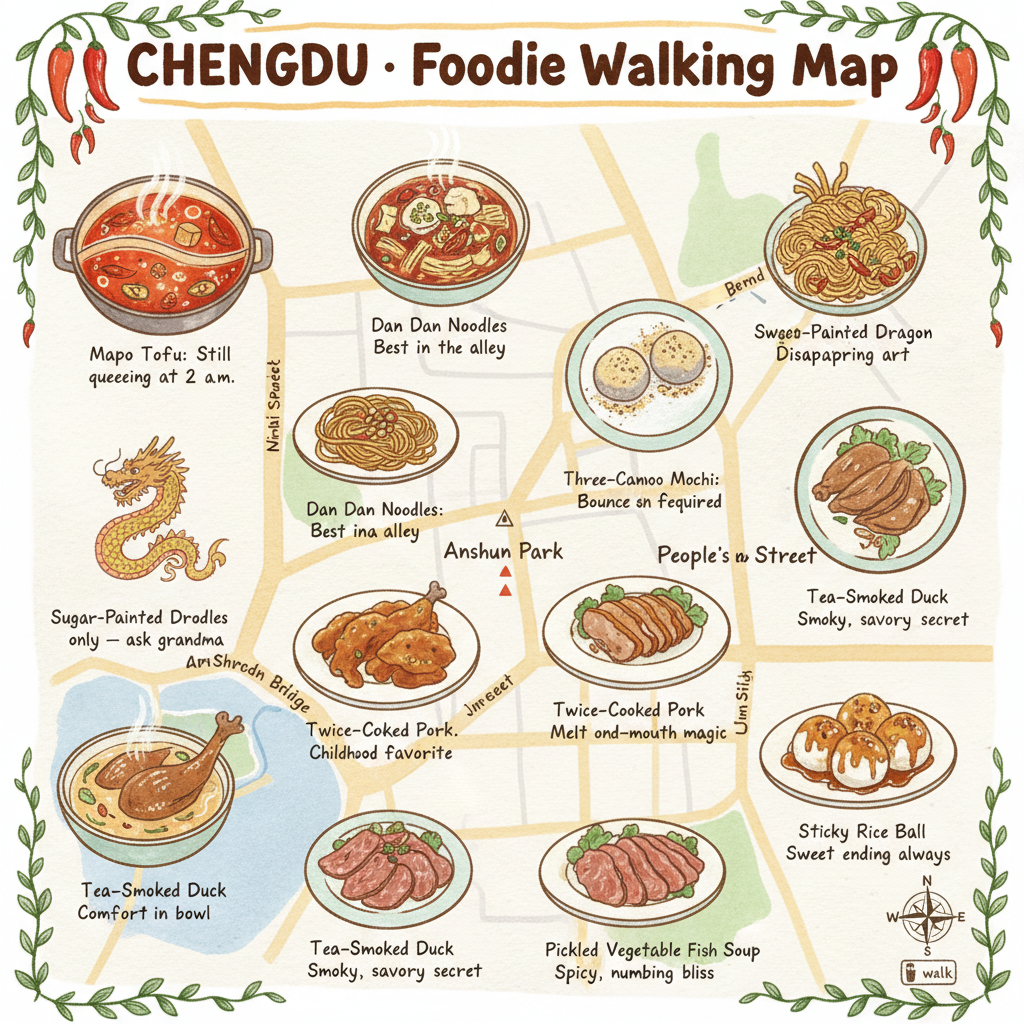
Chengdu Foodie Walking Map
AI Food Map
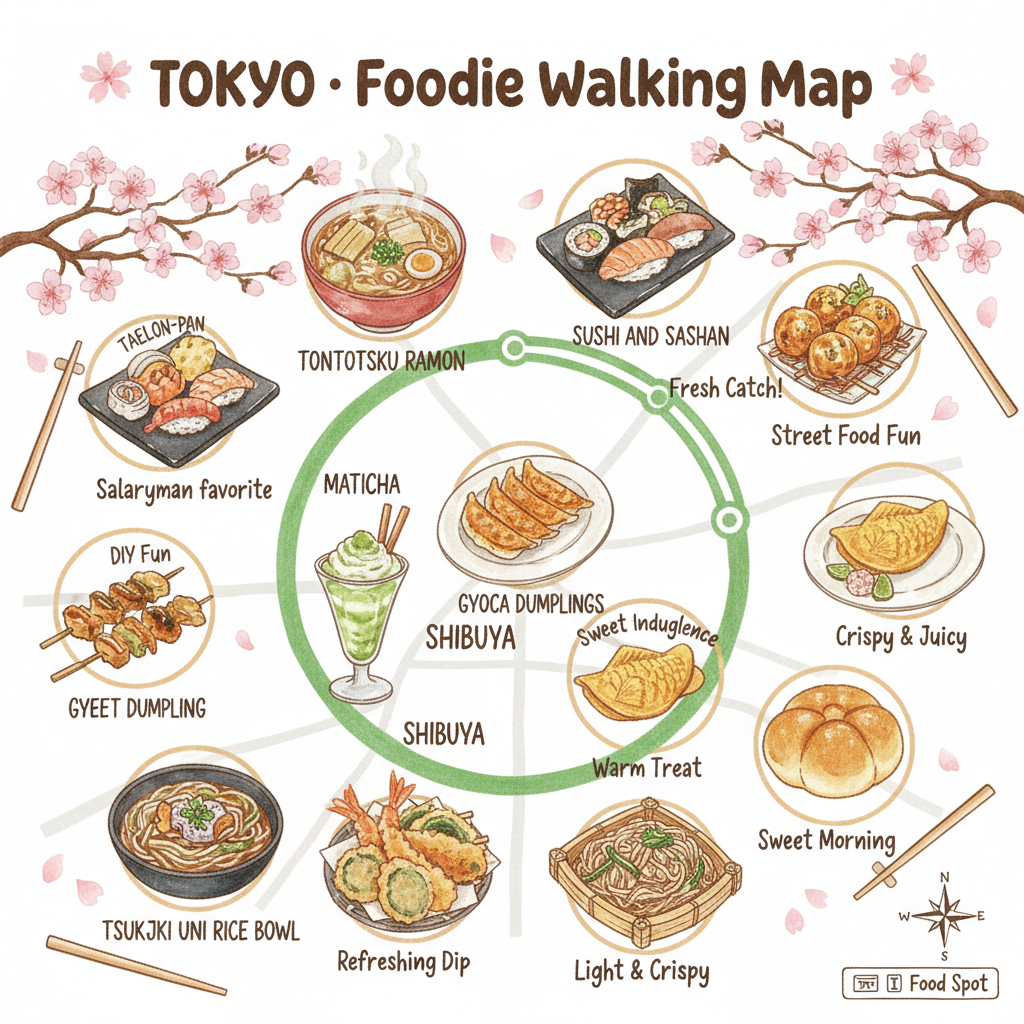
Tokyo Foodie Walking Map
AI Food Map
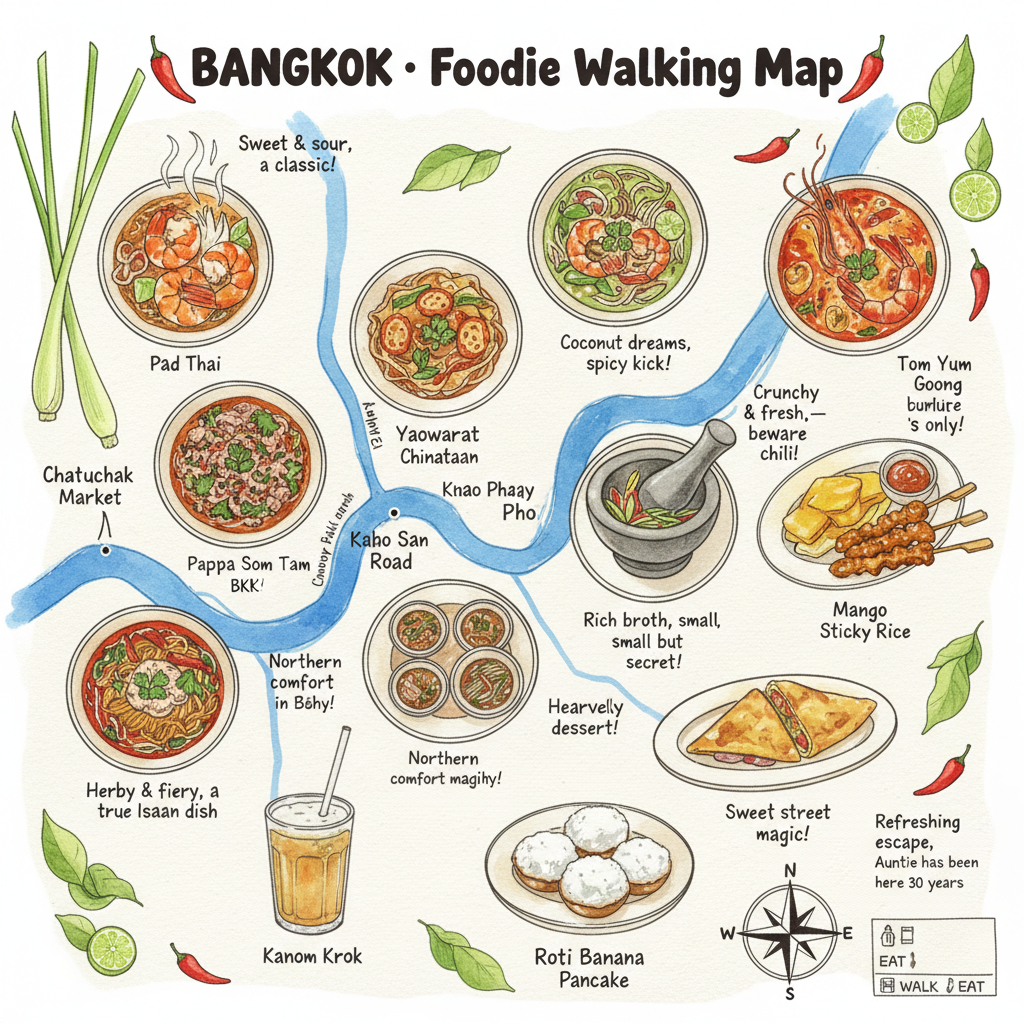
Bangkok Foodie Walking Map
AI Food Map
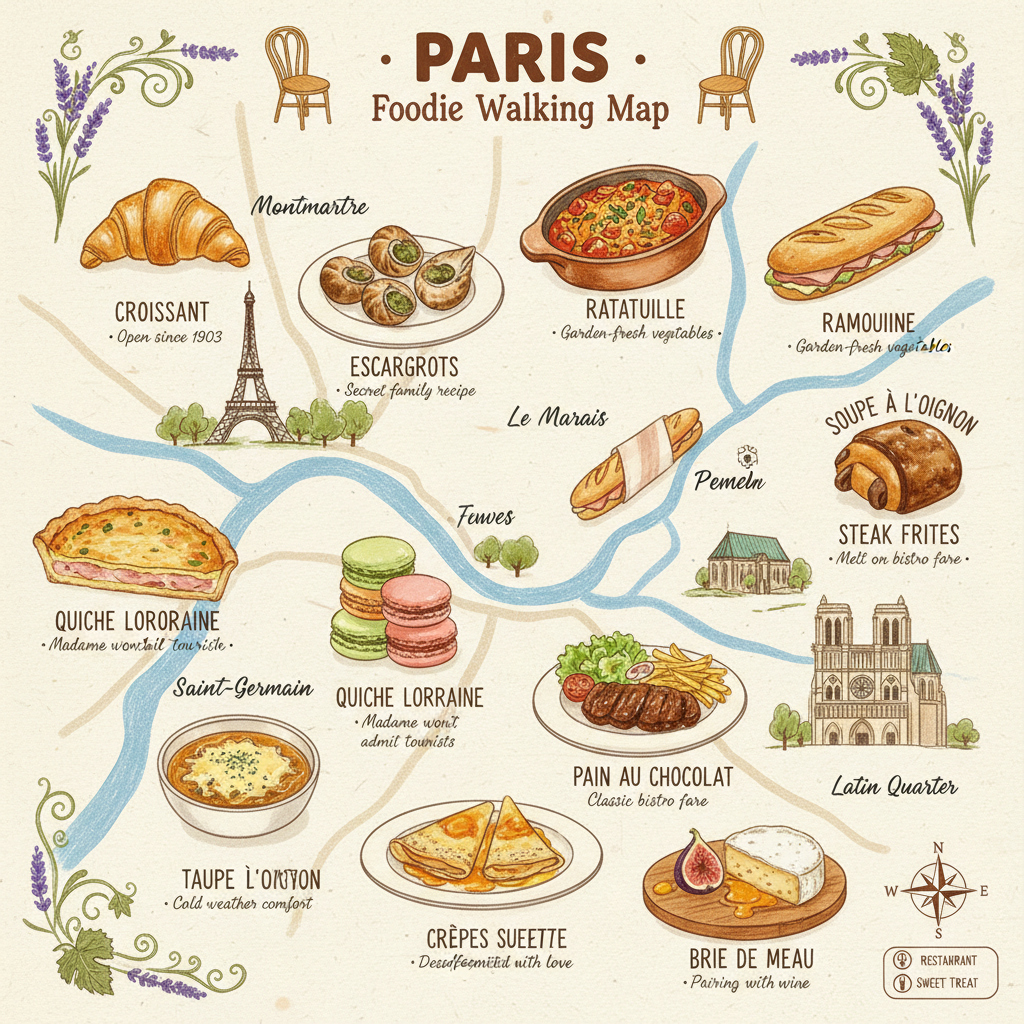
Paris Foodie Walking Map
AI Food Map
How the AI Food Map Generator Works
Three steps, zero accounts, instant 4K hand-drawn food illustration maps
Upload or Skip
Drop in a photo of your destination — a cityscape, a famous restaurant, a market alley — or skip the upload and just type the city name in the brief. The AI food map generator works either way.
Pick a Regional Food Map Style
Choose from six tuned regional cuisine styles in the AI food map generator: Chengdu Sichuan, Tokyo Japan, Bangkok Thailand, Paris France, Mexico City, or Istanbul Turkey. Each preset is hand-tuned with the right neighborhoods, dish list, palette, and decorative border foliage.
Save Your 4K Foodie Walking Map
In about 15 seconds the AI food map generator paints a 4K hand-drawn foodie walking map into the tab. Right-click → Save, or use the Download button. Sharp enough for Etsy printable downloads, A2 wall art, framed canvas, restaurant placemats, food-tour brochures, or Pinterest pins. No watermark, no signup wall.
Why the AI Food Map Generator Wins
Hand-drawn foodie walking map maker — Pro-tier model, region-aware, zero friction
12 Hand-Drawn Food Vignettes
Every AI food map generator output ships with twelve hand-drawn vignettes of local dishes, each at about 5 percent of the total area, each with a handwritten caption and a one-line recommendation like "Still queueing at 2 a.m." — no manual icon-pasting, no stock-illustration license fee.
Any City, Any Cuisine
Type the city name and the AI food map generator paints it as a top-down hand-drawn walking map with the right neighborhoods, landmarks, river curves, and metro rings — Chengdu hot-pot streets, Tokyo Yamanote loop, Bangkok Chao Phraya ribbon, Paris Seine. The food illustration map covers every iconic food destination a travel-blog audience clicks on.
Region-Appropriate Palette
Chili red and ginger yellow for Chengdu, soy brown and matcha green for Tokyo, lime and turmeric for Bangkok, terracotta and butter yellow for Paris — the AI food map generator picks region-appropriate palettes automatically, so your hand-drawn foodie walking map feels native to the cuisine, not generic.
Compass, Legend, Decorative Borders
Hand-drawn compass and small legend in the bottom-right corner, decorative hand-drawn vines, chilis, lemongrass, sakura, or grapevines framing the edges — every AI food map generator output comes with the full editorial-map vocabulary, ready to drop into a travel-blog hero or a printed food-tour brochure.
No Photoshop or Canva Setup
No Photoshop layer stacks, no Canva template hunt, no Etsy printable purchase, no Figma frame setup, no Procreate brush install. Pick a city style preset, type the destination, and a polished 4K hand-drawn foodie walking map lands in the tab in fifteen seconds.
Sharp 4K Print-Ready Output
Native 4K PNG output from the AI food map generator scales cleanly from Pinterest pins and Instagram carousel covers up to printed A2 wall art, food-tour brochures, restaurant placemats, and gallery giclee canvases without losing detail, banding the watercolor texture, or softening the handwritten captions.
AI Food Map vs Canva & Freelance Illustrators
Hand-drawn foodie walking map generator versus Canva templates and $500 freelance illustrators
| Feature | AI Food Map | Canva / Freelance |
|---|---|---|
| Sign up required | No | Yes (Canva account or Fiverr signup) |
| Time per food map | ~15 seconds | 2–7 days freelance turnaround or 1–2 hours Canva editing |
| Number of food vignettes | 12 per map automatically | Whatever the freelancer charges per icon |
| Cost per food map | $0 free tier | $300–$800 freelance or $13/mo Canva Pro |
| Output format | 4K original generation PNG | Variable — depends on illustrator deliverable |
| Cities supported | Any city, any cuisine region | Only what you brief and pay for |
| Uniqueness for Etsy resale | Each map is original — never two identical | One-of-one but at $500+ price |
| Iteration cost | 15s per new city variant | $300+ per new city or hours of Canva editing |
| Watermark on free output | No | Often yes on Canva free tier |
| Starting paid price | $2.99 (optional) | $300 freelance or $13/mo Canva Pro |
AI Food Map FAQ
Honest answers about the free AI food map generator
AI Food Map Generator — Hand-Drawn Foodie Walking Map Maker with GPT Image 2 Pro
The AI food map generator on gotimage2.com is the hand-drawn foodie walking map workflow powered by the GPT Image 2 Pro model. The page you are reading is the dedicated food illustration map generator for searches like "ai food map", "food illustration map", "regional cuisine map", and "ai city food guide" — they all land here, on the same AI food map generator with the same free no-signup access. There is no sign-up screen, no email confirmation, no Google or Apple SSO handoff, no Discord OAuth modal, and no phone-number verification. You open the page, scroll to the tool, pick one of six tuned regional food map presets, optionally upload a city photo and type the destination, and hit Generate — about fifteen seconds later a sharp 4K hand-drawn foodie walking map paints back into the tab, ready to drop into your travel-blog hero, food-tour brochure, restaurant placemat, Pinterest pin, Etsy printable poster shop, Society6 print-on-demand catalogue, food YouTube thumbnail, or framed kitchen wall.
Why does the AI food map generator beat Canva templates, freelance map illustrators, and stock-illustration sites for fast hand-drawn map work? Three reasons. First, the AI food map generator runs on GPT Image 2 Pro — the same Pro-tier model paying customers use, with no "free tier downgrade" applied to anonymous users. Second, the six presets are pre-tuned for full-stack regional authenticity: city neighborhoods, simplified street layout, twelve hand-picked signature dishes, region-appropriate palette, decorative border foliage, handwritten captions, hand-drawn compass and legend all painted in the same watercolor and colored-pencil language. You skip the freelance brief-writing and the Canva template hunt, and get region-aware food illustration map output on the first try. Third, it is genuinely free with no Adobe Creative Cloud subscription, no $13/month Canva Pro lock-in, and no $500 freelance illustrator invoice. The brief field lets you weave in destination details — the specific neighborhood, the iconic dish list, the framing foliage — without writing a long prompt, so the AI food map generator output stays on-target without an hour of re-rolls. Travel bloggers use this to seed entire city food-guide collections — Chengdu, Tokyo, Bangkok, Paris, Mexico City, Istanbul, Lisbon, Seoul — without paying $500 per illustration to a freelance map artist.
The AI food map generator is built for travel bloggers needing hand-drawn hero imagery for "12 must-eat spots" listicles, food-tour operators producing branded printable maps for guests, restaurant marketers building local-area dining guides for hotel concierges, food YouTubers needing custom thumbnail art that beats stock photo-collage thumbnails, food Pinterest creators producing high-saving pin art, food bloggers making Instagram carousel covers, Substack food-newsletter writers, Etsy printable poster sellers running food-themed shops, Airbnb hosts decorating themed kitchens, and content marketers building city-guide lead magnets. Each AI food map generator output is a one-of-one — never two identical renders — so a travel blogger can publish a fresh Chengdu hot-pot map, a Tokyo ramen map, and a Bangkok street-food map in the same week without two of them looking like the same Canva template that another blogger is also using. The food illustration map output handles the city research, the dish-list curation, the palette tuning, the typography selection, and the composition planning that usually takes a freelance map illustrator a week per map — in fifteen seconds, on a free anonymous tier.
If you are deciding between the AI food map generator and the closest paid alternatives, here is the short version. Canva costs $13/month, locks you into the same templates every other Canva user is editing, requires manual icon-pasting and palette work, and watermarks free output — slow, generic, and Canva-account-dependent. Freelance map illustrators cost $300–$800 per map, take two to seven days to deliver, and lock you into one round of revisions before charging extra. Adobe Illustrator costs $22.99/month, requires graphic-design skills, manual hand-lettering work, and per-map dish-list curation — overkill for fast travel-blog iteration. The AI food map generator on gotimage2.com is free on the anonymous tier, returns 4K hand-drawn foodie walking maps in fifteen seconds, runs on the same Pro-tier GPT Image 2 model paying customers use, and delivers original region-authentic illustrations every single render — no Canva account, no Fiverr brief, no Illustrator install, no design skills. Open the tool, pick a regional food map style, upload an optional city photo, type the destination, and walk away with a print-ready 4K hand-drawn food illustration map that no other travel blogger or Etsy seller is using. That is the entire AI food map pitch.