
AI Infographic Generator
Museum-Grade Breakdown Posters in 15 Seconds, Free
The AI infographic generator on gotimage2.com is the museum-grade breakdown infographic workflow powered by the GPT Image 2 Pro model. Upload any photo — a garment, an artifact, a product, a household object — pick a breakdown preset, and a sharp 4K museum-style infographic with a hero image, elegant ruling-line callouts, serif labels, four breakdown cards, and a credit row lands in the tab in about fifteen seconds. Free AI infographic generator with no login, no email, no card. Same Pro-tier model paying customers use.
Try the AI Infographic Generator — Free Right Here
Upload any photo — a garment, an artifact, a product, a household object — pick a museum-style breakdown preset, and a 4K annotated infographic lands in about fifteen seconds — no signup
AI Infographic Generator — Museum-Style Breakdown Poster Creator
Upload any subject photo, pick a museum-style breakdown preset, and hit Generate. The AI infographic generator returns a 4K annotated breakdown infographic — free, no sign up.
Upload any photo — a garment, artifact, product, or object — and pick a museum-style breakdown preset to get an annotated infographic
Made with the AI Infographic Generator
Real 4K outputs from the AI infographic generator — every museum-style breakdown preset, no account
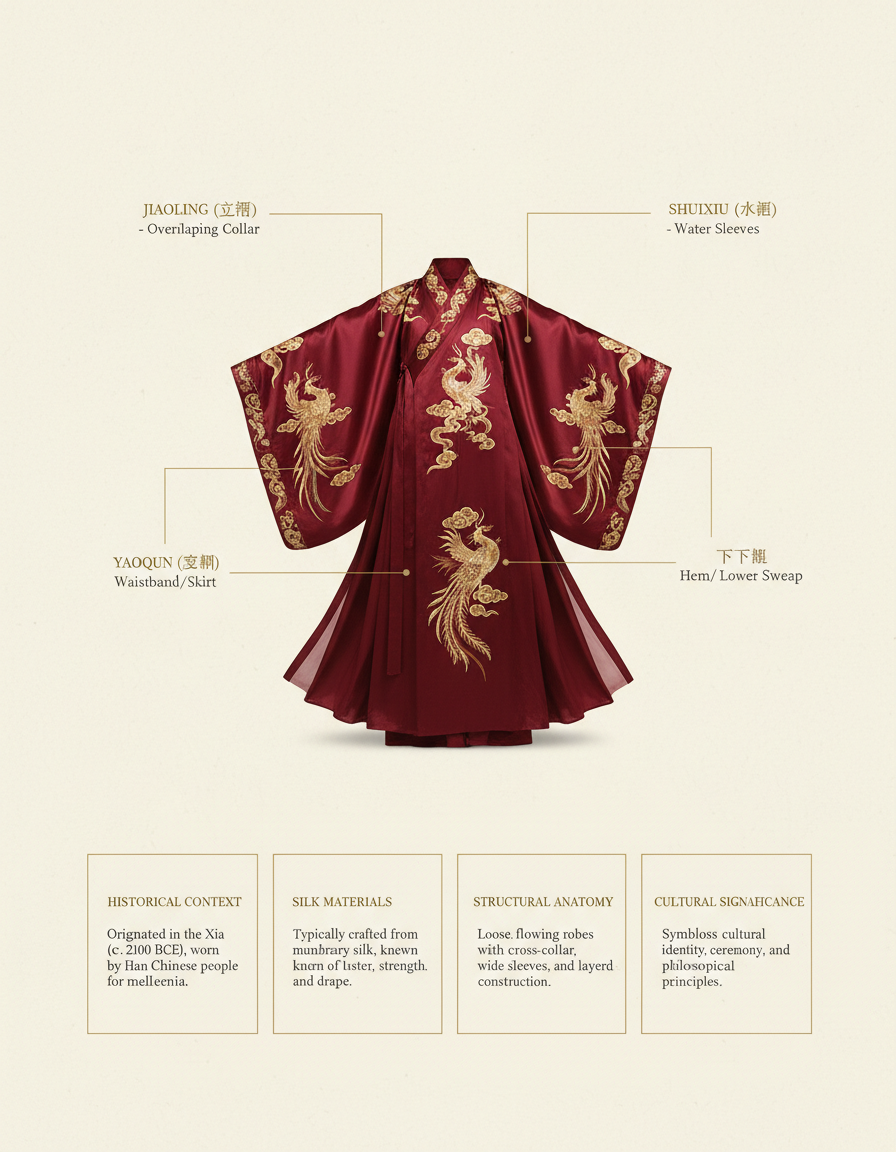
Hanfu Breakdown
AI Infographic Generator
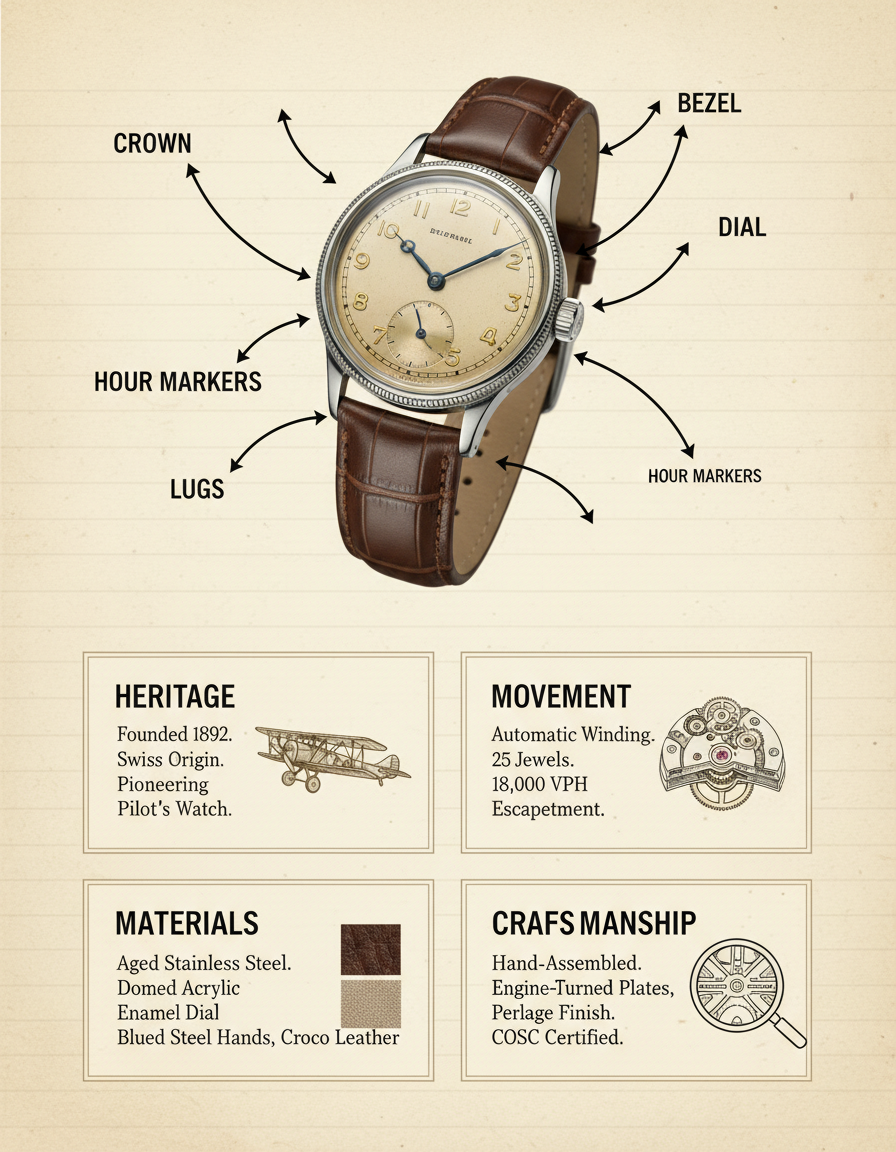
Wristwatch Anatomy
AI Infographic Generator
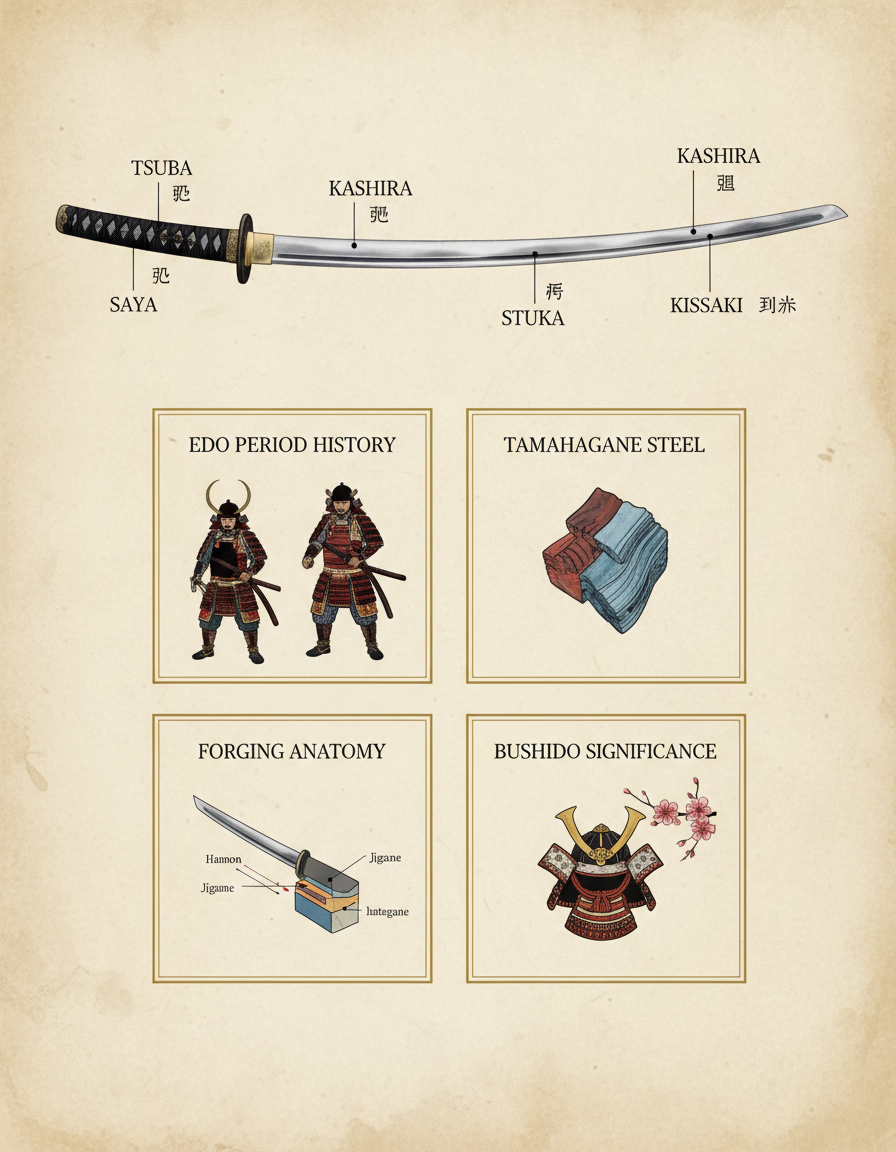
Katana Breakdown
AI Infographic Generator
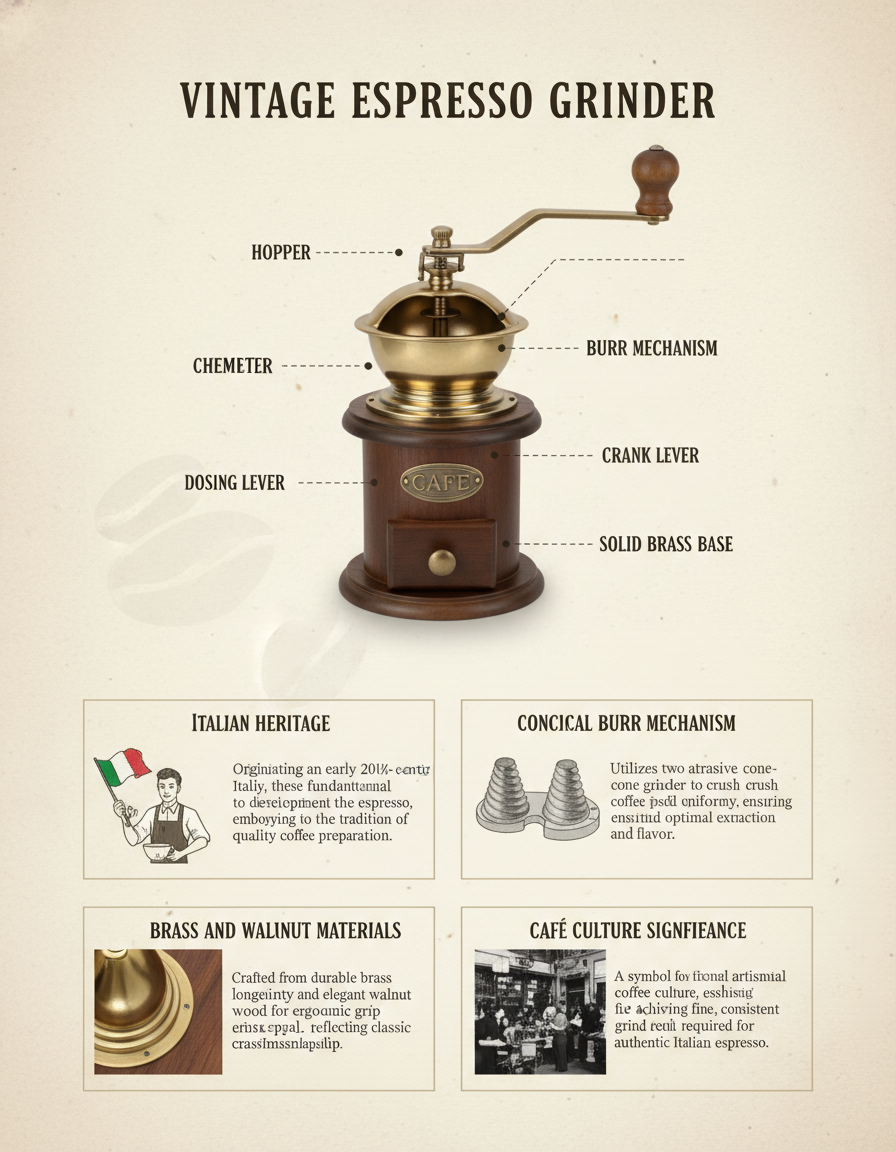
Espresso Grinder
AI Infographic Generator
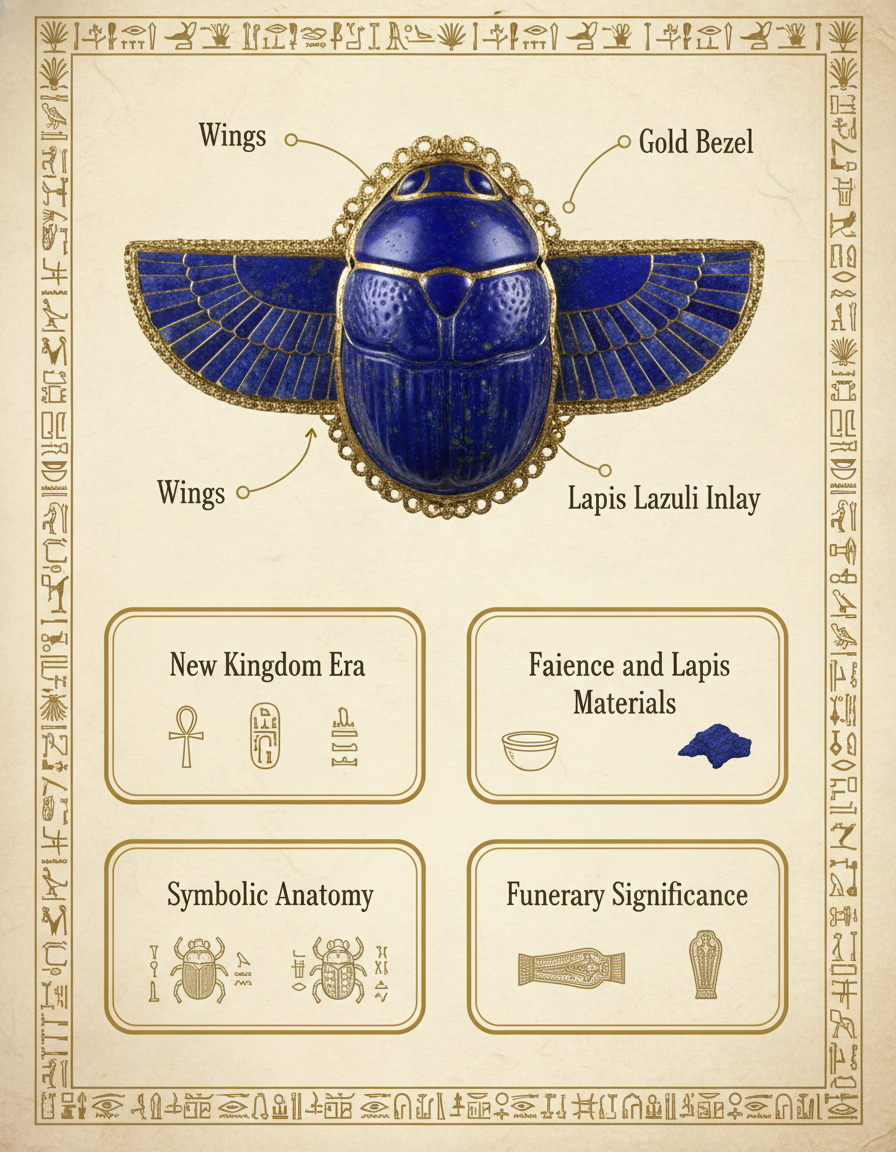
Scarab Amulet
AI Infographic Generator
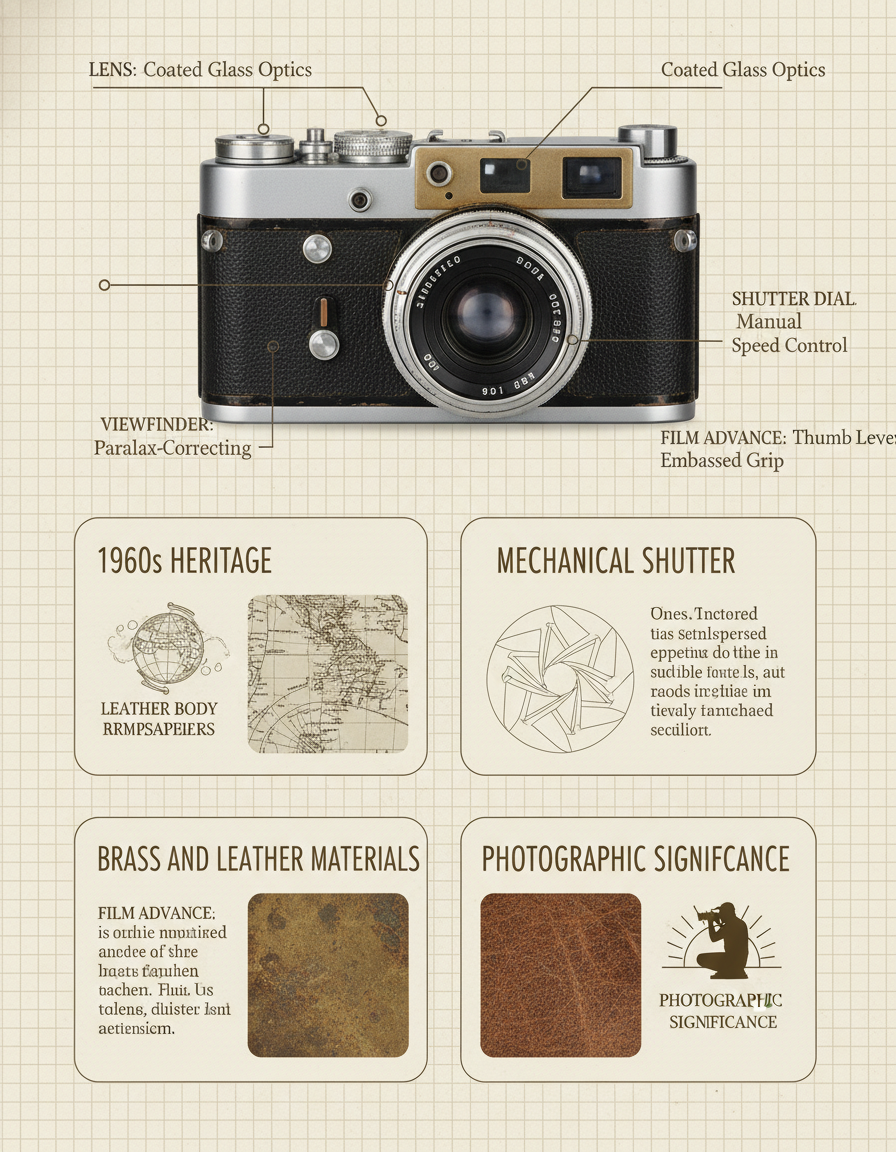
Vintage Film Camera
AI Infographic Generator
How the AI Infographic Generator Works
Three steps, zero accounts, instant 4K museum-style breakdown infographics
Upload Your Subject
Drop in any reference photo — a garment, an artifact, a product, a household object, a plant specimen, an architectural detail. The AI infographic generator will identify the structural components and place annotated callouts around the hero image.
Pick a Breakdown Preset
Choose from six tuned museum-style breakdown presets: Garment Breakdown, Artifact Anatomy, Product Anatomy, Food & Recipe Breakdown, Architectural Breakdown, or Botanical Specimen. Each preset is hand-tuned with the right callout style, breakdown-card categories, and museum-exhibition typography.
Save Your 4K Infographic
In about 15 seconds the AI infographic generator paints a 4K museum-style breakdown infographic into the tab. Right-click → Save, or use the Download button. Sharp enough for Etsy printable downloads, A2 wall art, museum-shop posters, classroom display boards, e-commerce product breakdown graphics, or Pinterest pins. No watermark, no signup wall.
Why the AI Infographic Generator Wins
Museum-grade breakdown infographic creator — Pro-tier model, anatomy-aware, zero friction
Museum-Grade Breakdown Layout
Every AI infographic generator output ships with a full museum-exhibition layout — large hero image at top, elegant ruling-line callouts with serif labels, four breakdown cards covering history, materials, anatomy, and significance, plus a credit row at the bottom — exactly the museum-grade infographic vocabulary that exhibition designers, gift-shop merchandisers, and educational publishers expect.
Any Subject, Annotated Callouts
Upload any object and the AI infographic generator identifies the structural components and paints elegant ruling-line callouts pointing to each part with serif English labels (plus optional native-language secondary labels). The museum breakdown infographic keeps the recognisable identity of your input subject, not a generic template fill.
Premium Parchment Aesthetic
Cream-ivory parchment background, fine ruling separators, museum exhibition serif typography, subtle decorative ornaments, two-tone caption boxes — the AI infographic generator picks museum-grade visual language automatically, so your breakdown infographic feels like a page from a Phaidon or Taschen monograph, not a flat Canva fill.
Editorial Caption Writing
Concise museum-caption-style text in every breakdown card — historical context paragraphs, materials-and-composition summaries, structural-anatomy walkthroughs, cultural-significance notes — every AI infographic generator output comes with editorial caption writing baked in, no manual copywriting required.
No Illustrator or Canva Setup
No Adobe Illustrator vector setup, no Canva infographic template hunt, no Piktochart grid system, no Visme widget library, no Figma frame configuration. Upload the subject, pick a breakdown preset, and a polished 4K museum-style infographic lands in the tab in fifteen seconds.
Sharp 4K Print-Ready Output
Native 4K PNG output from the AI infographic generator scales cleanly from Pinterest infographic pins and Instagram carousel slides up to printed A2 museum-shop posters, classroom display boards, exhibition signage, and gallery giclee prints without losing detail, banding the ruling lines, or softening the serif typography.
AI Infographic vs Canva & Freelance Designers
Museum-style breakdown infographic generator versus Canva templates and $300 freelance designers
| Feature | AI Infographic | Canva / Freelance |
|---|---|---|
| Sign up required | No | Yes (Canva account or Fiverr signup) |
| Time per infographic | ~15 seconds | 3–7 days freelance turnaround or 2–4 hours Canva editing |
| Museum-style layout pre-tuned | Yes — hero, callouts, breakdown cards, credit row all baked in | Manual layout setup or freelance brief |
| Cost per infographic | $0 free tier | $200–$600 freelance or $13/mo Canva Pro |
| Output format | 4K original generation PNG | Variable — depends on designer deliverable |
| Subjects supported | Any object, garment, artifact, product, or specimen | Only what you brief and pay for |
| Uniqueness for Etsy resale | Each infographic is original — never two identical | One-of-one but at $300+ price |
| Iteration cost | 15s per new subject variant | $200+ per new infographic or hours of Canva editing |
| Watermark on free output | No | Often yes on Canva free tier |
| Starting paid price | $2.99 (optional) | $200 freelance or $13/mo Canva Pro |
AI Infographic Generator FAQ
Honest answers about the free AI infographic generator
AI Infographic Generator — Museum-Grade Breakdown Poster Creator with GPT Image 2 Pro
The AI infographic generator on gotimage2.com is the museum-grade breakdown infographic workflow powered by the GPT Image 2 Pro model. The page you are reading is the dedicated AI infographic creator for searches like "ai infographic", "ai museum infographic", "ai breakdown poster", and "ai educational graphic" — they all land here, on the same AI infographic generator with the same free no-signup access. There is no sign-up screen, no email confirmation, no Google or Apple SSO handoff, no Discord OAuth modal, and no phone-number verification. You open the page, scroll to the tool, pick one of six tuned museum-style breakdown presets, upload any subject photo, and hit Generate — about fifteen seconds later a sharp 4K museum-grade annotated infographic paints back into the tab, ready to drop into your exhibition signage, gift-shop poster collection, e-commerce product page, classroom display board, museum-shop printable take-home, Pinterest infographic pin, Etsy printable poster shop, Society6 print-on-demand catalogue, Substack deep-dive article, or framed wall art.
Why does the AI infographic generator beat Canva infographic templates, Visme presets, Piktochart layouts, and freelance editorial designers for fast museum-grade breakdown work? Three reasons. First, the AI infographic generator runs on GPT Image 2 Pro — the same Pro-tier model paying customers use, with no "free tier downgrade" applied to anonymous users. Second, the six presets are pre-tuned for full-stack museum-exhibition authenticity: hero subject placement, ruling-line callouts, serif label typography, breakdown card layout, parchment background, ornamental flourishes, and editorial caption text all painted in the same vintage museum-monograph language. You skip the freelance brief-writing and the Canva template hunt, and get anatomy-aware infographic output on the first try. Third, it is genuinely free with no Adobe Creative Cloud subscription, no $13/month Canva Pro lock-in, and no $300 freelance designer invoice. The brief field lets you weave in subject-specific details — the era, the materials, the cultural context — without writing a long prompt, so the AI infographic generator output stays on-target without an hour of re-rolls. Museum-shop merchandisers use this to seed entire breakdown collections — Hanfu, samurai katana, scarab amulet, espresso grinder, film camera, vintage radio — without paying $300 per illustration to a freelance editorial designer.
The AI infographic generator is built for museum marketers needing breakdown posters for exhibitions and gift-shop signage, e-commerce product-page designers producing "anatomy of the product" infographics for Shopify and Amazon listings, fashion editorials needing garment-breakdown spreads for magazine features, history and culture educators producing classroom posters and slide-deck visuals, museum-shop merchandisers creating printable take-home guides for visitors, Substack and Medium writers illustrating long-form deep dives, Etsy printable poster sellers running educational-art shops, Pinterest creators producing high-saving infographic pins, brand designers building product-anatomy collateral, and content marketers building lead-magnet breakdowns. Each AI infographic generator output is a one-of-one — never two identical renders — so a museum-shop merchandiser can publish a fresh Hanfu breakdown poster, a samurai katana anatomy poster, and a scarab amulet breakdown in the same week without two of them looking like the same Canva template that another shop is also using. The museum-style infographic output handles the callout positioning, the serif label selection, the breakdown-card category planning, the editorial caption writing, and the parchment-background ornamentation that usually takes a freelance editorial designer a week per poster — in fifteen seconds, on a free anonymous tier.
If you are deciding between the AI infographic generator and the closest paid alternatives, here is the short version. Canva costs $13/month, locks you into the same infographic templates every other Canva user is editing, requires manual callout positioning and label writing, and watermarks free output — slow, generic, and Canva-account-dependent. Freelance editorial designers cost $200–$600 per infographic, take three to seven days to deliver, and lock you into one round of revisions before charging extra. Adobe Illustrator costs $22.99/month, requires graphic-design skills, manual ruling-line drafting, and per-subject anatomy research — overkill for fast museum-shop iteration. The AI infographic generator on gotimage2.com is free on the anonymous tier, returns 4K museum-grade breakdown infographics in fifteen seconds, runs on the same Pro-tier GPT Image 2 model paying customers use, and delivers original anatomy-aware breakdown illustrations every single render — no Canva account, no Fiverr brief, no Illustrator install, no design skills. Open the tool, pick a museum-style breakdown preset, upload any subject photo, and walk away with a print-ready 4K museum-grade annotated infographic that no other museum-shop merchandiser or Etsy seller is using. That is the entire AI infographic pitch.