AI Passport Photo Maker
Compliant ID Photos from a Selfie in Seconds
The AI passport photo maker on gotimage2.com turns an ordinary selfie into a compliant ID photo using the GPT Image 2 Pro model. Upload one clear photo and the AI passport photo maker drops you onto a plain white or light-grey background, centres your head, squares your shoulders, evens the lighting, and returns a neutral, document-ready portrait in about twenty seconds. Free passport photo maker with no login, no email, and no card.
Try the AI Passport Photo Maker — Free Right Here
Upload a front-facing selfie, pick your document format, and a compliant ID photo lands in about twenty seconds — no signup
AI Passport Photo Maker — Free Compliant ID Photos
Upload a front-facing selfie, pick your document format, and hit Generate. The AI passport photo maker returns a compliant white- or grey-background ID photo with correct head sizing and even lighting — free, no sign up.
Upload one clear, front-facing photo of your face — a phone selfie in good even light works best — to get a compliant ID photo on a plain background with your head centred and shoulders square
Real AI Passport Photo Maker Examples
Sample compliant ID photos generated by the AI passport photo maker — every preset, no account, no watermark
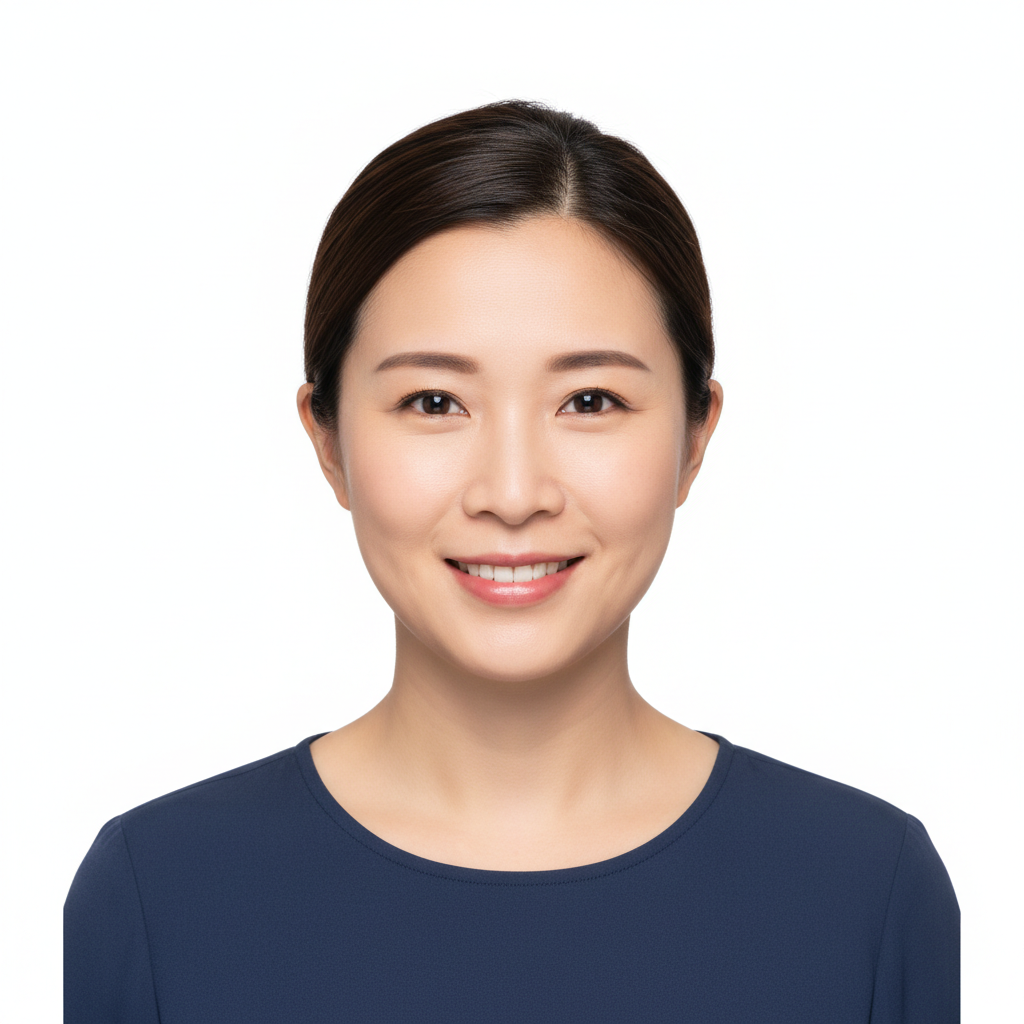
White Background
AI Passport Photo Maker
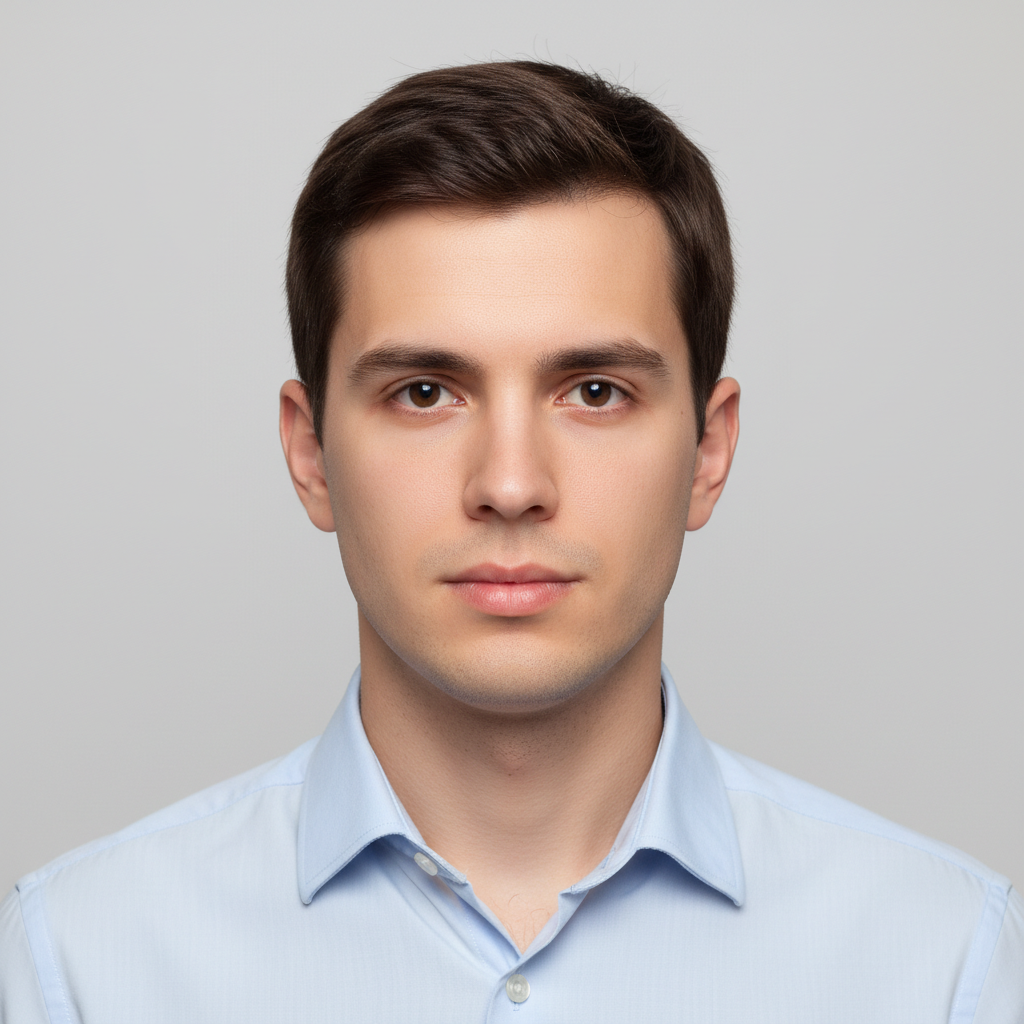
Visa Grey Background
AI Passport Photo Maker
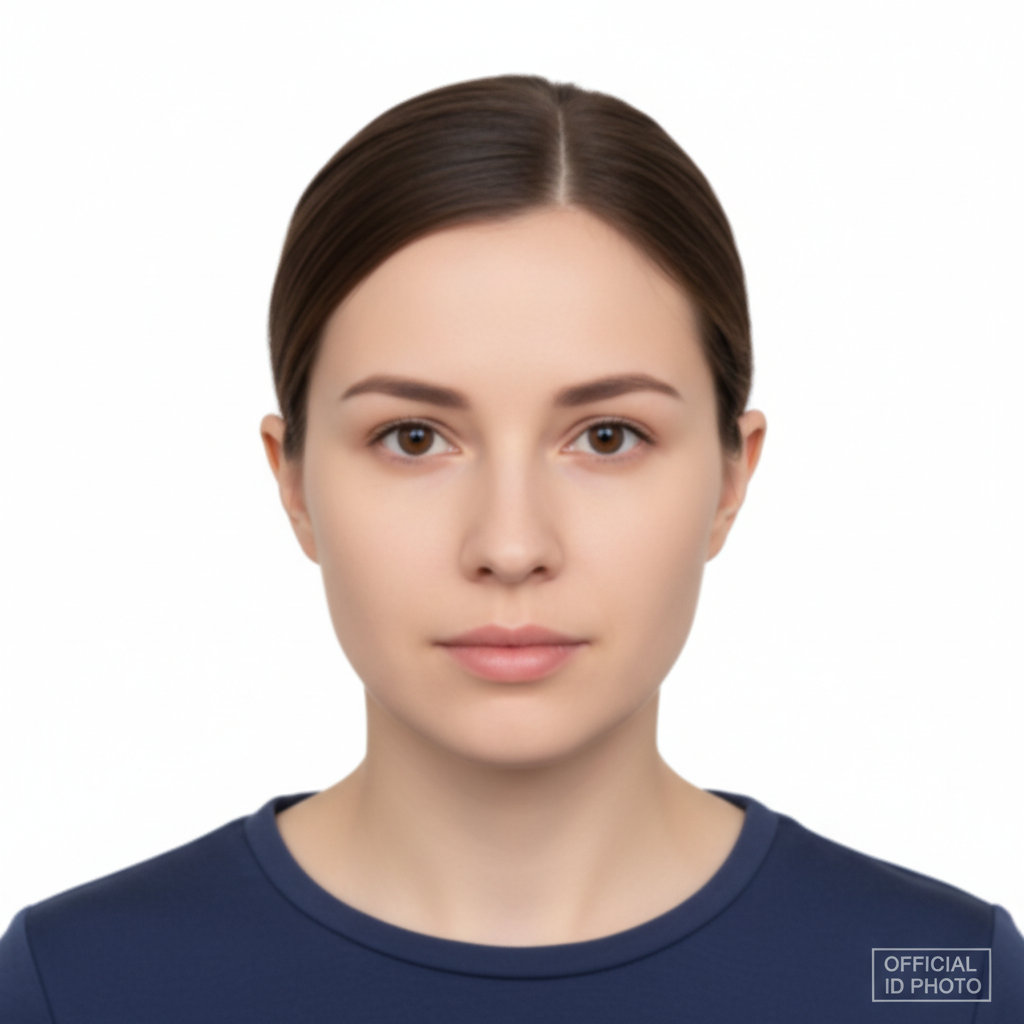
Hair Tied Back
AI Passport Photo Maker
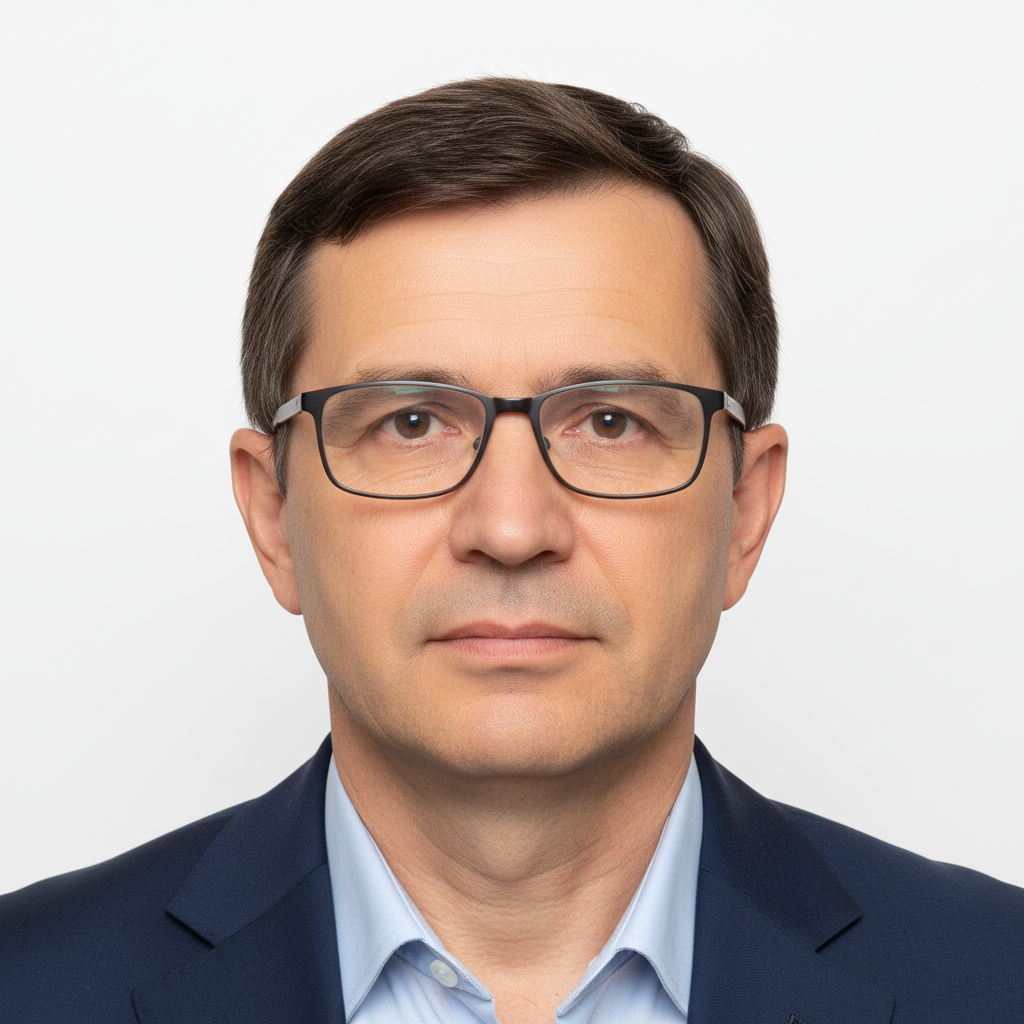
With Glasses
AI Passport Photo Maker
How the AI Passport Photo Maker Works
Three steps, zero accounts, a compliant ID photo in under a minute
Upload Your Selfie
Drop in one clear, front-facing photo of your face — a phone selfie in good even light works perfectly. The AI passport photo maker reads your face and head, so a sharp, well-lit shot facing the camera produces a much cleaner compliant result than a dim or angled one.
Pick Your Document Format
Choose the preset that matches your document — Passport White, Visa Grey, US 2x2, or Biometric Neutral. Each AI passport photo maker preset applies the right background, crop, and even lighting so the head is centred and the shoulders are square for that format.
Download and Print
In about 20 seconds the AI passport photo maker render lands as a clean PNG. Download it, crop to your country's exact head-size ratio if needed, then print it at home, at a pharmacy kiosk, or upload it directly to an online passport or visa application. No watermark, no signup wall.
Why the AI Passport Photo Maker Wins
Compliant backgrounds, correct head sizing, Pro-tier model, zero friction
Compliant Head Sizing
The AI passport photo maker centres your head and squares your shoulders to the head-and-shoulders composition that document photos require, so you can crop to your country's exact head-size ratio without re-shooting. No tilted angles, no off-centre framing, no cropped-off chins.
Plain Compliant Backgrounds
Every render replaces your busy real-world background with a clean, evenly-lit backdrop — pure white for passports or neutral light-grey for visas — with no shadows behind the head. The plain compliant background is the single most common reason home photos get rejected, and the AI passport photo maker fixes it automatically.
Multiple Document Presets
Four tuned presets cover the formats people actually need — passport white background, visa grey background, US 2x2-inch square, and a neutral biometric look. Pick the one that matches your document, hit Generate, and the AI passport photo maker applies the right background, crop, and lighting for that format.
Even Lighting, Neutral Look
The tool re-lights your face with soft, even, front-facing illumination and gives you the calm neutral expression document photos demand — both eyes open, mouth closed, no harsh shadows under the nose or chin. The result reads as a proper studio ID photo rather than a phone selfie.
20-Second ID Photos
Each AI passport photo maker render runs in about twenty seconds, so you can try two or three source selfies until the composition lands perfectly. No appointment, no trip to a photo booth, no waiting in line at the pharmacy — make your compliant ID photo at home in under a minute and print it yourself.
No Sign Up, No Watermark
No account, no email confirmation, no trial countdown, and no watermark stamped across your photo. Upload a selfie, hit Generate, and a clean PNG of your compliant ID photo lands in the tab — ready to print at home, upload to an online application, or take to a print kiosk without scrubbing a logo out of the corner.
AI Passport Photo Maker vs the Pharmacy Photo Booth
Why the AI passport photo maker beats a trip to the booth or studio
| Feature | AI Passport Photo Maker | Pharmacy Photo Booth |
|---|---|---|
| Cost | $0 free tier | $12–$20 per sitting |
| Time | ~20 seconds at home | Drive + queue + wait |
| Retakes | Unlimited free re-rolls | Pay again to retake |
| Background | Auto white / grey / neutral | Fixed booth backdrop |
| Head centring | Auto-centred & squared | Depends on the booth |
| Use your own selfie | Yes — any front-facing photo | Only on-site capture |
| Digital copy | Instant PNG download | Often print-only |
| For kids & babies | Upload an existing photo | Hard to pose on-site |
| Watermark | None | N/A |
| Starting paid price | $2.99 (optional) | $12+ every time |
AI Passport Photo Maker FAQ
Honest answers about the free AI passport photo maker
AI Passport Photo Maker — Compliant ID Photos Without the Booth
The AI passport photo maker on gotimage2.com turns an ordinary selfie into a compliant ID photo using the GPT Image 2 Pro model. The page you are reading is the dedicated AI passport photo maker for searches like "ai passport photo maker", "passport photo maker", "visa photo maker", "id photo maker ai", "biometric photo generator", and "2x2 photo maker" — they all land here, on the same free no-sign-up AI passport photo maker. There is no account screen, no email confirmation, no trial countdown, and no phone-number verification. You open the page, scroll to the tool, pick the preset that matches your document — Passport White, Visa Grey, US 2x2, or Biometric Neutral — upload one clear front-facing selfie, and hit Generate. About twenty seconds later a compliant ID photo lands in the tab: a plain even background, a centred head, square shoulders, soft even lighting with no harsh shadows, and a calm neutral expression — ready to download, crop to your country's exact head-size ratio, and print at home or upload to an online application.
Why use the AI passport photo maker instead of driving to a pharmacy photo booth or a portrait studio? Three reasons. First, it is free — the AI passport photo maker runs on GPT Image 2 Pro, the same Pro-tier model paying customers use, and the anonymous tier never asks for a card. A booth charges twelve to twenty dollars per sitting and makes you pay again to retake; here you can re-roll as many selfies as you like until the composition lands perfectly. Second, it is instant and from home — no appointment, no queue, no trip. Upload a selfie you already have, pick the document format, and your compliant ID photo is ready in under a minute. Third, the four presets handle the parts people get wrong on their own: the plain compliant background, the centred head and squared shoulders, the even shadow-free lighting, and the neutral expression. Those four things are the most common reasons home-made document photos get rejected, and the AI passport photo maker fixes all of them automatically.
The AI passport photo maker is built for travellers renewing a passport on a deadline, visa applicants who need a specific background colour, students and remote workers needing ID photos for documents, and parents getting passports for kids and babies — the hardest subjects to photograph for documents. Upload a clear front-facing photo where the face is evenly lit and visible, choose the matching preset, and the tool centres the head, cleans up the background, and evens the lighting while preserving the person's exact identity — same face shape, skin tone, hair, and features such as glasses or facial hair. Every render is a fresh, true-to-life portrait rather than a stylised or beautified one, because document photos must look like the real person. The output is a clean PNG with no watermark, ready for an online application or a print kiosk.
One important note on acceptance: the AI passport photo maker produces a photo that follows the requirements most authorities share — plain light background, centred head, square shoulders, even lighting, neutral expression, both eyes open — but every country and document type has its own exact rules for head-size ratio, dimensions, and acceptable background shade, and official acceptance is always decided by the issuing authority. Always check your government's official passport or visa photo guidelines before submitting, and print at the required dimensions. Treat the AI passport photo maker as the fast, free way to get a clean, well-composed, compliant starting photo without the cost and hassle of a booth — pick a preset, upload one selfie, download the PNG, and you are done. That is the entire AI passport photo maker pitch.