AI Pixar Portrait
Turn Yourself into a Pixar 3D Character in 20 Seconds
The AI Pixar portrait tool on gotimage2.com is the viral selfie-to-Pixar-character workflow powered by the GPT Image 2 Pro model. Upload one clear selfie and a feature-film-quality Pixar / Disney 3D animated character of you lands in the tab in about twenty seconds — slightly exaggerated large expressive eyes, soft round cheeks, glossy hair with stray strands catching the rim light, subsurface-scattered skin, and a cinematic pastel-gradient backdrop with creamy bokeh. Free AI Pixar portrait with no login, no email, no card.
Try the AI Pixar Portrait — Free Right Here
Upload a clear selfie, pick a Pixar preset, and a feature-film-quality Pixar / Disney 3D character of you lands in about twenty seconds — no signup
AI Pixar Portrait — Free 3D Pixar Character Maker
Upload one clear selfie, pick a Pixar preset, and hit Generate. The AI Pixar portrait returns a feature-film-quality 3D Pixar / Disney character of you with cinematic lighting — free, no sign up.
Upload one clear, well-lit selfie — front-facing or gentle 3/4 angle works best — to get a feature-film-quality AI Pixar portrait that preserves your face shape, eye colour, hair, and defining features in Pixar / Disney 3D animated style
Real AI Pixar Portrait Examples
Sample feature-film Pixar / Disney 3D characters generated by the AI Pixar portrait tool — every preset, no account, no watermark
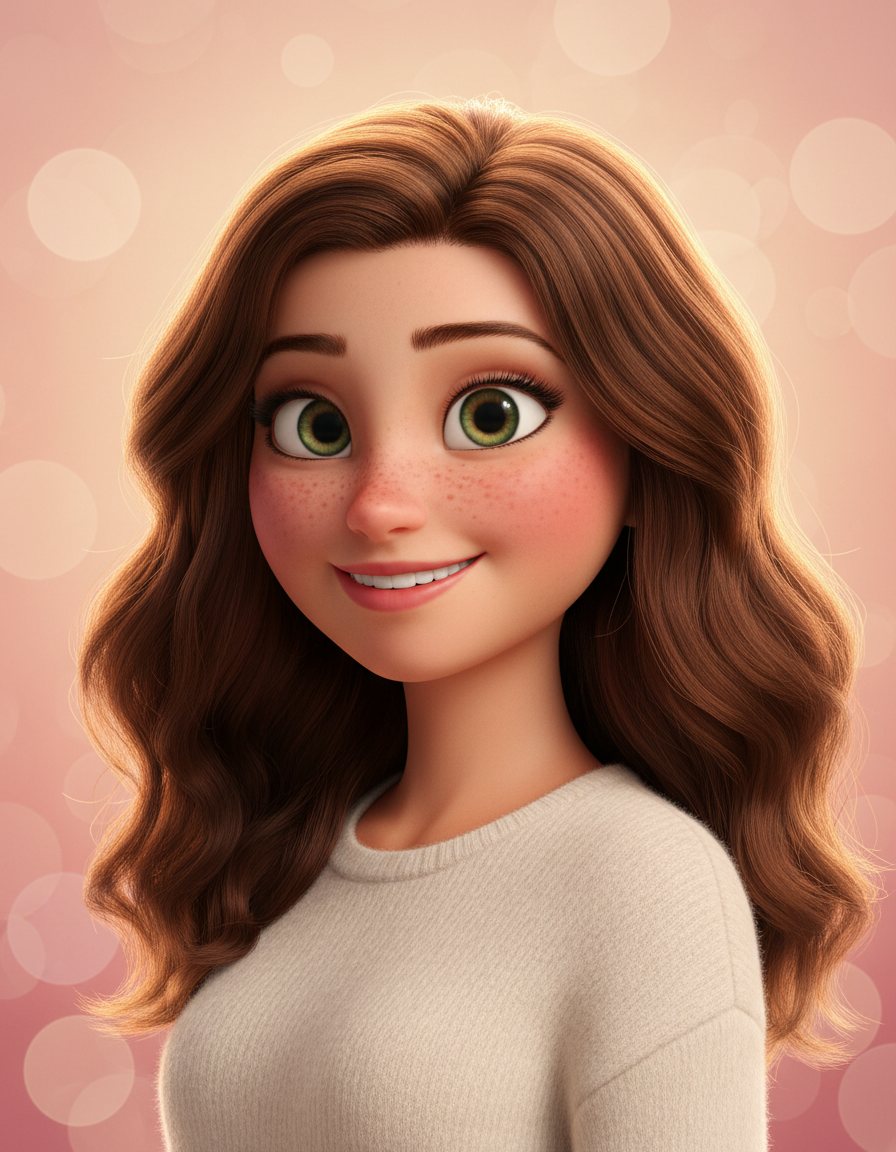
Warm Hero Lead
AI Pixar Portrait
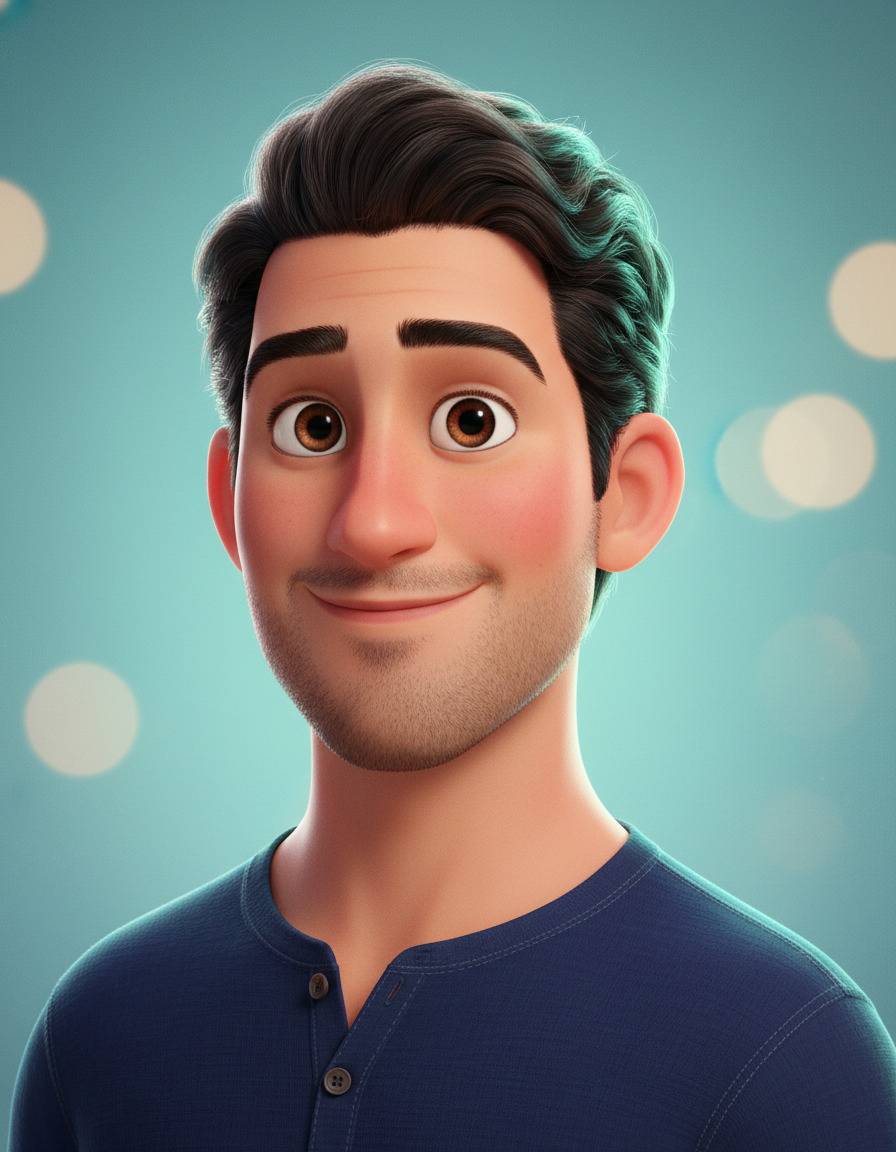
Modern Pixar Lead
AI Pixar Portrait
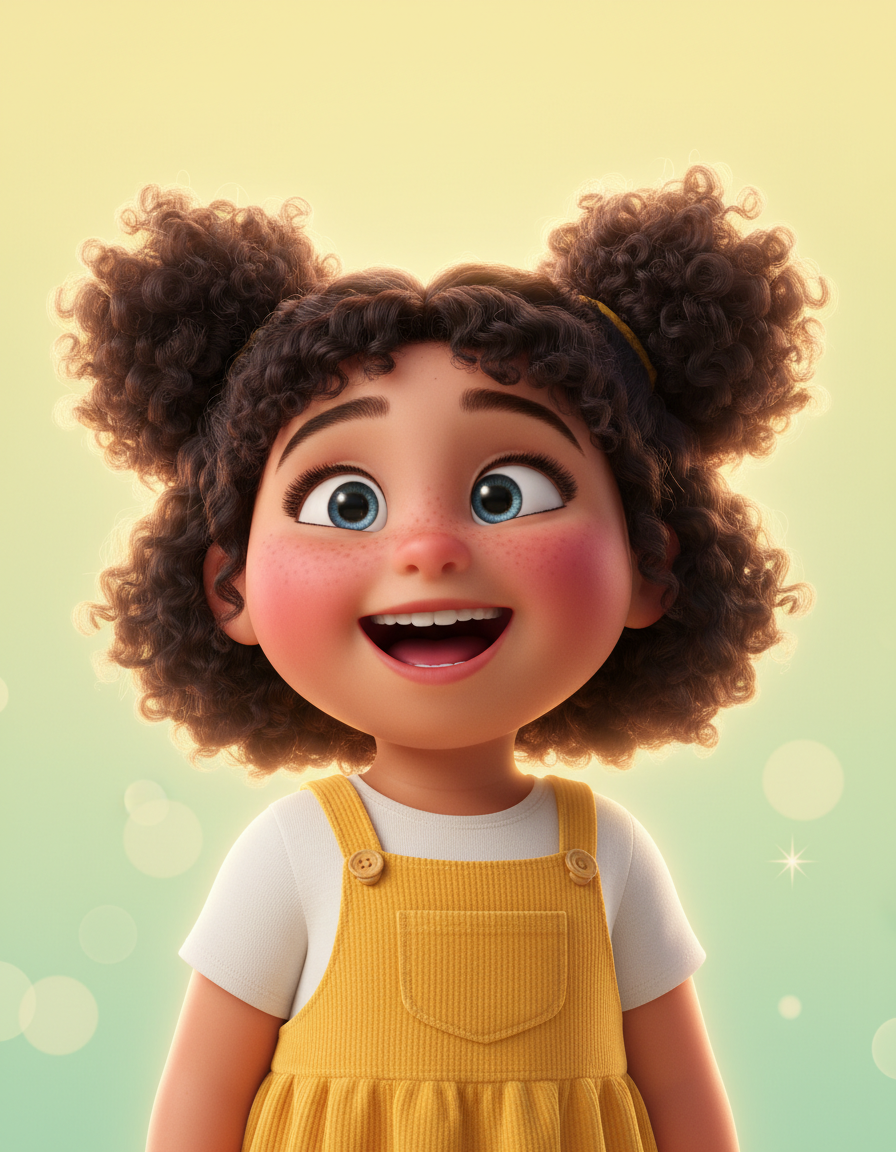
Joyful Child Lead
AI Pixar Portrait
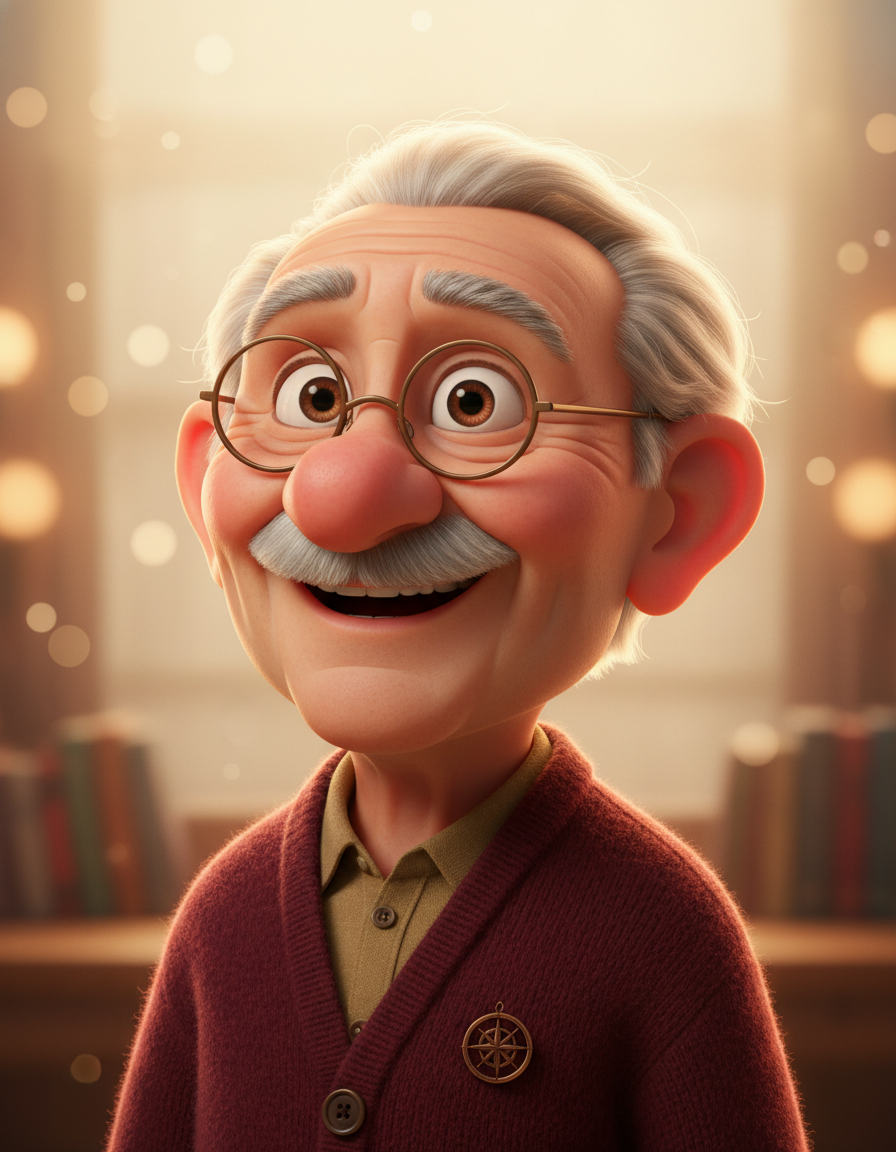
Beloved Grandfather
AI Pixar Portrait
How the AI Pixar Portrait Works
Three steps, zero accounts, instant feature-film-quality Pixar / Disney character renders
Upload Your Selfie
Drop in one clear, well-lit selfie. Front-facing or gentle 3/4 angle both work — the AI Pixar portrait model reads your face shape, eye colour, hair texture, skin tone, freckles, glasses, beard, and other defining features, so a sharp shot with the face clearly visible produces a much closer-to-you Pixar character than a low-light side angle.
Pick a Pixar Preset
Choose from six tuned Pixar / Disney character presets — Classic Pixar Hero, Modern Pixar Lead, Disney Princess Style, Joyful Child Character, Warm Grandparent Lead, or Teaser-Poster Cinematic. Each AI Pixar portrait preset is hand-tuned with the right cinematic lighting setup, pastel backdrop, wardrobe styling, and facial-exaggeration level.
Save and Post
In about 20 seconds the AI Pixar portrait lands in the tab as a clean PNG. Right-click → Save, or use the Download button, then drop it straight into your Instagram profile picture, your podcast cover, your TikTok bio, your Discord avatar, a printed canvas, or a couples / family Pixar lineup post. No watermark, no signup wall, no attribution string.
Why the AI Pixar Portrait Wins
Feature-film 3D Pixar polish, Pro-tier model, viral-format-native, zero friction
Feature-Film Pixar Polish
Every AI Pixar portrait lands at the visual quality of a Pixar / Disney movie key-art shot — smooth subsurface-scattered skin, fluffy individually-rendered hair strands, slightly exaggerated large expressive eyes, soft round cheeks, and the cinematic key + warm rim lighting setup that the studios use on their hero characters. Not a cartoon filter — a real 3D-feature-quality animated portrait.
Identity Preserved Exactly
The AI Pixar portrait is tuned to preserve the subject's identity. Same face shape, same hair colour and length, same complexion, same eye colour, same defining features — freckles, glasses, beard, distinctive jawline. The Pixar version of you is recognisably you, just rendered in feature-film 3D animation style. No "AI swapped my face for a different person" weirdness — the whole point is that your friends and family instantly recognise you.
Six Tuned Pixar Presets
Six pre-tuned Pixar / Disney character presets — Classic Pixar Hero, Modern Pixar Lead, Disney Princess Style, Joyful Child Character, Warm Grandparent Lead, and Teaser-Poster Cinematic — each with the right lighting setup, the right pastel-gradient backdrop, the right wardrobe styling, and the right facial exaggeration level. Click the preset, hit Generate, and the AI Pixar portrait lands in the exact sub-flavour of the format you wanted.
Cinematic Lighting & Bokeh
Every AI Pixar portrait ships with the cinematic-lighting toolkit that the studios actually use — soft top-down key light, warm or cool rim light from behind, soft global illumination with no harsh shadows, and a pastel-gradient backdrop with creamy out-of-focus bokeh. The result reads as movie key-art, not a flat AI render. Drop the AI Pixar portrait straight onto a printed canvas or a Spotify cover and it holds up.
20-Second Pixar Renders
Each AI Pixar portrait runs in about twenty seconds, so you can re-roll the same selfie three or four times until the Pixar interpretation lands at the most flattering combination. Non-deterministic by design — every regeneration is a fresh feature-film rendering with a slightly different lighting grade. Iterate fast, save the one that captures you best.
No Sign Up, No Watermark
No Discord OAuth gate, no email confirmation, no Apple-or-Google SSO handoff, no trial countdown, no watermark stamped across the corner. Upload the selfie, hit Generate, and a clean PNG of your AI Pixar portrait lands in the tab — ready to set as your Instagram profile picture, your podcast cover, or a printed birthday canvas for your parents without scrubbing a logo out of the bottom.
AI Pixar Portrait vs Prompting ChatGPT Yourself
Why the dedicated AI Pixar portrait tool beats re-engineering the prompt every time
| Feature | AI Pixar Portrait | Prompting ChatGPT Yourself |
|---|---|---|
| Sign up required | No | ChatGPT account + Plus subscription |
| Time per Pixar render | ~20 seconds | 3–6 min writing the prompt |
| Prompt re-engineering | Pre-tuned in 6 presets | Re-type every viral format |
| Cost per portrait | $0 free tier | $20/mo ChatGPT Plus |
| Iteration speed | 4 renders in 80 seconds | Rate-limited regenerations |
| Identity preservation | Locked — face shape, hair, skin tone, glasses | Drifts on regen |
| Cinematic lighting | Key + rim + bokeh, studio-grade | Generic 3D render |
| Output format | Clean PNG, no watermark | May add "DALL·E" footer |
| Six tonal presets | Hero / Lead / Princess / Child / Grandparent / Teaser | Write each tone from scratch |
| Starting paid price | $2.99 (optional) | $20/mo minimum |
AI Pixar Portrait FAQ
Honest answers about the free AI Pixar portrait tool
AI Pixar Portrait — The Viral Pixar-Yourself Tool
The AI Pixar portrait tool on gotimage2.com is the viral selfie-to-3D-Pixar-character workflow powered by the GPT Image 2 Pro model. The page you are reading is the dedicated AI Pixar portrait generator for searches like "ai pixar portrait", "pixar style ai", "turn me into pixar", "ai 3d character", "pixar character generator", and "disney style portrait ai" — they all land here, on the same AI Pixar portrait tool with the same free no-signup access. There is no sign-up screen, no email confirmation, no Google or Apple SSO handoff, no Discord OAuth modal, no Microsoft-account-required login, and no phone-number verification. You open the page, scroll to the tool, pick one of six tuned Pixar / Disney presets — Classic Pixar Hero, Modern Pixar Lead, Disney Princess Style, Joyful Child Character, Warm Grandparent Lead, or Teaser-Poster Cinematic — upload one clear selfie, and hit Generate. About twenty seconds later a feature-film-quality 3D Pixar character of you paints back into the tab — slightly exaggerated large expressive eyes, soft round cheeks, glossy hair with stray strands catching the rim light, smooth subsurface-scattered skin, subtle fabric folds on the clothing, and a cinematic pastel-gradient backdrop with creamy bokeh — ready to drop into your Instagram profile picture, X avatar, TikTok bio, Discord avatar, podcast cover, stream banner, printed canvas, family Pixar lineup, or a couples "us as Pixar" post.
Why does the AI Pixar portrait tool beat prompting ChatGPT yourself, opening a generic cartoon-filter app, or using a 2D Bitmoji sticker? Three reasons. First, the AI Pixar portrait tool runs on GPT Image 2 Pro — the same Pro-tier model paying customers use, with no "free tier downgrade" applied to anonymous users — and the six presets are pre-tuned to lock the feature-film Pixar polish, the cinematic key + rim lighting, the pastel-gradient bokeh backdrop, the identity-preservation behaviour, and the slightly-exaggerated-Pixar-eye geometry exactly the way the viral format demands. Re-engineering the prompt from scratch every time you want a new AI Pixar portrait is a five-minute job that produces inconsistent results; the presets here are a click. Second, the six Pixar-style presets cover the different sub-flavours of the format that perform on social — classic Pixar hero, modern Pixar lead, Disney princess, joyful child, warm grandparent, and teaser-poster cinematic — so you can match the character to the post (profile picture, family lineup, kid's birthday gift, podcast cover) without writing a single prompt. Third, it is genuinely free with no Discord OAuth, no email gate, no trial countdown, and no watermark stamped across the bottom. Iterate three or four times, pick the Pixar portrait that captures you best, and walk away.
The AI Pixar portrait tool is built for social media creators chasing the spring 2026 viral Pixar-yourself trend on TikTok, Instagram, and X, family content makers turning every family member into a matching Pixar lineup for a printed canvas or a holiday card, couples-content creators making "us as Pixar characters" reels, parents pixar-ing their kids for a wall print or a wallpaper, friend-group meme accounts running "I asked AI to make us Pixar" reaction posts, teachers making class avatars or yearbook headers, podcast hosts using AI Pixar portraits as cover art, streamers wanting a stylised hero portrait for their channel banner, and casual users who saw a Pixar-style AI portrait scroll past and wanted their own. Each AI Pixar portrait output is a one-of-one — never two identical renders — so two friends generating from similar selfies will never get identical Pixar characters even if the lighting grade lands close. The output handles the feature-film Pixar polish, the cinematic lighting setup, the pastel-gradient bokeh backdrop, the identity preservation, and the slightly-exaggerated-eye-geometry that the viral format demands — in twenty seconds, on a free anonymous tier.
If you are deciding between the AI Pixar portrait tool and the alternatives, here is the short version. Prompting ChatGPT yourself requires a $20-a-month Plus subscription, a fresh prompt every time, and produces inconsistent renders that drift away from your actual face on regenerate. Older Pixar-filter apps are flat 2D cartoon stickers — fine for chat reactions, but they are not feature-film 3D Pixar quality and they do not preserve identity at the level a profile picture or a printed canvas needs. Snapchat or Bitmoji avatars are 2D flat illustrations, the wrong medium entirely for this format. The AI Pixar portrait tool on gotimage2.com is free on the anonymous tier, returns full feature-film-quality 3D Pixar / Disney characters in twenty seconds, runs on the same Pro-tier GPT Image 2 model paying customers use, preserves your face shape and hair and skin tone and defining features so people who know you instantly recognise the Pixar version, and delivers the exact cinematic key-art aesthetic that is currently doing huge numbers on TikTok and Instagram in spring 2026 — no ChatGPT Plus subscription, no prompt re-engineering, no watermark. Open the tool, pick a Pixar preset, upload one clear selfie, and walk away with a ready-to-post AI Pixar portrait. That is the entire AI Pixar portrait pitch.