
AI Vehicle Wrap Design Generator
See the Van Before You Pay for the Vinyl
Pick a layout, name your colours, and get a wrapped van, truck or car back in about fifteen seconds — graphic bending over the wheel arch, name on the door, phone number on the back. Free, no sign up.
Try the AI Vehicle Wrap Design Generator — Free
Choose a layout, type your colours and trade name in the box, and run the same idea loud and restrained
AI Vehicle Wrap Design Generator
Pick the layout closest to what you want, then put your two colours and a short trade name in the box below. Keep the name to one or two words and leave long phone numbers out — every extra character is another chance for a letter to come out wrong. Vehicles render generic and unbadged on purpose.
Designing the vehicle itself rather than the graphics on it? That is the AI car design generator. Need the brand mark before the wrap, or the rest of the identity after it? Start with the AI logo generator, then the AI business card maker and the AI flyer generator. Putting existing artwork onto a mug, a box or a shirt instead is the AI product mockup generator.
AI Vehicle Wrap Design Generator Examples
Six renders exactly as they came back — including what each one gets wrong about a real vehicle
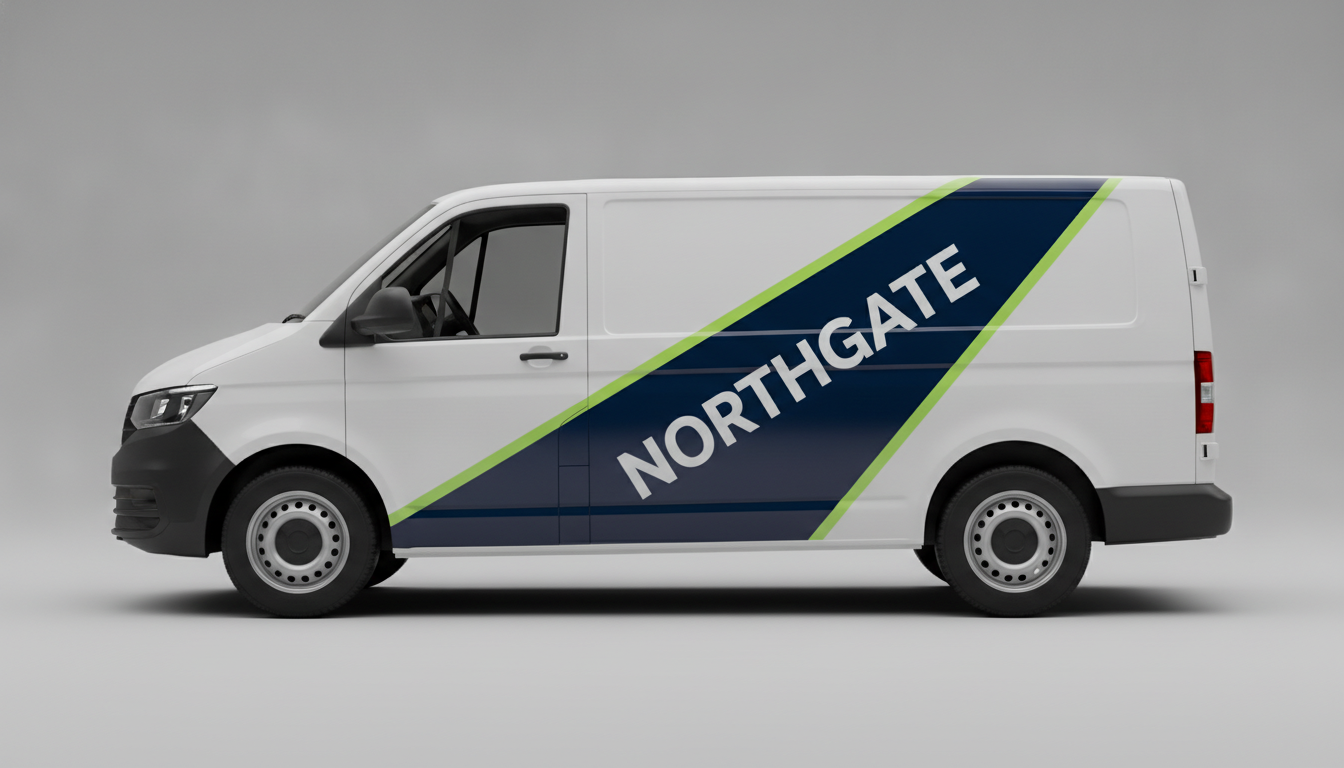
The Classic Trade Van Diagonal
NORTHGATE, nine characters, all correct. It was asked for the name across the middle of the sliding door and set it at an angle following the wedge instead — which is what half these layouts do in real life, and also harder to read at speed. Look at the door shut line running straight through the N: on your van that is a real gap in the vinyl.
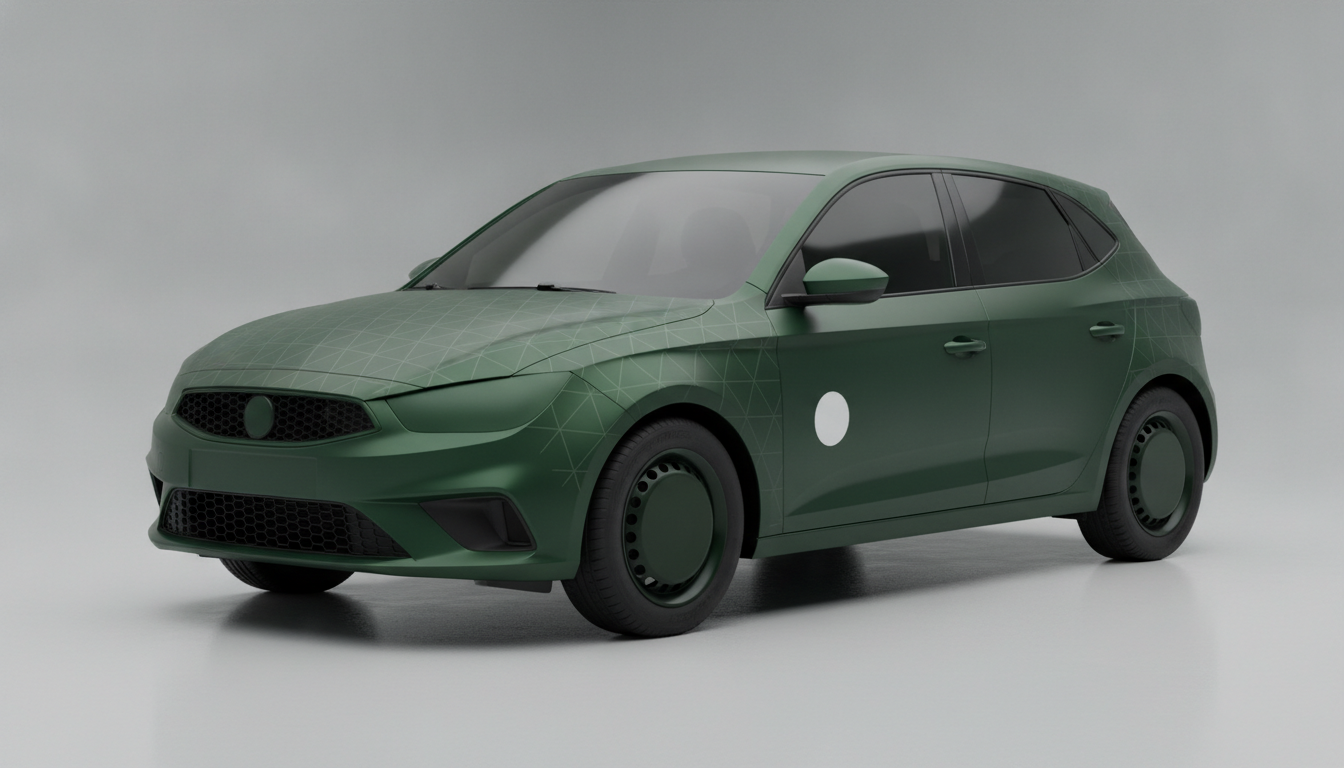
Full Colour Change, and a Render Being Optimistic
The matt film and the faint triangle pattern are exactly right, and everything else is a warning. It has wrapped the wheels, the bumpers, the mirrors and even tinted the glass green, because the model does not know which surfaces take vinyl. In reality glass is never wrapped, wheels are a separate job, and textured bumper plastic is its own conversation.
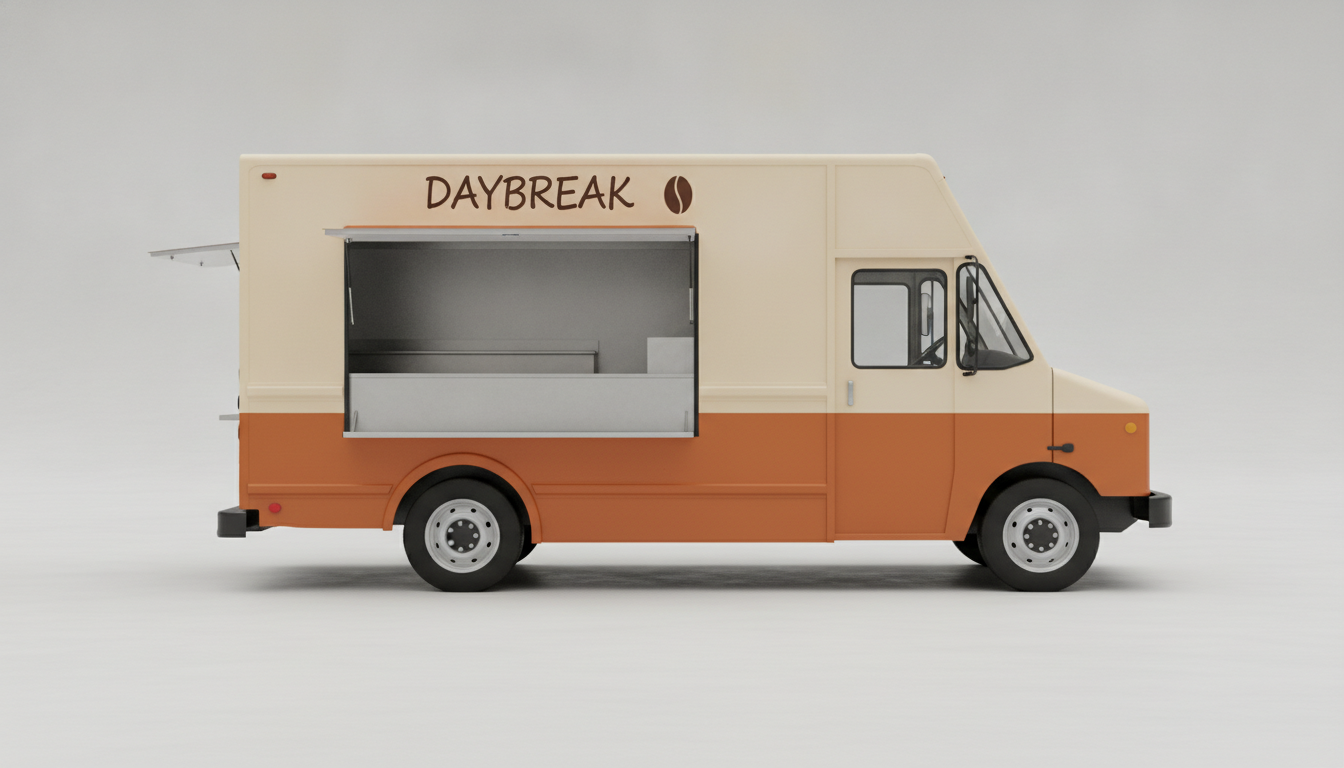
Food Truck, Judged With the Hatch Open
DAYBREAK, spelled correctly, with the coffee bean where it was asked for. It ignored the hand-lettered script and returned block capitals, which is the kind of instruction it quietly drops. Generated with the hatch open on purpose: a food truck wrap design that balances when the truck is shut can lose its whole centre panel at service time.
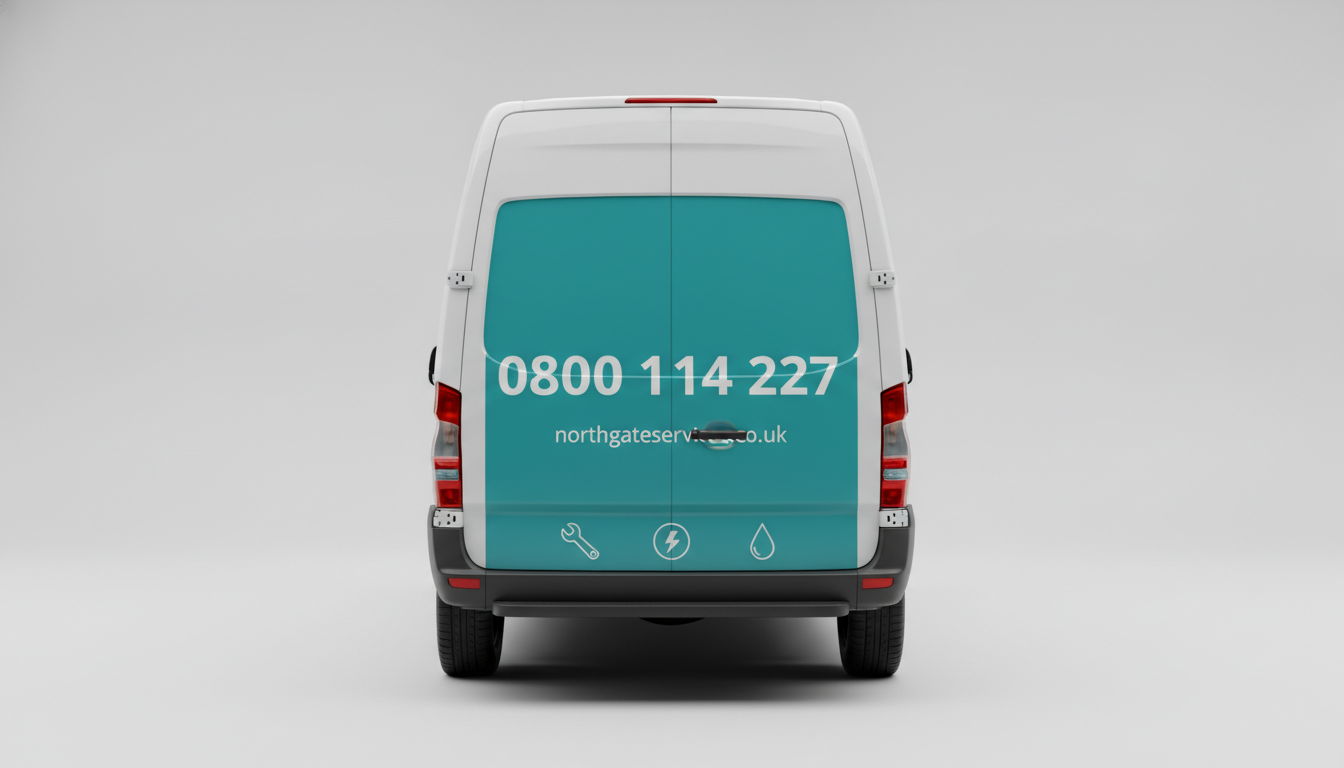
The Best Mistake in the Gallery
The door handle sits straight through the middle of the web address. That is not a glitch to re-roll, it is the whole argument of this page in one image: the render does not know where your hardware is, and a production layout has to move the text around it. Phone number and the three icons came out clean, and the rear is rightly where the number lives.
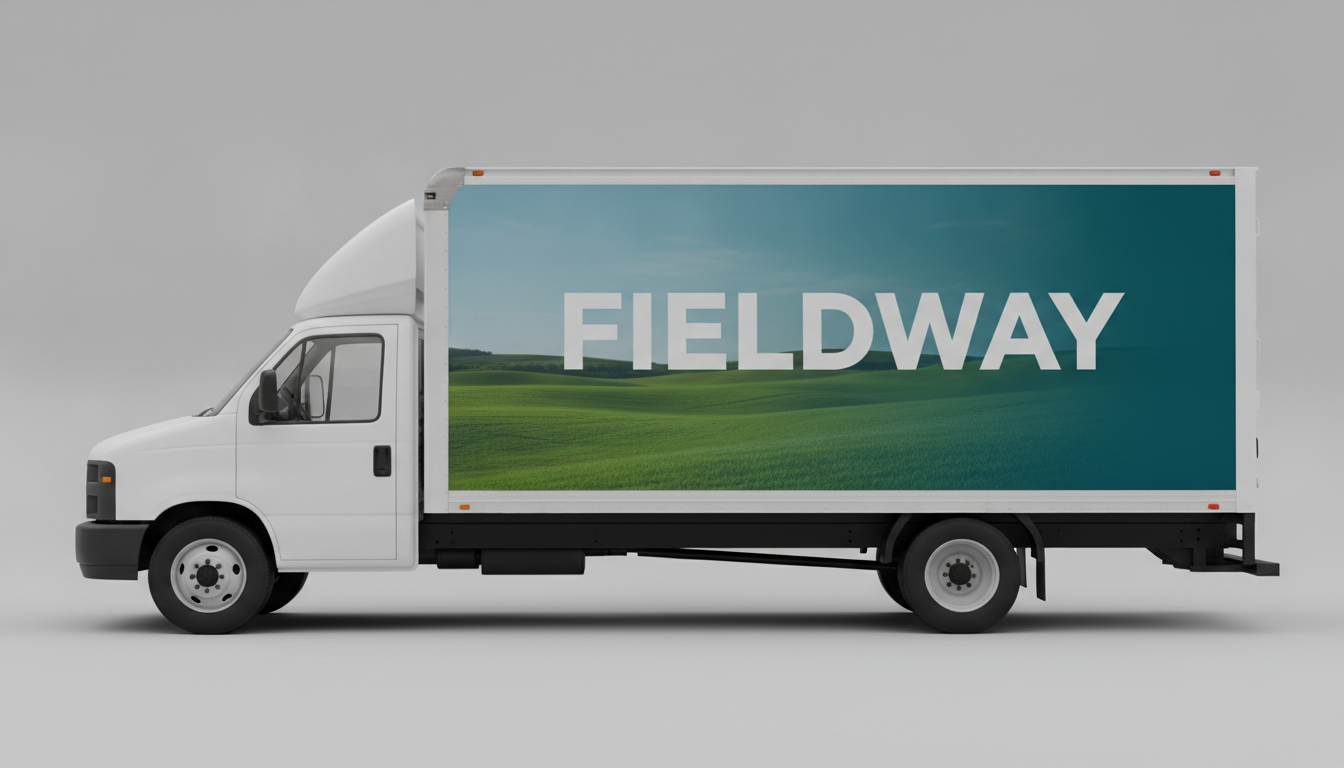
Photographic Wrap, Broken Kerning
All eight letters of FIELDWAY are present and the gradient from landscape to solid teal is clean — but the spacing falls apart in the middle, where the D and the W collide. Typical of drawn lettering at size, and a good reminder that the type gets set properly in the production file. Note the cab is left unwrapped, which is also how the price gets kept down.
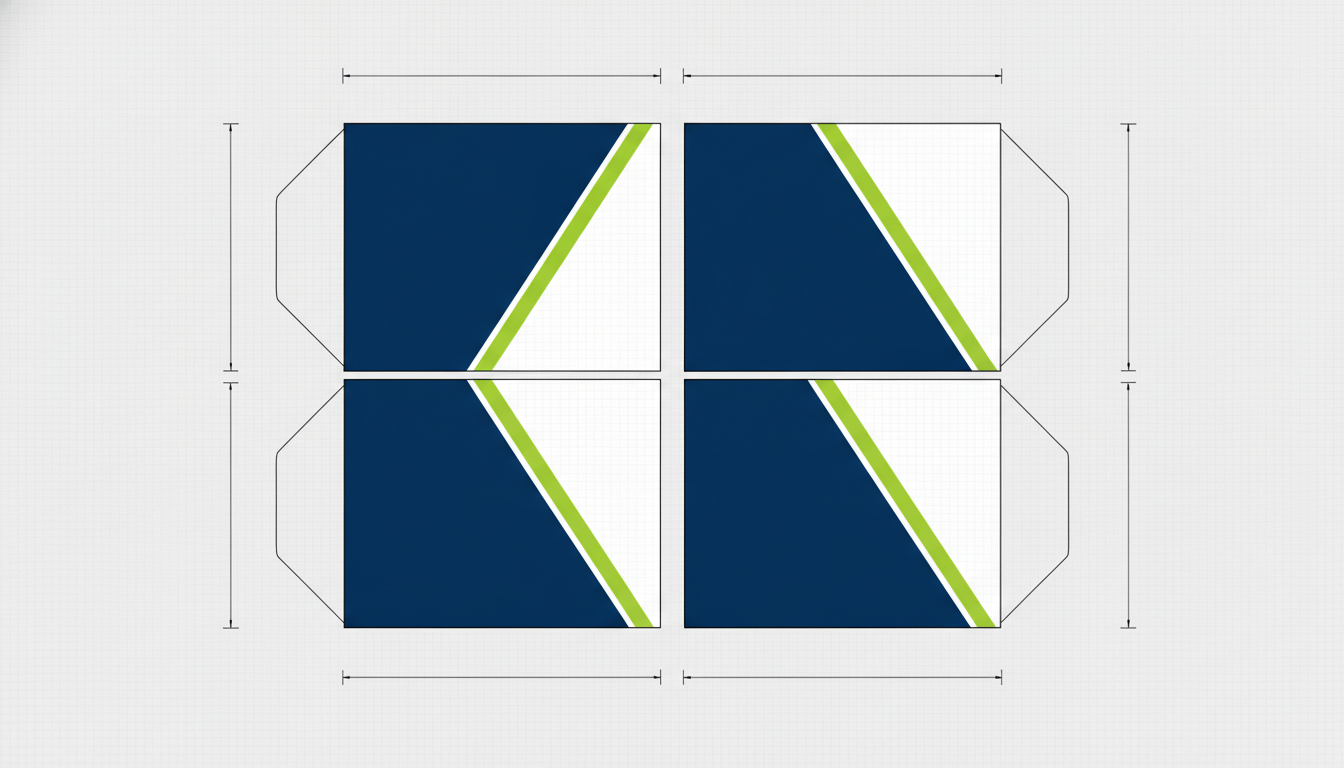
What a Layout Sheet Looks Like, Not What One Is
Panels flattened out, dimension arrows down the sides, the look of a real spec sheet. Now read it properly: the arrows carry no measurements and the artwork does not continue across the joins, it just mirrors. Useful for showing a client how the idea sits on four sides. Useless to a printer, which is the difference this page keeps coming back to.
This Is a Concept Brief, Not a Cut File — and the Difference Costs Money
A printer cannot use a photograph. Production artwork for a wrap is a flat vector file laid out on a licensed template of your exact vehicle — make, model, year, wheelbase, roof height — with the door handles, fuel flap, mirrors, lights, window rubbers and body swage lines all sitting where they really sit. A render invents a van — look at the rear-door example in the gallery above, where the handle sits straight through the web address. Yours has hardware in the middle of that lettering too. So use it for the conversation, not the printer. Send the image to a wrap shop with your vehicle details and ask them to redraw it on the correct template. Expect a design fee. That fee buys the thing that actually gets printed, and it is where the layout quietly changes to work around the hardware. Proofread every character. The model draws letterforms rather than setting type, so a name can come back with a doubled or missing letter and digits are worse than words because there is no shape for your eye to check against. Keep the trade name short, keep long phone numbers out of the render, and read anything that does appear one character at a time. Keep other people’s marks out of it. Every preset here asks for a generic unbadged vehicle and a placeholder trade name, because manufacturers own their badges and grille shapes and brands own their logos. Put your own name in by all means; do not render a wrap covered in someone else’s. And colour on screen is not colour on film. The green you approve on a phone is not a film swatch or a printed proof. Ask the shop for a physical sample of the exact film before you sign anything off, especially for matt and satin finishes.
How the AI Vehicle Wrap Design Generator Works
Three steps, and the third one is where the render stops and the real job starts
Pick a Layout, Name Your Colours
Choose the closest layout — trade diagonal, full colour change, food truck livery, rear contact panel, box-truck photographic — then type your two colours and your trade name into the box.
Generate Two or Three Variations
Run the same trade name through a loud version and a restrained version. Compare them full screen rather than as thumbnails, because that is closer to how a van reads across a car park.
Take the Render to a Wrap Shop as a Brief
Send the image with your vehicle make, model, year and roof height, and ask them to redraw it on the correct template. Expect a design fee, and expect the handles and shut lines to change the layout.
Photograph Your Actual Van Before You Fall for a Render
Ten minutes with a phone will save you a redesign. Stand back and shoot all four sides of the vehicle square on, in flat light, with the sliding door shut and then open. Now hold your favourite render next to those photos and look for the collisions: the handle sitting in the middle of the name, the swage line cutting the diagonal at a slightly different angle, the rear window that eats a third of the contact panel, the ladder rack, the roof bars, the ply-lined doors that will not take film at all. Every van wrap design idea that dies at the shop dies on one of those. While you are there, check the paint — vinyl needs sound paintwork to stick to and to come off cleanly later, so rust, previous respray work and peeling lacquer are conversations to have before the quote, not after. Then send the photos with the render. A shop that gets both will come back with a far more accurate number than one working from a picture of a van that does not exist.
Why Use a Vehicle Wrap Design Generator
Because a logo on a white page tells you nothing about three metres of painted metal at fifty miles an hour
Vans, Trucks and Cars, Not Templates
Panel vans, box trucks, food trucks and compact cars, rendered as photographs on a plain backdrop. You see the graphic bend over a wheel arch and stop at a window line, which is the part a flat mockup never shows.
Settle the Colourway in Ten Minutes
Run navy and lime against charcoal and orange against cream and burnt orange on the same layout. Three renders side by side end an argument that email threads drag out for a fortnight.
Partial vs Full, Priced in Your Head
Generate a restrained cut-vinyl version and a full printed wrap of the same idea. Taking both to a wrap shop is the cheapest way to find out what the extra coverage actually costs you.
Unbadged Vehicles, Placeholder Names
Every preset asks for a generic vehicle with no manufacturer emblem and an invented trade name. What comes out is clean to use in a pitch or a quote request rather than someone else’s trademark.
An Honest Limit, Said Out Loud
A render is a concept brief. A printer needs a vector cut file measured to your exact vehicle, with the door handles and swage lines in the right places. This page tells you that up front instead of after you have paid.
Free, No Sign Up, No Watermark
About fifteen seconds per render and a clean PNG at the end of it. Try six directions before you have finished deciding whether you want a wrap or a set of magnetic door panels.
Who Uses It
Anyone about to turn a working vehicle into a permanent advert
Electricians, Plumbers and Builders
One van, one shot at it, and the wrap is on for five years. Two colourways side by side settles it in an evening instead of over a month of indecision.
Food Truck and Coffee Van Operators
The vehicle is the shopfront. Judge the layout with the hatch open, because that is the only state your customers ever see it in.
Small Fleet Owners
Fleet graphics have to survive being scaled from a compact car to a long-wheelbase van. Render the same idea on both and find out early whether the layout stretches.
Sign Shops and Agencies
Put four directions in front of a client in the first meeting rather than one sketch the following week. Label them as concepts, then quote from the template redraw.
AI Vehicle Wrap Design Generator FAQ
Cut files, spelling, trademarks, what moves the price, and what actually works on the road
Free AI Vehicle Wrap Design Generator — Van, Truck and Car Wrap Concepts
A wrap is the largest piece of design most small businesses ever buy, and it is the one they get to judge the least before committing. A logo can be viewed flat on a page. A vehicle wrap wraps: it bends over a wheel arch, dies into a window line, gets cut in half by a door shut, and is read from forty metres away by someone doing sixty in the outside lane. That is the gap an AI vehicle wrap design generator fills. You pick the layout closest to what you have in mind — the trade diagonal, a full colour change, a food truck livery, a rear contact panel, a photographic box-truck side — type in your two colours and your trade name, and get a photograph of the finished thing on a plain studio backdrop. It is the difference between approving a colour and seeing a colour on three metres of metal.
This page is about the graphics applied to an ordinary production vehicle, which makes it easy to say which tool you actually want. A van wrap design here always ends with a real-looking van wearing your livery. If you want to design the vehicle itself — a concept car’s body, its proportions, its lights — that is the AI car design generator, which draws the machine rather than the wrap on it. If you already have finished artwork and just want it placed on an object, the AI product mockup generator does that. And a wrap is rarely the first thing you need: the mark usually comes first with the AI logo generator, then the rest of the identity follows through the AI business card maker, the AI flyer generator and, for the van door stickers and window decals that often accompany a partial wrap, the AI sticker generator.
Now the honest part, because this is one of the few AI mockups that ends with somebody spending four figures on manufacturing. A render is a concept brief, not artwork a printer can use. A wrap shop prints from a flat vector file laid out on a licensed template measured to your exact vehicle, with the door handles, fuel flap, mirrors, lights and swage lines in their true positions. The van in a render is invented; yours has hardware in the middle of that lettering. The right workflow is to generate the concept here, photograph all four sides of your actual vehicle, send both to a shop, and pay the design fee for the redraw. Proofread every character while you are at it. GPT Image 2 renders in-image text better than most models and still draws letterforms rather than setting type, so a trade name can come back with a doubled or missing letter, and digits are worse than words because there is no familiar shape for your eye to catch the error on. Keep names short, keep phone numbers out of the render, and read whatever does appear one character at a time.
Two more things worth knowing before you brief anyone. Every preset on this page asks for a generic, unbadged vehicle and a placeholder trade name on purpose — manufacturers own their badges and grille shapes, brands own their logos, and a concept full of someone else’s marks is not yours to publish. Put your own name in the box; leave everyone else’s out. And screen colour is not film colour: the exact green you approve on a phone is not a printed proof or a swatch of cast vinyl, so ask for a physical sample before you sign off, particularly on matt and satin finishes which also behave differently in cleaning and repair. Used that way — as the cheap, fast, argument-ending stage before the expensive one — a free vehicle wrap mockup earns its place. Everything here is free to try, there is no account and no watermark, renders come back at 16:9, and paid plans start at $2.99 if you are working through a lot of fleet graphics concepts. Scroll back up, pick a layout, and see your van before you pay for the vinyl.