
AI Image Style Transfer
Any Art Style, Any Photo
Upload a photo and this AI image style transfer tool repaints it as an oil painting, watercolour, anime frame, pencil sketch, pop art print or woodblock — in seconds, in high resolution. Free, no sign up.
Try AI Image Style Transfer — Free
Upload your photo, choose an art style, and download the repainted version in seconds
AI Image Style Transfer
Upload a photo, pick an art style, and watch it get repainted in that medium
Upload your photo, select an art style, and click Generate
Tip: a sharp, well-lit photo with one clear subject transfers far better than a dark or cluttered one.
One Photo, Six Styles
The same street scene run through every preset — same subject, six completely different media
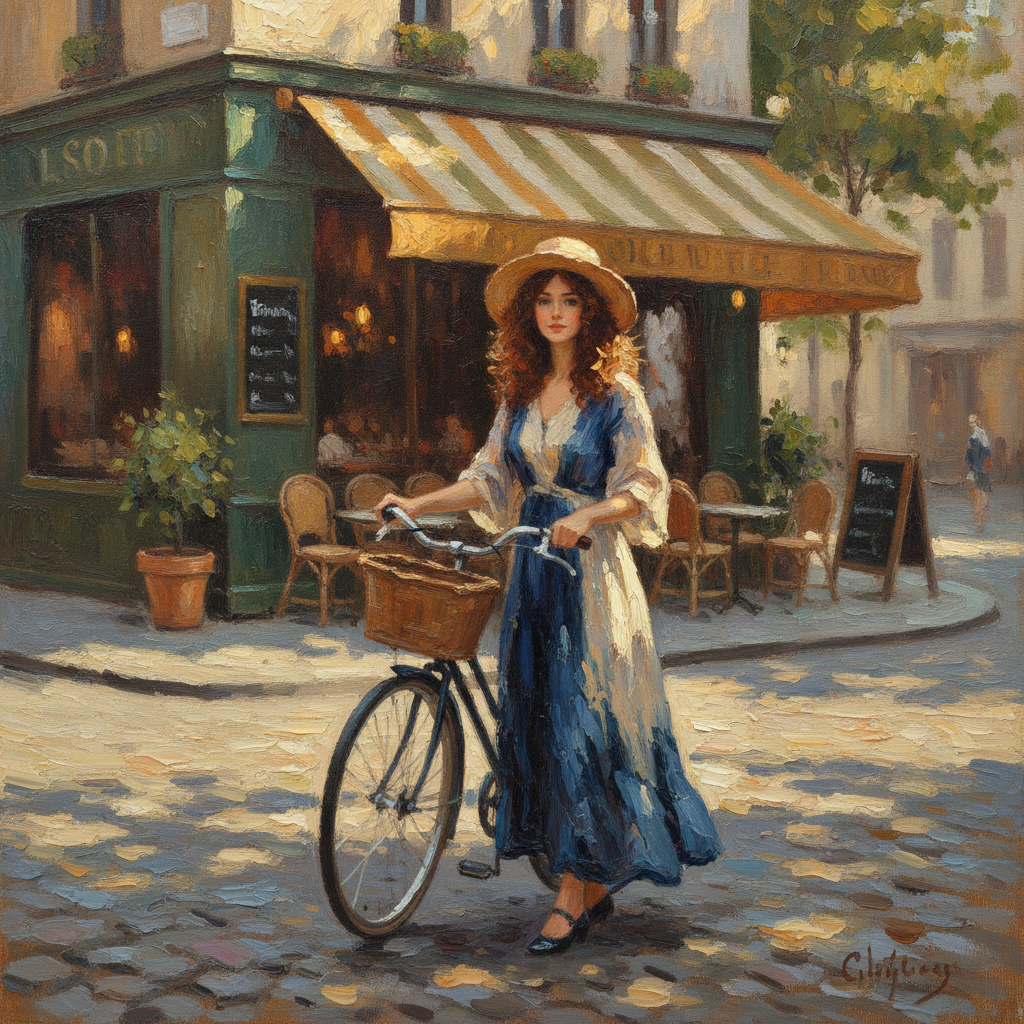
Oil Painting
Made with GPT Image 2
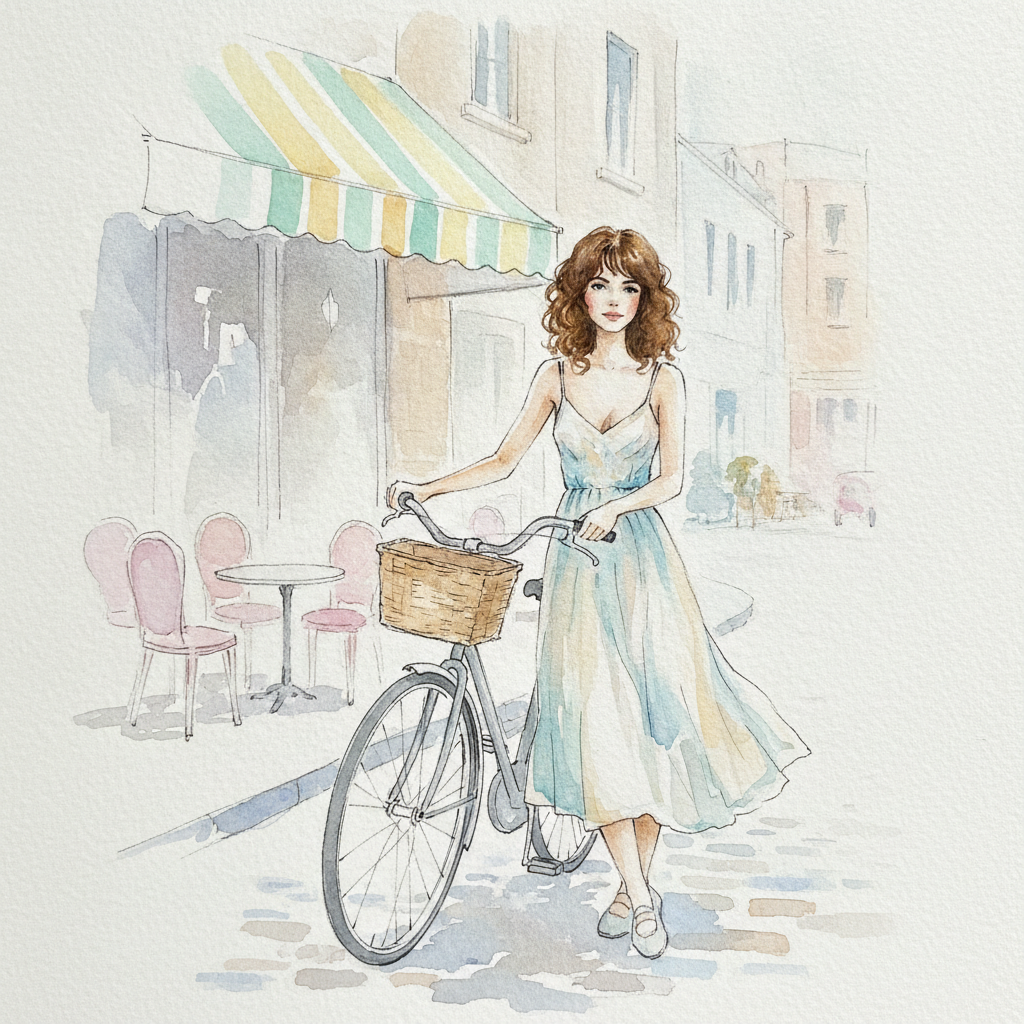
Watercolour
Made with GPT Image 2
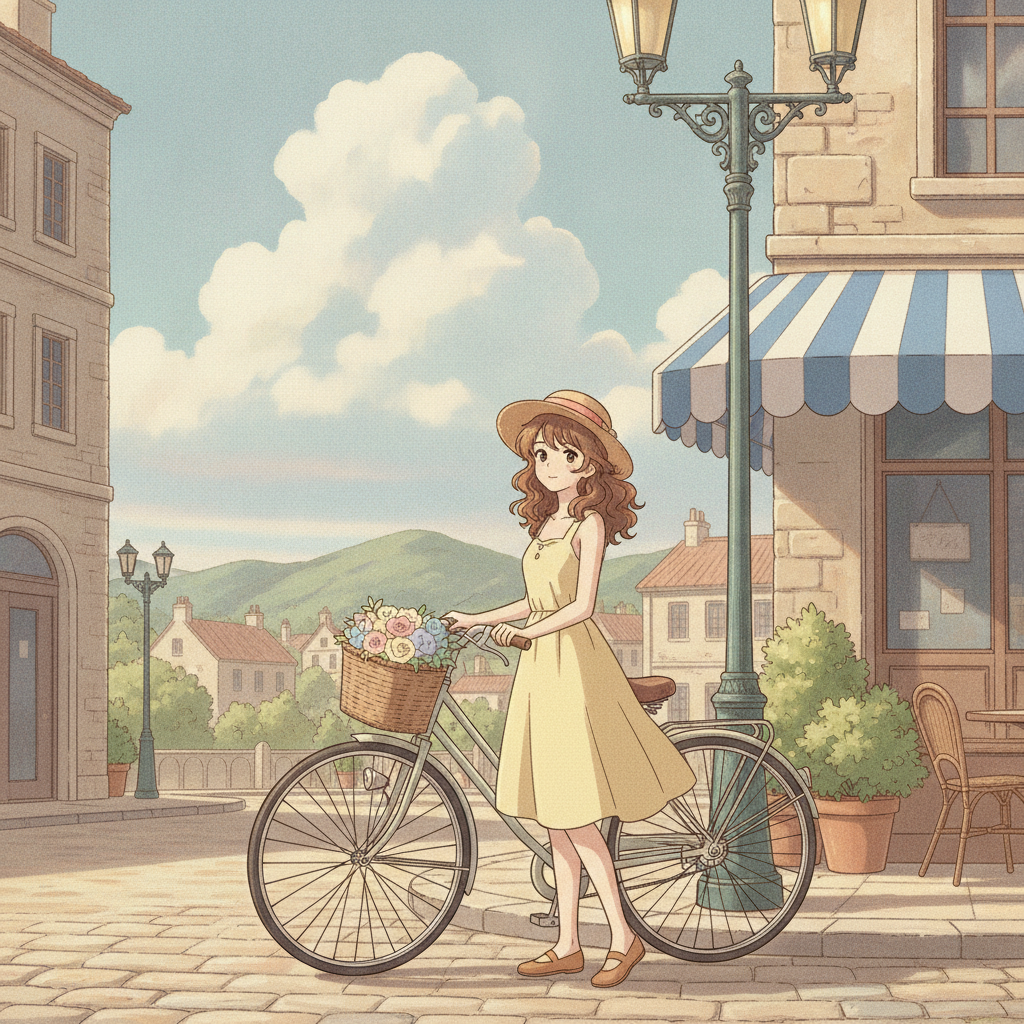
Anime
Made with GPT Image 2
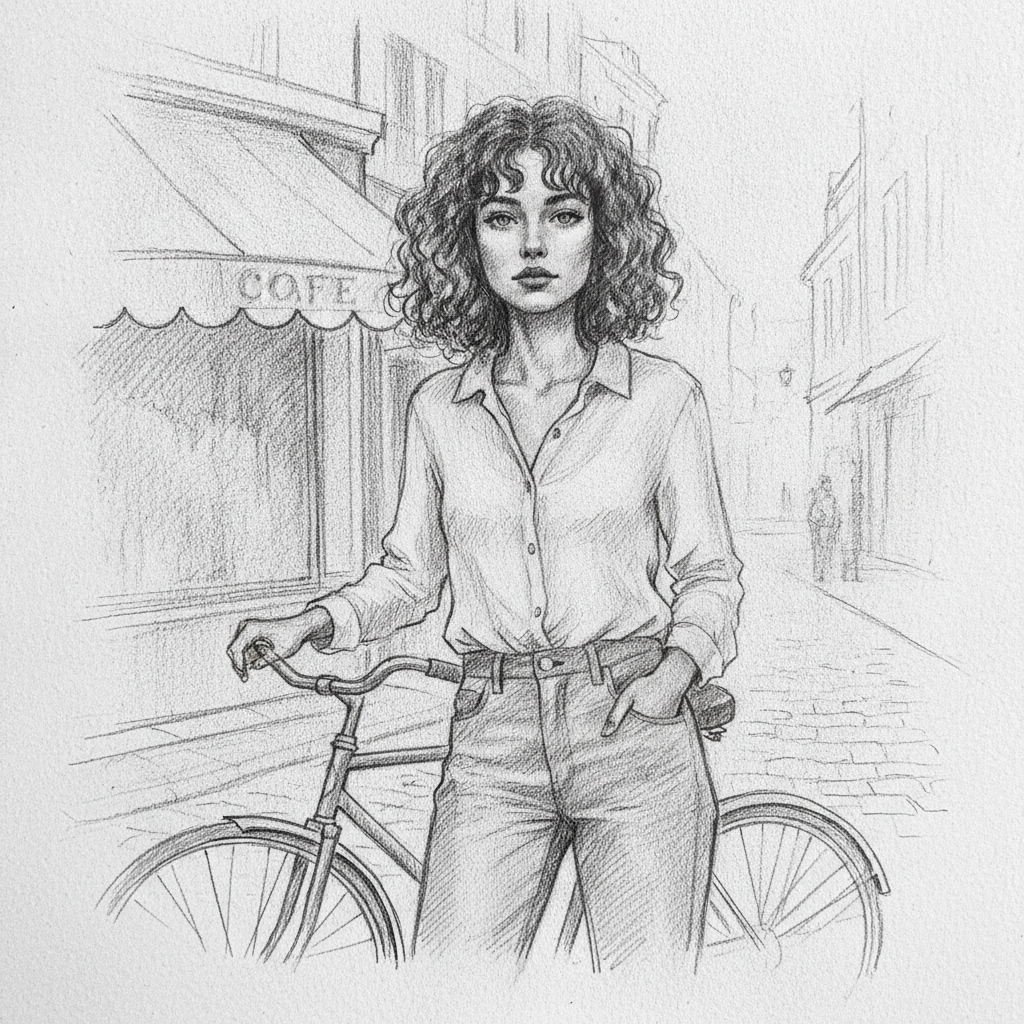
Pencil Sketch
Made with GPT Image 2
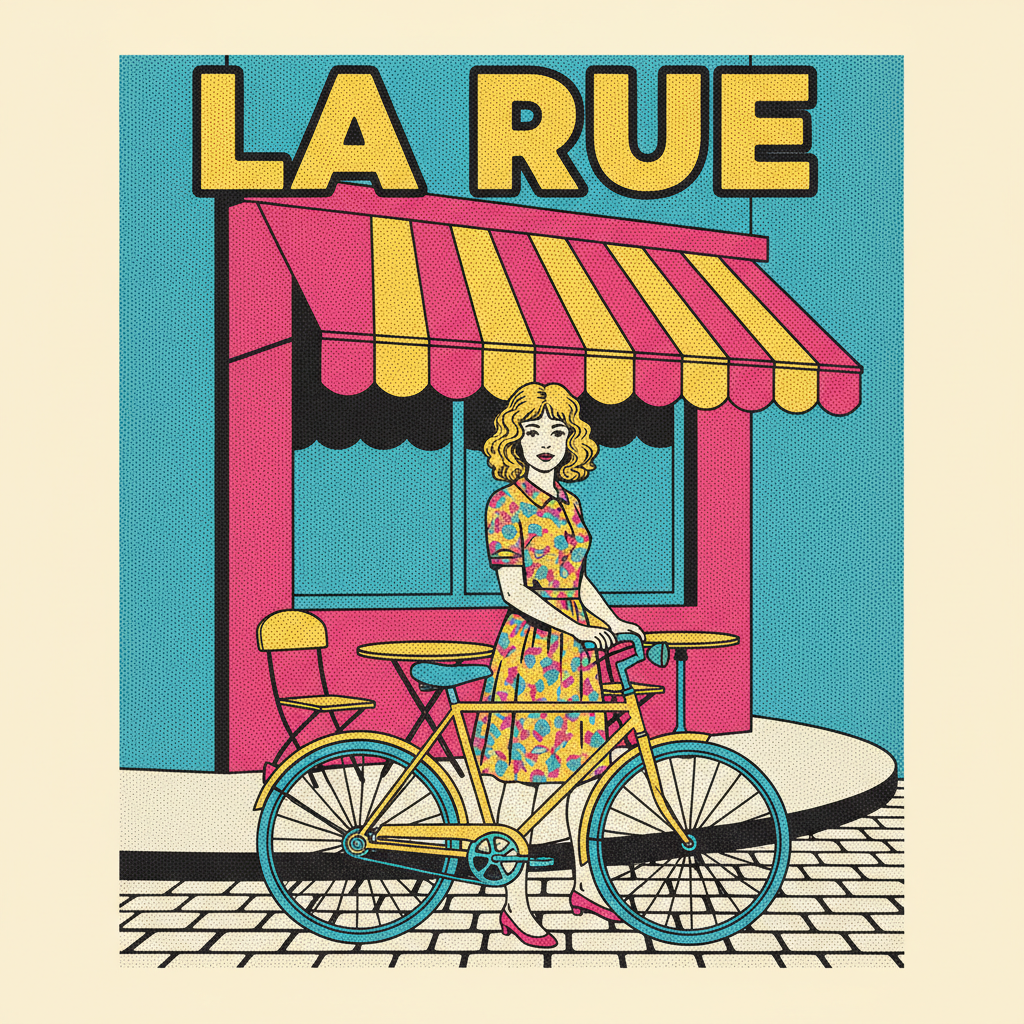
Pop Art
Made with GPT Image 2
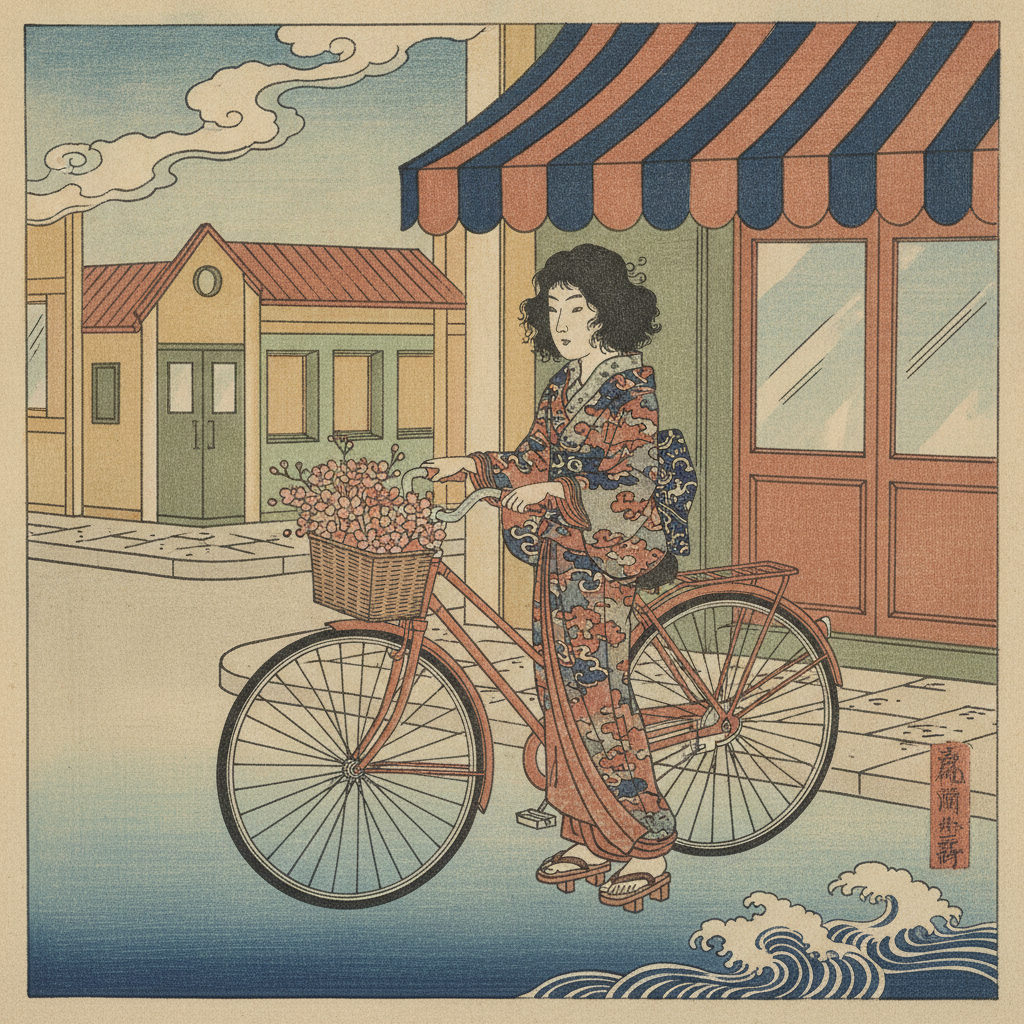
Ukiyo-e
Made with GPT Image 2
How AI Image Style Transfer Works
From a phone photo to a finished painting in three steps
Upload Your Photo
Drop in a JPG, PNG or WebP up to 2MB — a portrait, a street scene, a landscape or your pet.
Pick an Art Style
Choose oil painting, watercolour, anime, pencil sketch, pop art or ukiyo-e as the style to transfer.
Generate & Download
Your repainted image arrives in seconds in high resolution, ready to post, print or frame.
Why This AI Style Transfer Tool Is Different
Not a filter laid over your photo — a genuine repaint that understands what it is looking at
Six Art Styles
Oil painting, watercolour, anime, pencil sketch, pop art and ukiyo-e — each preset carries its own palette, texture and edge treatment.
Your Photo, Your Composition
Style transfer repaints the medium, not the moment. Your subject, framing and expression survive the transformation intact.
Real Media Texture
Impasto ridges, wet-paper bleed, halftone dots and paper tooth — the details that separate a painting from a filter preset.
No Reference Image Needed
Classic neural style transfer needed a second painting to copy. Pick a preset and the model brings the style with it.
Seconds Per Style
Try the same photo through every style in the time one Photoshop action would take, then keep the one that sings.
Free & No Sign Up
Use the AI image style transfer tool instantly without an account. Upload a photo and see it repainted now.
Who Uses AI Image Style Transfer
Anyone with a photo they like and a look they want it to have instead
Photographers
Offer painted editions alongside the straight prints. Run a shoot through the oil painting or watercolour preset and you have a second product line from work you already shot.
Social Creators
A restyled photo stops the scroll where the original would not. Keep one style across a whole grid and your feed reads as a deliberate visual identity rather than a camera roll.
Gift Makers
A wedding photo as an oil painting or a pet as an ukiyo-e print makes a gift nobody else can buy. Upscale the result and send it straight to a canvas printer.
Designers & Illustrators
Use style transfer as a sketch stage: turn reference photos into painterly or graphic bases in seconds, then take the direction you like into your own illustration.
AI Image Style Transfer FAQ
Everything you need to know about applying art styles to photos with AI
Free AI Image Style Transfer — Keep the Photo, Change the Medium
Style transfer is the rare AI trick that was interesting in a research paper and turned out to be genuinely useful. The idea is simple to state and hard to do well: hold the content of one image steady while swapping everything about how it was made. Your photo keeps its subject, its framing and the particular way someone was standing on that afternoon; what changes is whether that moment arrives as impasto oil on canvas, as pigment bleeding through wet paper, or as flat carved colour on mulberry stock. An AI image style transfer tool gives you the whole museum of media to try on a picture you already love.
The early neural style transfer demos needed two uploads — your photo plus a painting to imitate — and a long wait while an optimiser ground the two together, usually leaving mushy edges and colour bleed behind. The model here works differently. It reads your image, understands where the face, the sky and the background actually are, and then paints each region the way that medium genuinely behaves: brushstrokes that curve along the line of a cheek, watercolour that pools where paper would let it pool, halftone dots that sit on a grid the way a real screenprint does. That structural awareness is why AI style transfer output holds up when you print it large, and why it reads as made rather than processed.
Each of the six presets lands somewhere different on the spectrum from faithful to freely reinterpreted. Oil Painting, Watercolour and Pencil Sketch stay close to your original geometry — ideal for portraits and gifts where the likeness matters, and the safest place to start. Anime redraws the scene with clean line art and pastel grading. Pop Art flattens it into bold colour blocks with Ben-Day dots and off-register printing. Ukiyo-e rebuilds it as layered indigo and vermilion planes with carved outlines. The heavier stylisations trade exact resemblance for graphic punch, which is usually the right trade for a poster, a profile picture or a feed, and the wrong one for a wedding portrait.
Getting a good transfer is mostly about what you feed it: a sharp, well-lit photo with one clear subject and an uncluttered background, uploaded at full quality rather than as a screenshot, under 2MB. Then try the same upload through two or three presets before you decide — styles interact with a photo in ways that are hard to predict from the thumbnail. If you know exactly which medium you want, the dedicated pages go deeper: the AI photo to painting tool, the AI oil painting generator, the AI watercolor generator, the AI pencil sketch generator and the AI photo cartoonizer. For anime specifically, try the AI Ghibli generator; for free-form edits beyond style, the AI image to image tool takes any instruction you can write. And before you send a favourite to a canvas printer, push it through the AI image upscaler. Scroll up, upload a photo, and see it repainted — free, no sign up.