
AI Embroidery Design Generator
Motifs, Patches & Charts in Seconds
Free AI embroidery design generator. Describe an idea and get floral hoop art, a motif design sheet, an iron-on patch, a monogram, a cross stitch chart or a finished sampler to stitch from.
Try the AI Embroidery Design Generator — Free
Pick a format, describe the design, and download the artwork in seconds
AI Embroidery Design Generator
Choose an embroidery format and describe your design — subject first, then the stitches, the floss palette and the ground fabric
Tip: name the stitches — satin, chain, stem, back, feather, bullion and french knots all render with different texture. Keep the palette to five or six floss colours, the way a real skein selection works.
AI Embroidery Design Examples
Six formats, from a planning sheet to a finished hoop on the wall
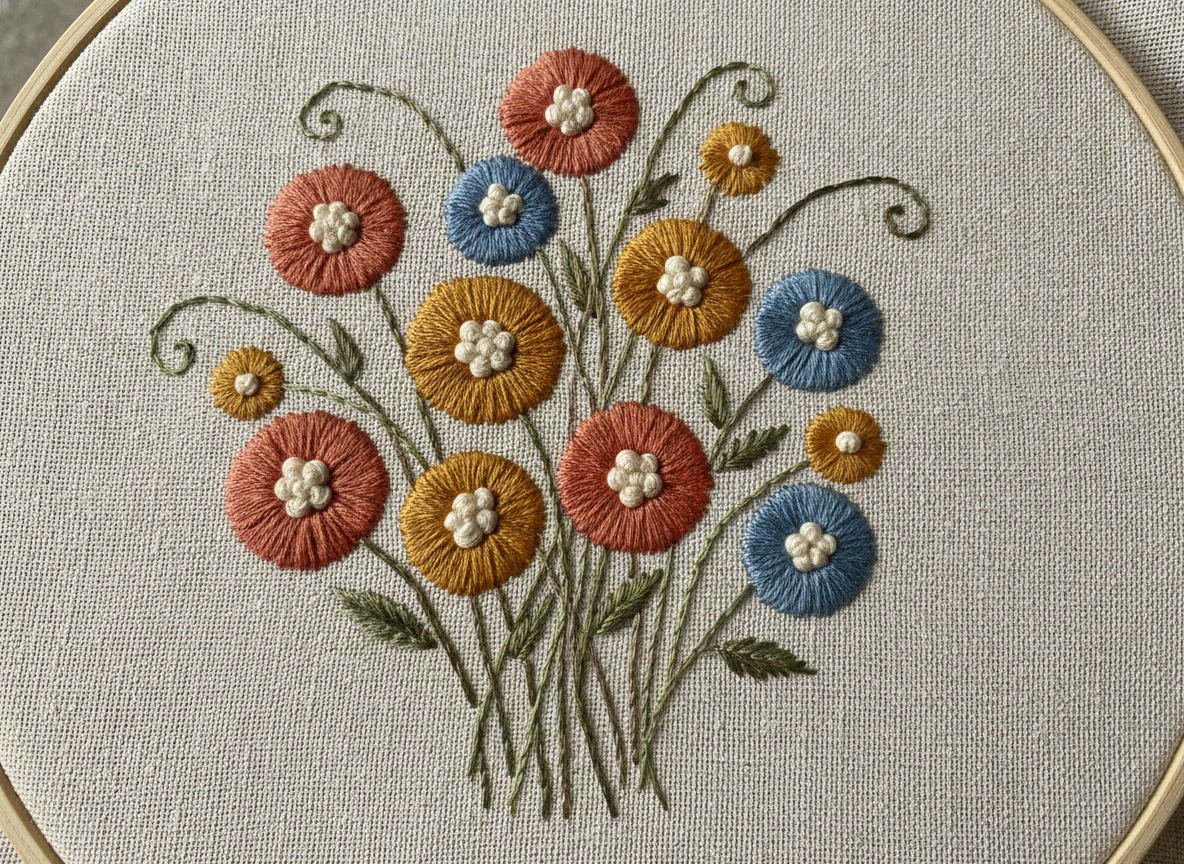
Floral Hoop Art
Made with GPT Image 2
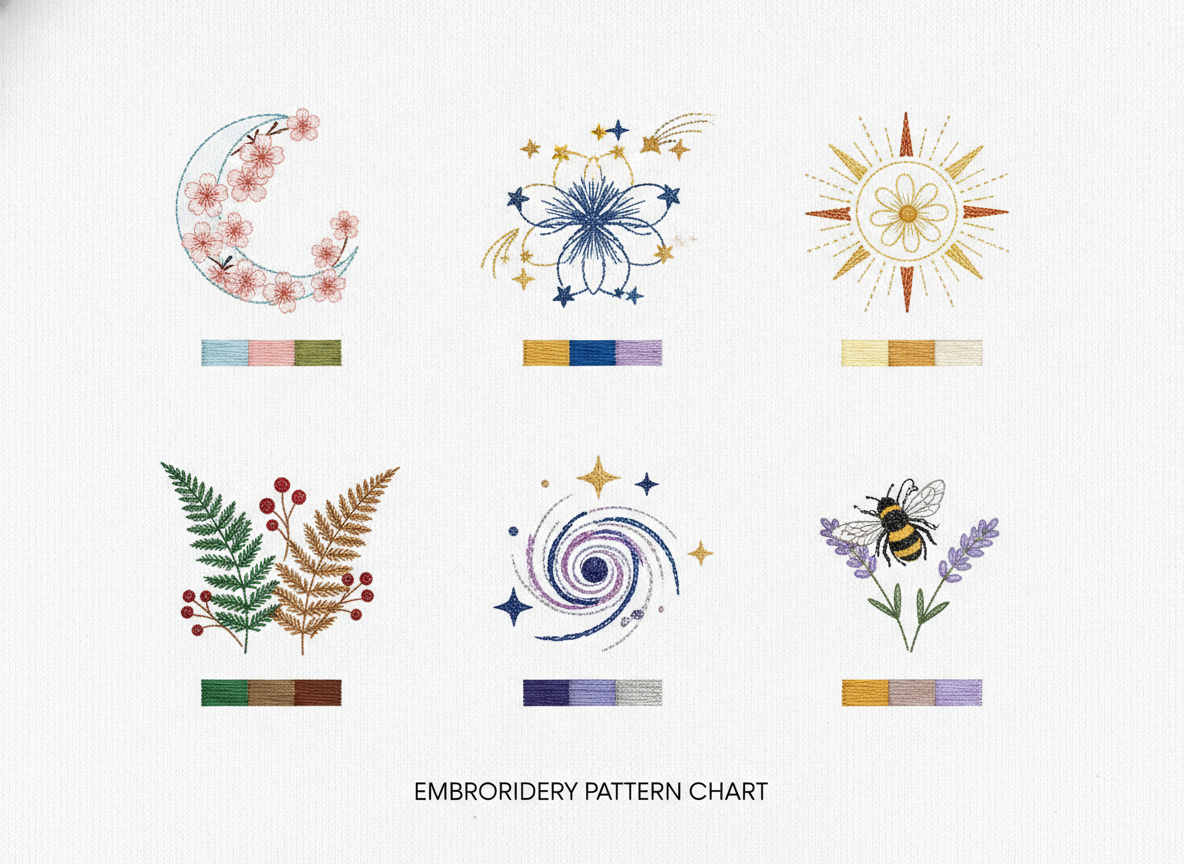
Motif Design Sheet
Made with GPT Image 2
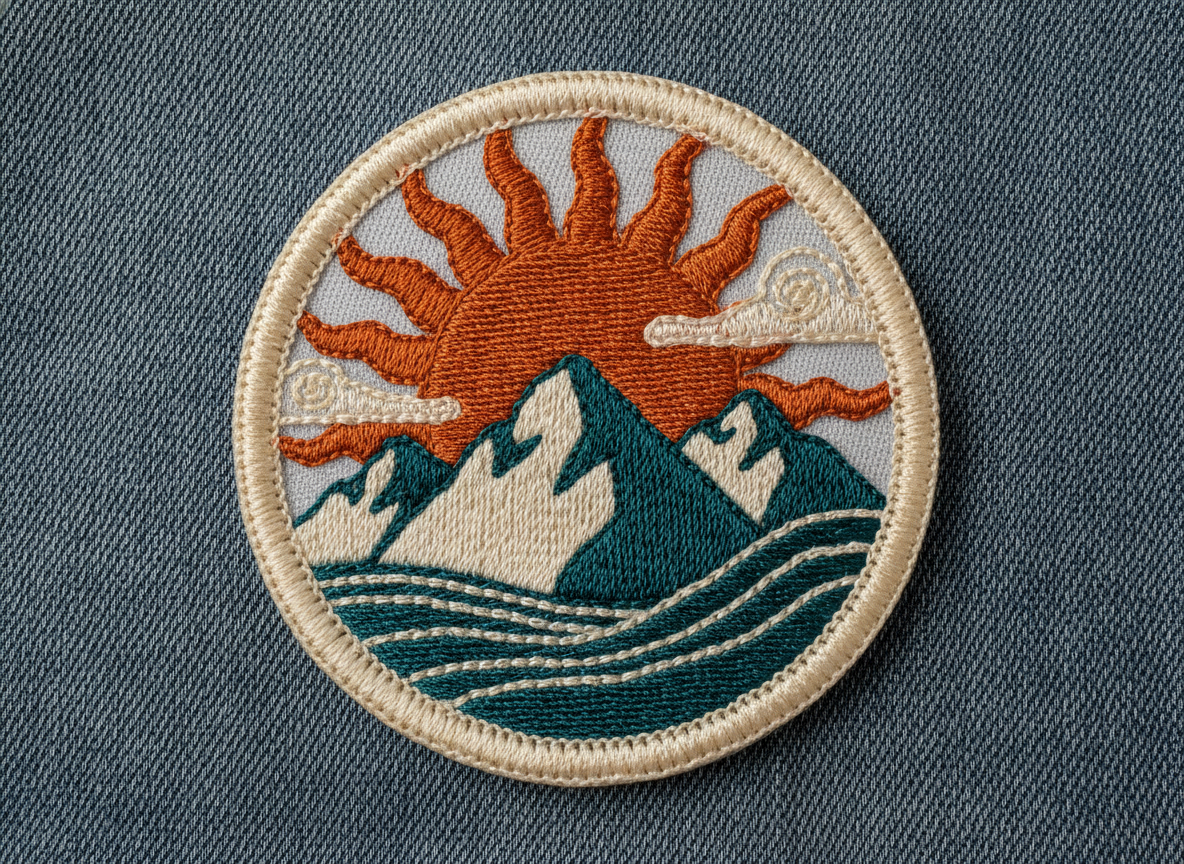
Iron-On Patch
Made with GPT Image 2
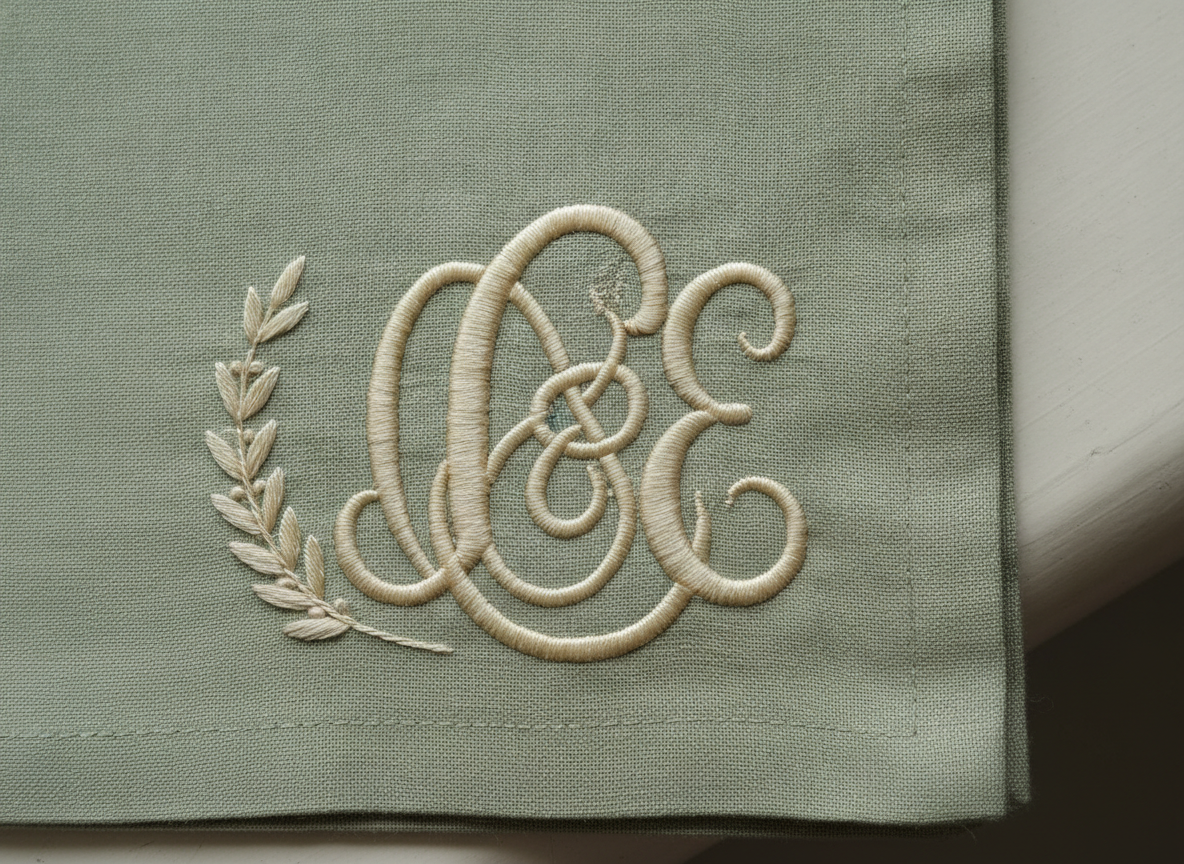
Monogram
Made with GPT Image 2
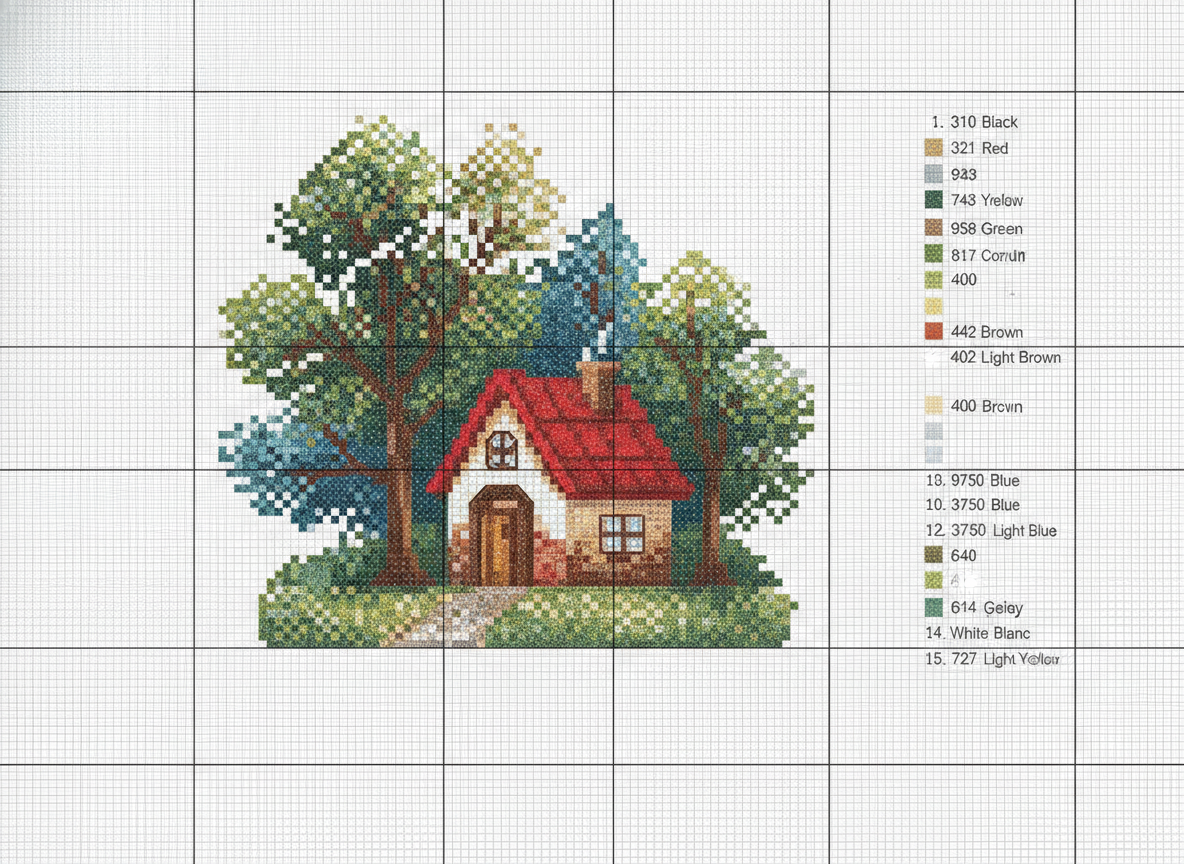
Cross Stitch Chart
Made with GPT Image 2
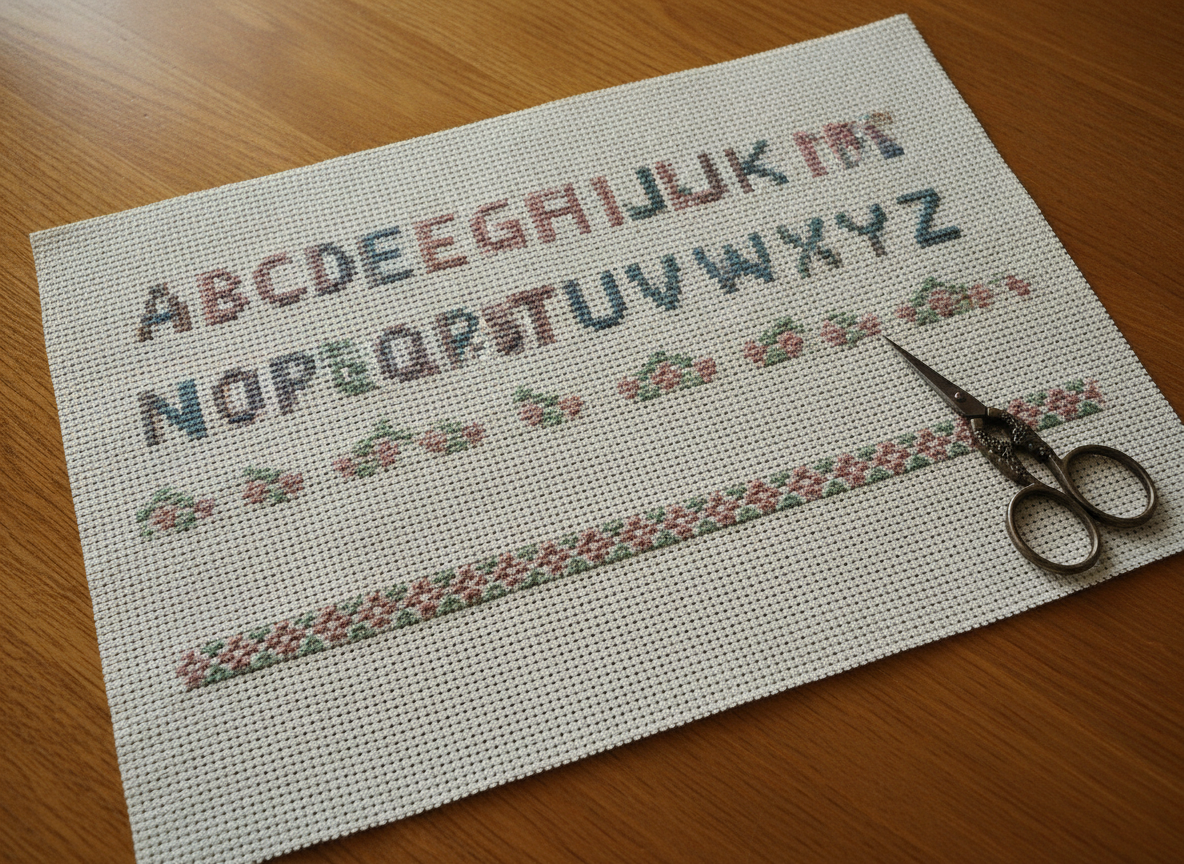
Finished Sampler
Made with GPT Image 2
Designs to Stitch From — Not Machine Embroidery Files
Everything on this page is a picture of an embroidery, not a stitch file. There is no PES, DST, JEF, EXP or VP3 export, no stitch count and no automatic digitising — you cannot load the download into a Brother, Janome or Bernina and press start. To get a machine file, digitise the artwork in Ink/Stitch, Hatch or Embrilliance, or send it to a digitiser. For hand work, trace it onto fabric and make your own stitch decisions. And a cross stitch chart from this tool is chart-style artwork, not a counted pattern: the grid will not be perfectly regular and the legend numbers are not real DMC codes, so run the design through a proper charting program and pick your own floss colours.
How the AI Embroidery Design Generator Works
Describe the design, pick the format, iterate until it reads like thread
Describe the Design
Subject first, then stitches, then a five or six colour floss palette, then the ground fabric. Naming stitches matters more than any adjective.
Pick a Format
Hoop art, motif sheet, patch, monogram, cross stitch chart or sampler. Each one sets the framing, the ground fabric and the lighting for you.
Iterate & Transfer
Rerun with a warmer palette or a thinner border until it reads right, download with no watermark, then trace it onto fabric and stitch.
Why Use an AI Embroidery Pattern Generator
Because deciding on a design should not cost you an evening of tracing
Six Embroidery Formats
Floral hoop art, motif design sheet, iron-on patch, monogram, cross stitch chart and finished sampler — display work, planning sheets and saleable pieces.
Stitches That Read
Satin, long and short, chain, stem, back, split, feather, bullion and french knots each render with their own texture and sheen, so you can see the surface.
Real Floss Palettes
Keep it to five or six colours the way an actual floss selection works. Run the same motif through four palettes and pick before you buy a single skein.
Fabric You Can Feel
Cream linen, calico, denim, felt and aida weave all render with their own grain and light, which is what makes a design look stitched rather than drawn.
Yours Commercially
No watermark, no attribution. Stitch and sell the pieces, use the renders in Etsy listings and pattern covers — just keep licensed characters out of them.
Design at Sketch Speed
A dozen border variations in the time one traced design used to take. The planning half of a hoop project is supposed to be cheap, and this makes it cheap.
Who Uses It
Anyone who has to see the design before the needle goes in
Hand Embroiderers & Hoop Artists
A hoop takes a weekend, so it is worth spending ten minutes making sure the design is right. Try four bouquet arrangements and three floss palettes, pick the one that sings, then trace it and stitch with the composition already settled.
Etsy Patch & Monogram Sellers
Patch design lives or dies on the border and the colour blocking. Generate ten retro patch concepts in an evening, put the two best through a digitiser, and use the AI patch design generator renders for pins and pattern covers while you wait.
Machine Embroidery Hobbyists
Sketching before digitising saves the most expensive part of the process. Settle the artwork here, then take it into Ink/Stitch or Hatch — deciding the shape and palette in a browser beats discovering the problem after ninety minutes of stitch mapping.
Quilters & Cross Stitchers
Use the AI cross stitch pattern generator to mock a chart, judge the palette and see the finished sampler before committing to aida count and floss. Then run the design through a real charting program to get the countable version.
AI Embroidery Design Generator FAQ
File formats, stitches, charts, licensing and where a render stops
Free AI Embroidery Design Generator — From Motif Sheet to Finished Hoop
Embroidery has always begun with a drawing. Before a single strand of floss is separated, someone works out where the stems fall, how dense the petals should be and which six colours the piece will live on — traditionally on tracing paper, more recently on a phone full of saved Pinterest images that never quite match what is in your head. An AI embroidery design generator collapses that stage to about fifteen seconds a try, which is why it has taken hold fastest among the people who plan the most: hoop artists working on a gift, Etsy sellers designing patches and monograms, machine embroidery hobbyists sketching before they digitise, and quilters and cross stitchers choosing a palette before they buy skeins.
The six formats here map to different moments in a project rather than to six decorative styles. Floral hoop art is the display piece — dense satin stitch petals, french knot centres, stem stitch stalks on cream linen — and the best place to start if you want something to hang. The motif design sheet is the planning view, six small botanical and celestial designs in a grid with stitch direction marks and a floss swatch under each, which is what you want when you need a family of motifs for cuffs, collars and tea towels. The iron-on patch is the commercial format, built around a merrowed border and hard colour blocking, and it is the AI patch design generator output that photographs best flat on denim. The monogram covers linens, napkins and wedding work, where an interlocking script initial and a laurel sprig are the entire design. The cross stitch chart is the counted-work planning view, and the finished sampler shows how a band of alphabet and border stitches sits on aida once it is done.
Prompting embroidery well means describing a finished piece to another stitcher rather than describing a picture. Subject first, then the stitches, then a five or six colour floss palette, then the ground fabric, then the format and the light. Naming stitches is the single biggest upgrade you can make — satin, long and short, chain, stem, back, split, feather, bullion, woven wheel and french knot all render with genuinely distinct texture, and “dense satin stitch petals with french knot centres” will beat “flower embroidery” every time. Keep the palette small, because real floss selections are small and a limited palette both reads as thread and is easier to buy. Say the fabric too: linen, calico, denim, felt and aida each take light differently, and the weave showing through is most of what makes a render look stitched rather than drawn. Then be clear about what you are holding. This is artwork, not a stitch file — no PES, DST or JEF, no stitch count, no automatic digitising — and a chart from it is chart-style artwork, not a counted pattern with real DMC numbers. Trace it, digitise it or re-chart it, and pick your own floss.
Craft work rarely stops at one surface, so the neighbouring tools carry the design onward. Turn a motif into a repeat for fabric with the AI pattern generator, draw a symmetrical medallion for a hoop with the AI mandala generator, and get a clean traceable outline with the AI line art generator or the AI coloring page generator. Put the same artwork on a garment with the AI t-shirt design generator, cut it as a decal with the AI sticker generator, and prepare it for scaling with the AI vector art generator. Set a monogram in the right lettering with the AI typography generator, build small spot illustrations with the AI clipart generator, and take a hand-drawn design to a finished render with AI sketch to image. Shoot the stitched piece for a listing with the AI product mockup generator, make the pattern cover with the AI greeting card maker, brand the shop with the AI logo generator, and print big with the AI image upscaler. Scroll back up and design your first piece free.