
Try the AI Makeup Generator — Free
Upload your selfie, pick a look, and see it on your own face in seconds
AI Makeup Generator
Upload a clear, well-lit selfie and choose the makeup look you want to see on your own face
Upload a straight-on selfie in even daylight — then pick a look and click Generate
Tip: the photo does most of the work. A straight-on selfie in even daylight, face unobstructed and no heavy filter, is the difference between a look you can judge and a stranger wearing your haircut.
AI Makeup Generator Examples
Six directions, from barely-there skin tint to a full festival gradient
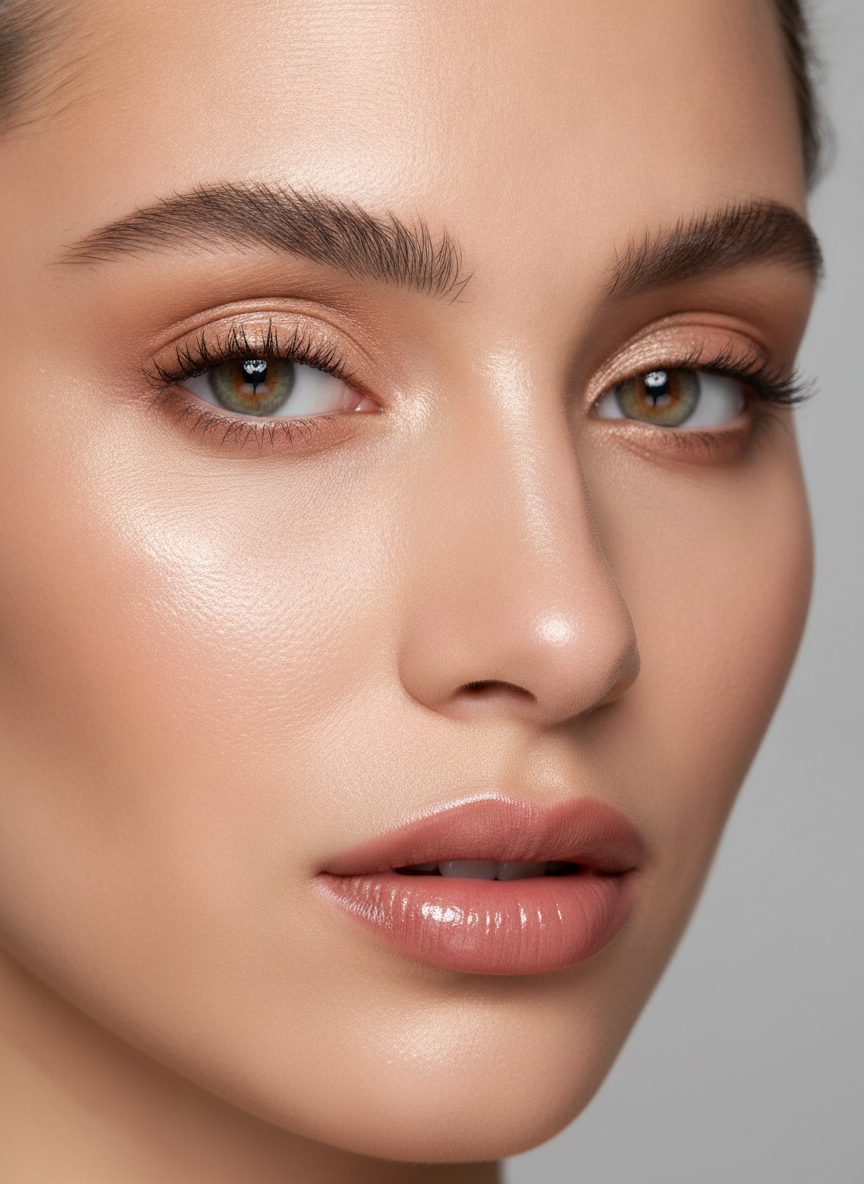
Soft Glam
Made with GPT Image 2
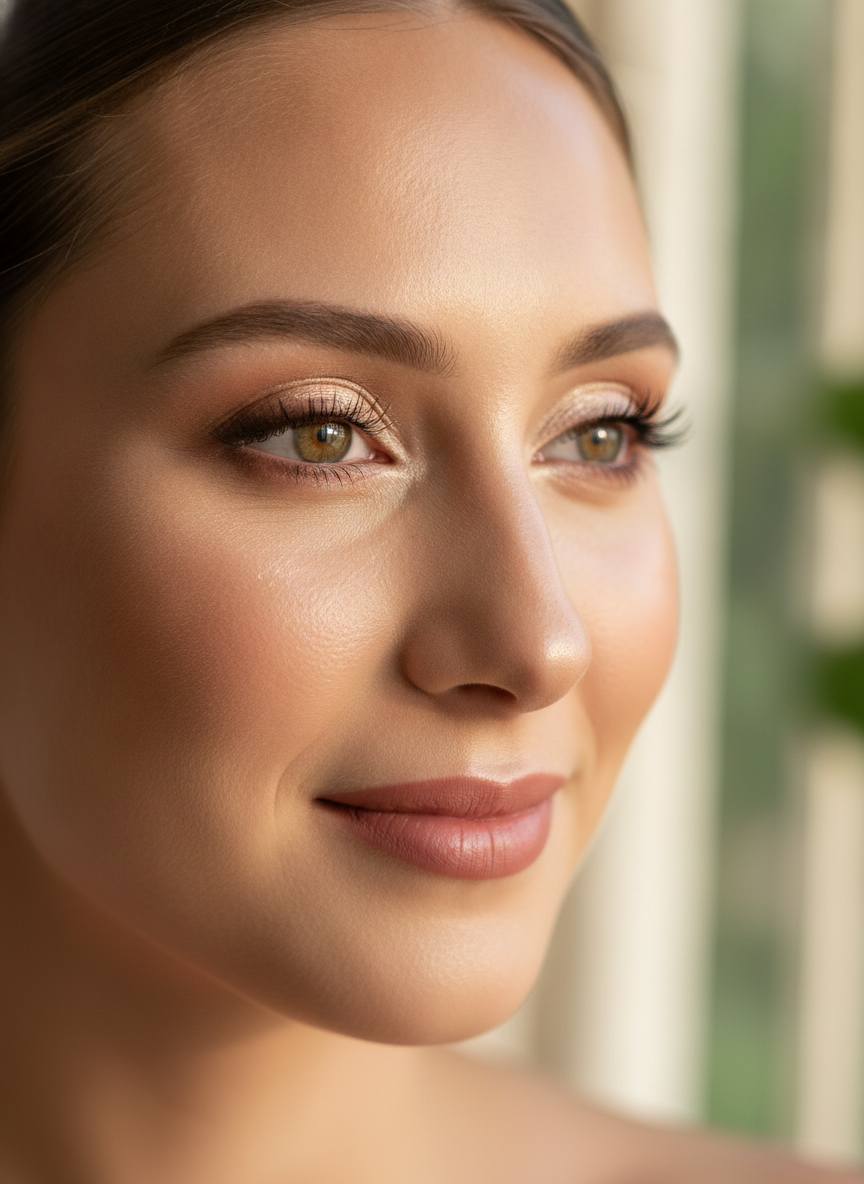
Bridal
Made with GPT Image 2
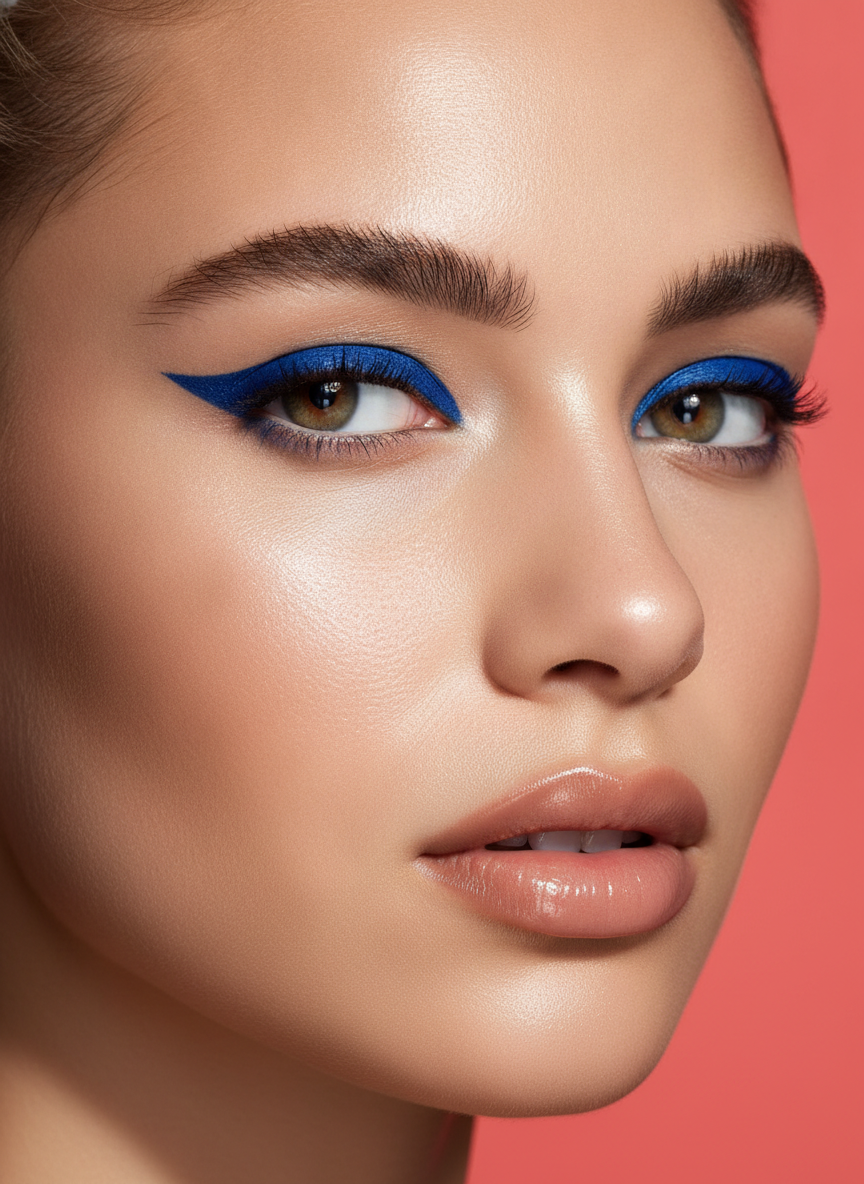
Editorial Colour
Made with GPT Image 2
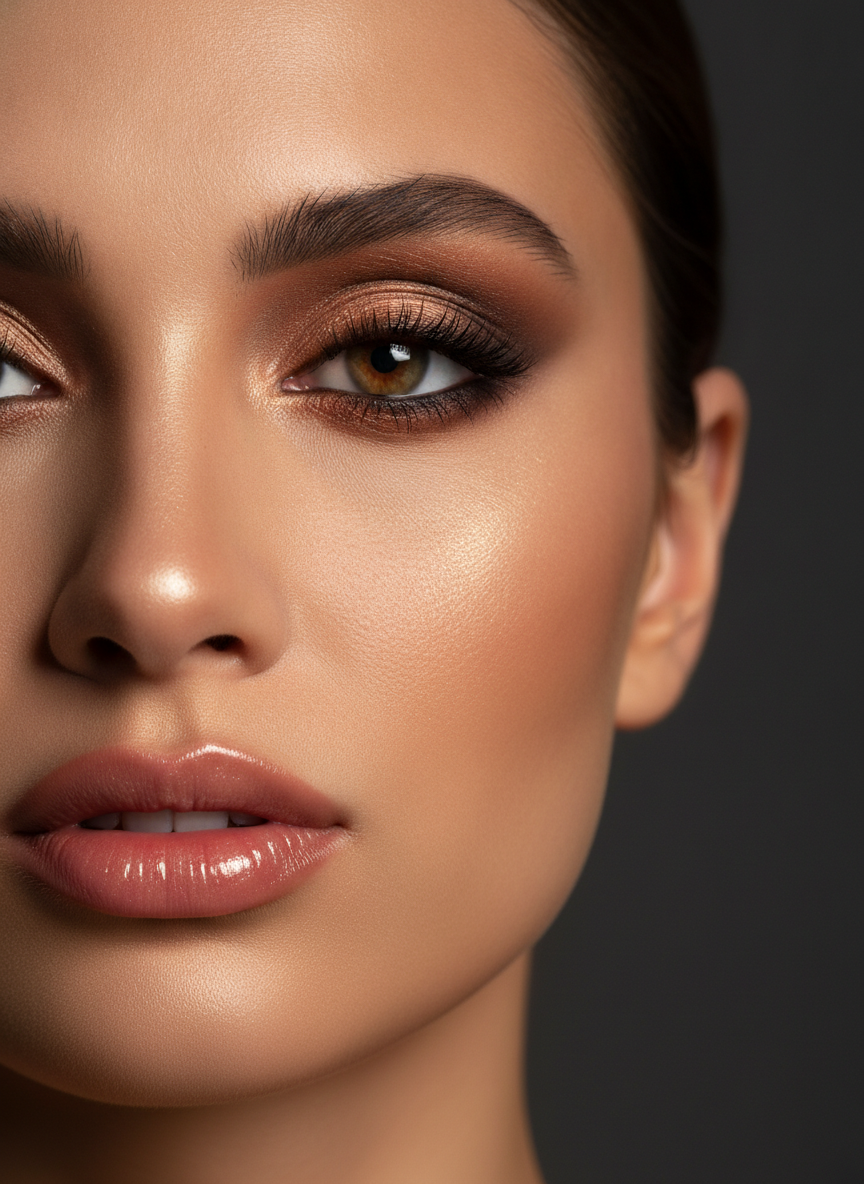
Warm Smoky Eye
Made with GPT Image 2
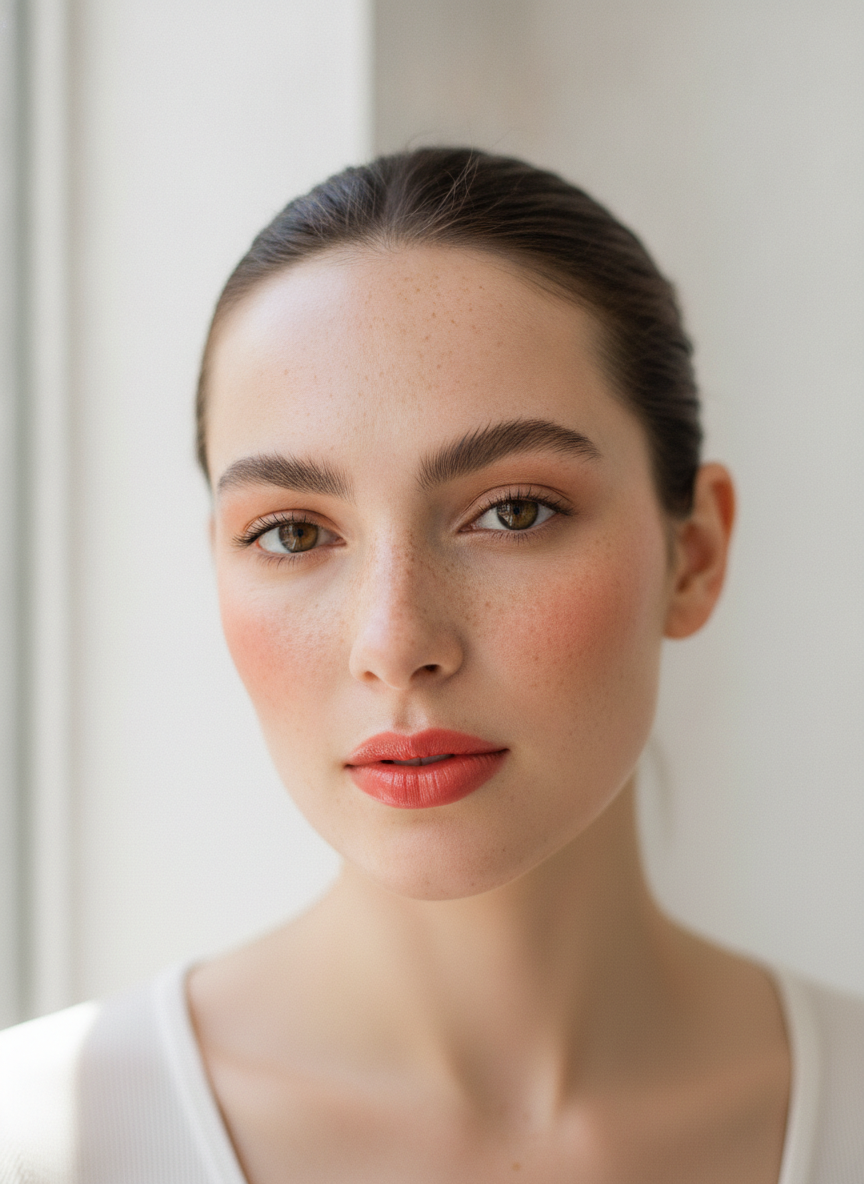
No-Makeup Makeup
Made with GPT Image 2
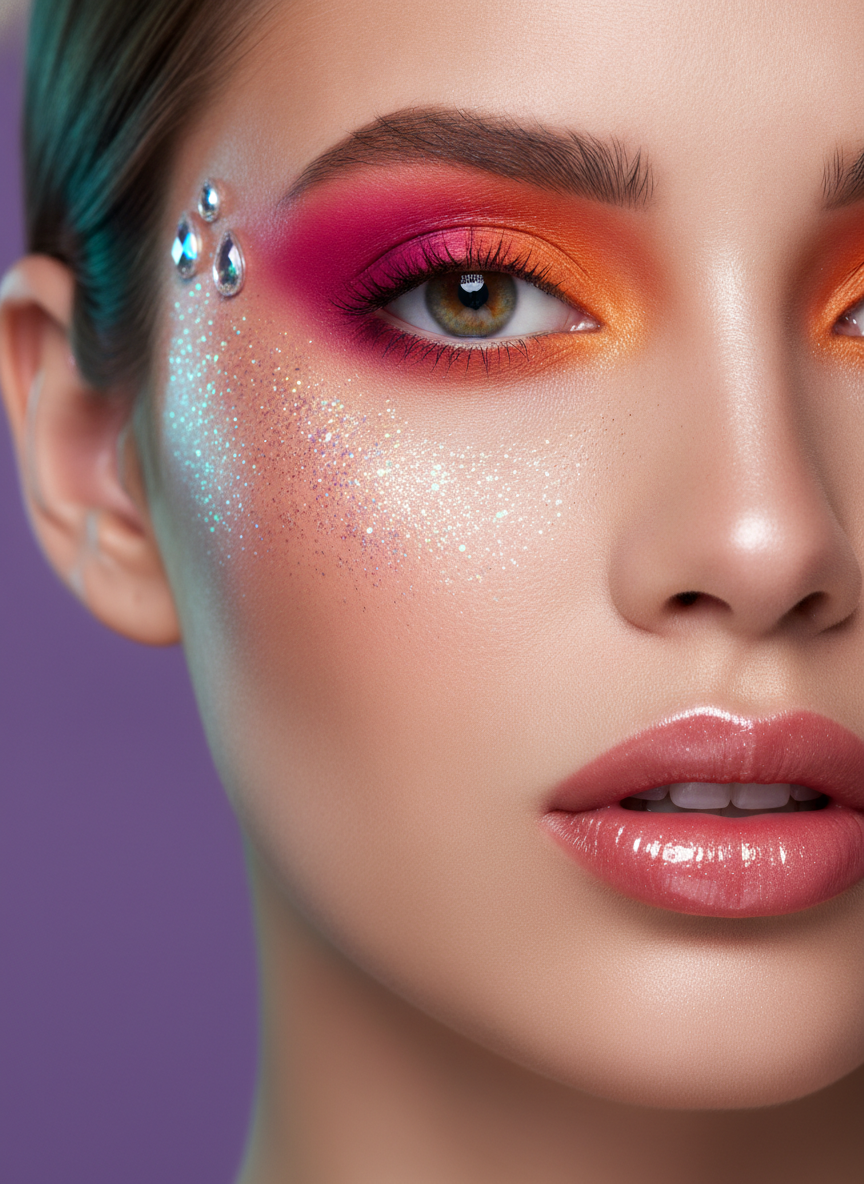
Bold Festival
Made with GPT Image 2
It Shows a Direction, Not a Shade Match
The colour you see on screen is approximate. The AI makeup generator paints a colour from your description rather than sampling a real product, and every phone and laptop display renders it differently, so nothing here tells you how a specific brand shade will look on your skin, how its undertone will sit or how it will wear over six hours. Swatch the real thing in daylight before you buy. The render also rebuilds the photo rather than painting on a transparent layer, so it can quietly smooth texture or shift a feature by a small amount — compare it against your original rather than judging it on its own. And only upload photos of yourself or of someone who has agreed to it.
How the AI Makeup Generator Works
Upload a selfie, choose a look, compare it against your original
Upload a Clear Selfie
Straight on, even daylight, face unobstructed and no heavy filter. A bare or light-makeup photo gives the most useful comparison.
Pick a Look
Soft glam, bridal, editorial colour, warm smoky, no-makeup-makeup or bold festival — each one sets its own shades, finish and lighting.
Compare & Download
Put the render next to your original, regenerate at a softer or bolder intensity, and download the ones worth swatching for real.
Why Use an AI Makeup Try On
Because a swatch on the back of your hand tells you almost nothing about your face
Six Looks, One Face
Soft glam, bridal, editorial colour, warm smoky, no-makeup-makeup and bold festival — the same photo through six directions in a few minutes.
Full-Face Placement
Eyeshadow, liner, lashes, brows, blush, contour, highlight and lip all render together, so you see the balance of a look and not one feature at a time.
Built for Occasions
Daytime wedding, evening party, photo shoot or festival. Each look is built for an occasion, so the intensity and the lighting move with it.
Any Shade Direction
Warm bronze, cool taupe, champagne, cobalt graphic liner, peach cream blush, magenta gradient. Finish renders too — matte, satin, gloss or glitter.
No Watermark, Yours to Use
Download clean files for a mood board, an artist brief or a client deck. Free generations are not watermarked and need no account.
Faster Than a Trial
A makeup trial costs an afternoon and a booking fee. Compare four directions in ten minutes first, then spend the trial refining the one you chose.
Who Uses It
Anyone deciding on a look before the money or the appointment is committed
Brides & Event Guests
A makeup trial costs an afternoon and a booking fee, and it goes badly when neither of you can describe the look. Bring three renders instead — a soft daytime version, the bridal one and a bolder evening version — and spend the trial refining rather than guessing.
Makeup Artists
Consultations stall on vocabulary. “Natural but done” means five different faces to five different clients. Render two directions on their photo with their permission, let them point at one, and start the booking with an agreed brief.
Beauty Creators
Planning a month of content means knowing which looks are worth filming. Sketch six directions in an afternoon, see which read well at thumbnail size, and shoot the three that survive instead of setting up a ring light to find out.
Shoppers & Beginners
Online beauty shopping is guesswork, and a palette bought on a whim is the most reliable way to waste forty pounds. See whether a warm bronze or a cool taupe suits your eye before you order — then swatch the real shade in daylight to confirm it.
AI Makeup Generator FAQ
Colour accuracy, photo quality, likeness, consent and licensing
Free AI Makeup Generator — Virtual Try On for Glam, Bridal & Editorial Looks
Almost every makeup decision is made from the wrong evidence. A swatch on the back of your hand, a pan of eyeshadow under shop lighting, a look on a model whose colouring is nothing like yours — none of it answers the only question that matters, which is what it does on your face. That is the gap an AI makeup generator fills. Upload a selfie, describe a look, and about fifteen seconds later you are looking at your own features wearing it, which is a far better basis for deciding than imagination and a hopeful shop assistant. It works the same way for a bride narrowing down a trial, an artist trying to pin down what a client actually means, a creator planning a month of videos, and anyone who has bought a palette online and regretted it.
The six looks cover the range most people are choosing between. Soft glam is the workhorse: luminous skin, warm neutral shimmer, a soft wing and a rosy nude lip, the thing you would wear to a dinner. Bridal is dewier and quieter, built around a champagne eye, an inner corner highlight and a muted rose lip that photographs well in warm light. Editorial colour is where the graphic cobalt liner and bare glossy skin live, for a shoot rather than a Tuesday. The warm smoky eye is the evening option, bronze and copper blended out with contoured cheeks and a glossy lip. No-makeup-makeup is the hardest look to picture from a description and therefore the most useful to render — sheer skin tint that lets freckles show, tinted brow gel, cream blush, balmy lip. And bold festival is the unapologetic one, magenta and tangerine gradient, glitter along the cheekbones, a few gems at the temple. Each one is a complete brief in itself — shades, finish, placement and lighting — so the AI makeup generator has something specific to work from rather than a vague instruction to look nice.
Two honest limits keep this useful rather than misleading. First, colour is approximate. The model paints a shade from your words instead of sampling a real product, and displays vary wildly, so a virtual makeup try on tells you about direction, intensity and placement — not about whether a particular brand shade suits your undertone or how it will wear by evening. Swatch the real thing in daylight before you spend anything. Second, the render rebuilds the photo rather than layering onto it, so alongside the makeup it may smooth texture or shift a feature slightly; a good clear photo minimises that, and comparing side by side with your original catches it. And the rule that matters most: only upload photos of yourself, or of someone who has agreed to it and knows where the result is going. This is a tool for previewing looks, shades and occasions — not for rating anyone’s appearance.
Makeup is one part of getting ready, and the neighbouring tools cover the rest. See what a look reads as with the AI makeup analysis, find the palette that suits you with the personal color analysis and the AI style analysis. Change the cut and colour with the AI hairstyle generator or check one against your face shape with the AI hairstyle analyzer, then finish the hands with the AI nail art generator. Put the whole look together with the AI outfit generator and the AI fashion design generator. When the result is worth keeping, turn it into something usable: the AI headshot generator and the AI LinkedIn headshot generator for work, the AI profile picture maker and AI avatar generator for everywhere else. Tidy the shot with the AI photo editor, drop the background with the AI background remover, and print it large with the AI image upscaler. Scroll back up and try your first look free.