
AI Christmas Decoration Generator
See the Lights on Your Own House
Free AI Christmas decorations, tried on before you buy them. Upload one photo of your house or your living room and get it back with lights along the roofline, garland on the porch, a wreath on the door and a tree by the fire — in about fifteen seconds.
Try the AI Christmas Decoration Generator — Free
Upload one photo — the front of the house, the porch, or the corner of the room where the tree goes — then pick this year’s scheme
AI Christmas Decoration Generator
Upload a photo of your house from the street or the room you are decorating, pick a scheme below, and get the same place back dressed for Christmas. Shoot in daylight with the whole roofline in frame — a dark original hides the detail the model needs.
Upload a photo of your house or living room, choose a decoration scheme, then click Generate
Tip: the tool here is fixed to 16:9 landscape, which is the shape a street photo of a house wants — for a portrait shot of a door or a tree, crop the result with the AI image cropper. Making the card that goes in the post rather than decorating the house? That is the AI Christmas card generator’s job, not this one.
AI Christmas Decoration Examples
Six schemes, indoors and out, including a side-by-side of the same house wearing the door-only scheme and the full one
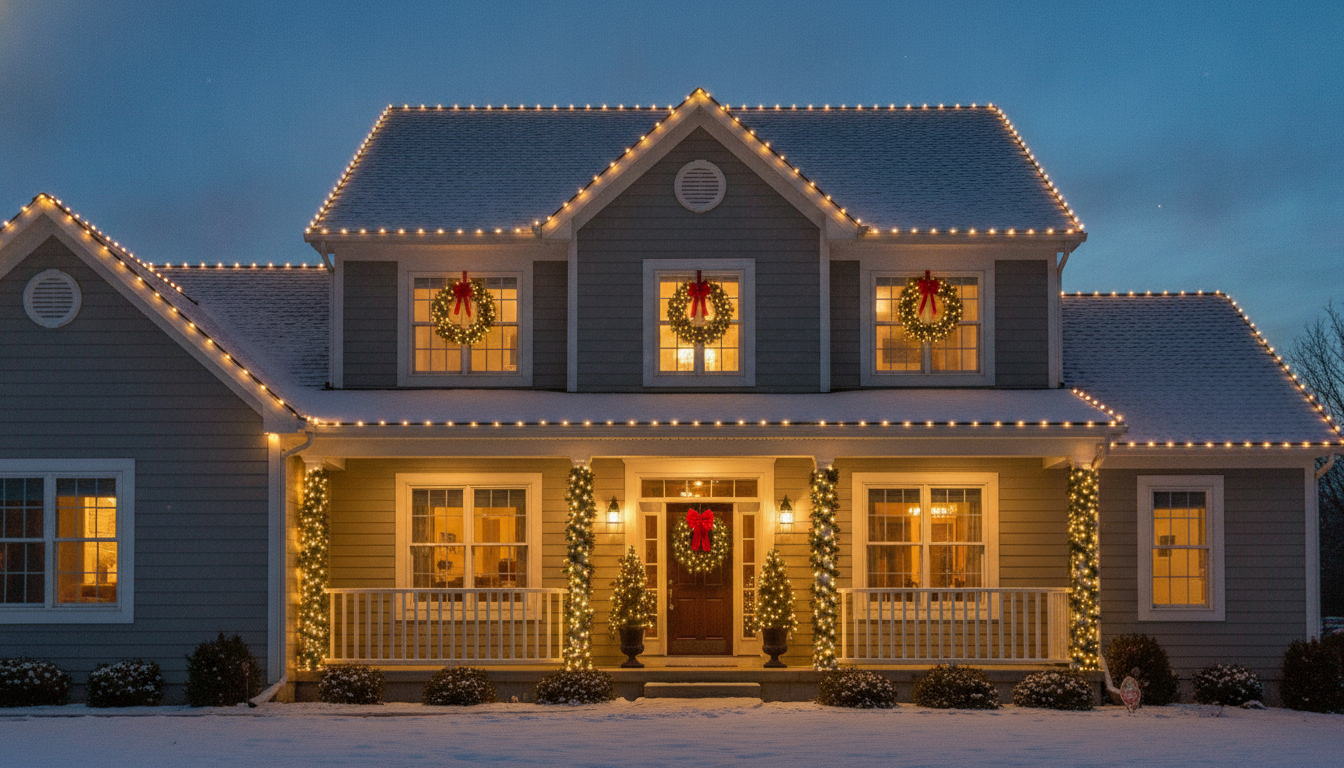
Classic Warm White
Made with GPT Image 2
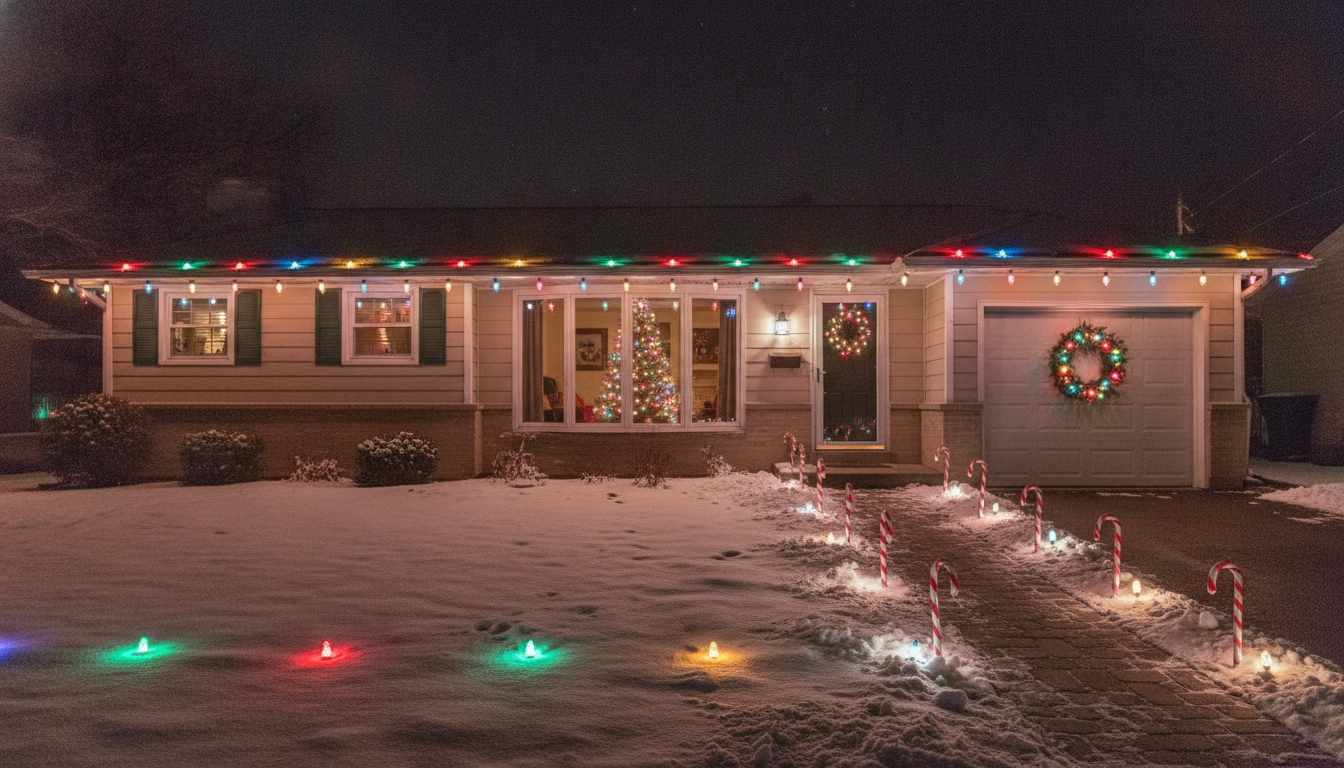
Retro Multicolour
Made with GPT Image 2
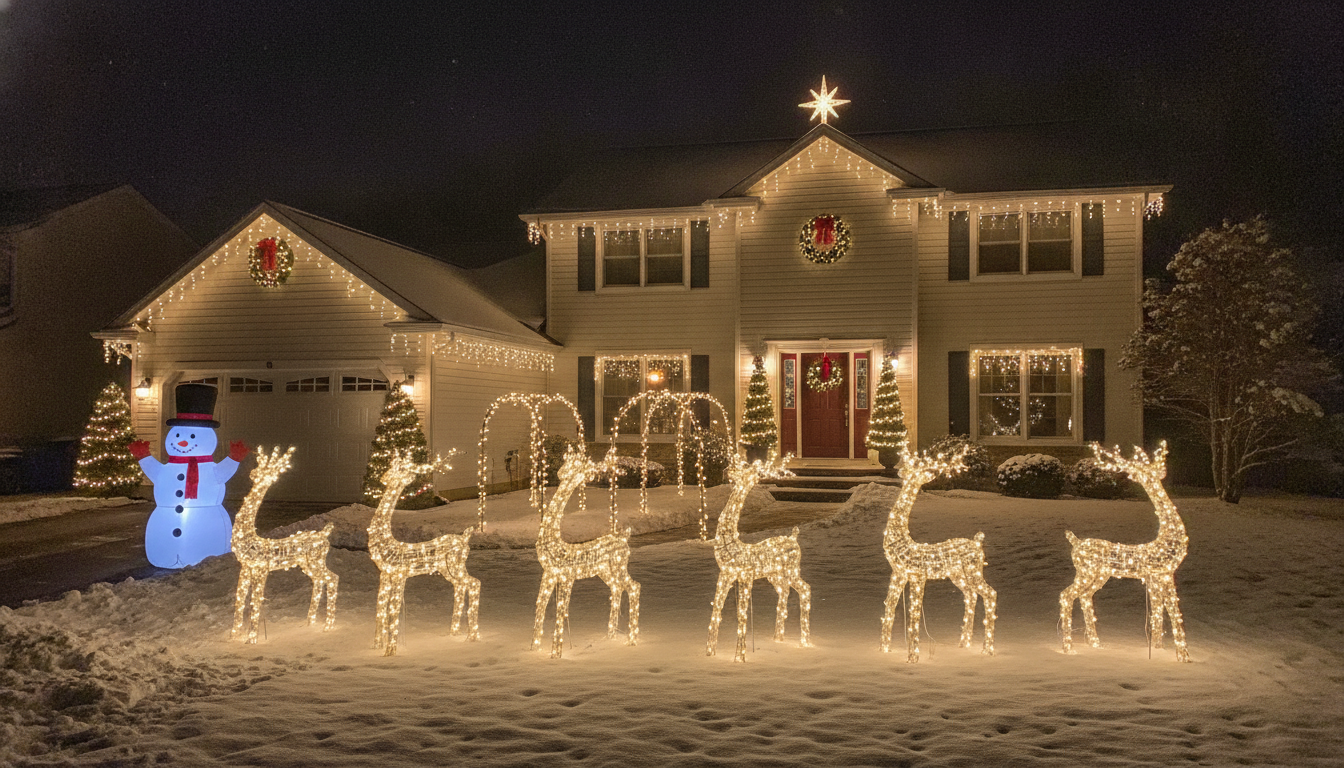
Full Yard Display
Made with GPT Image 2
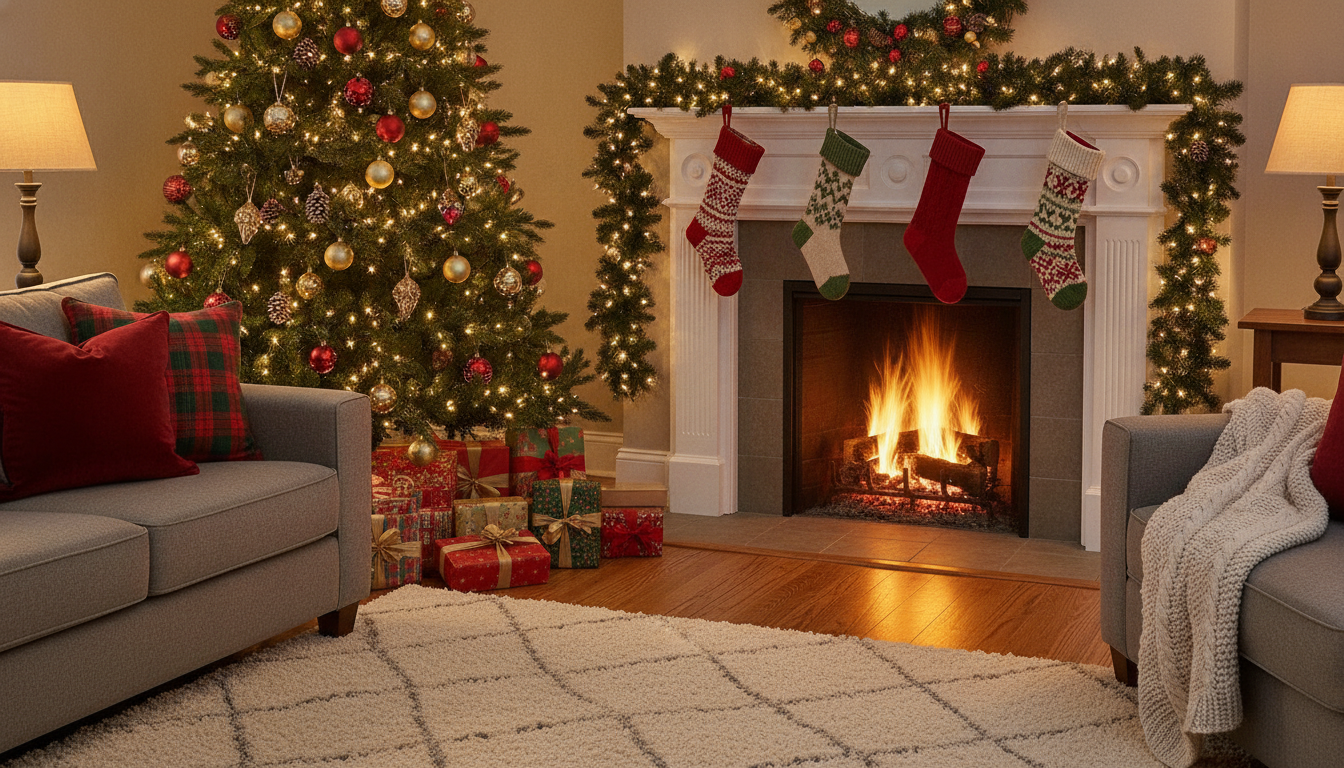
Indoors — Tree & Mantel
Made with GPT Image 2
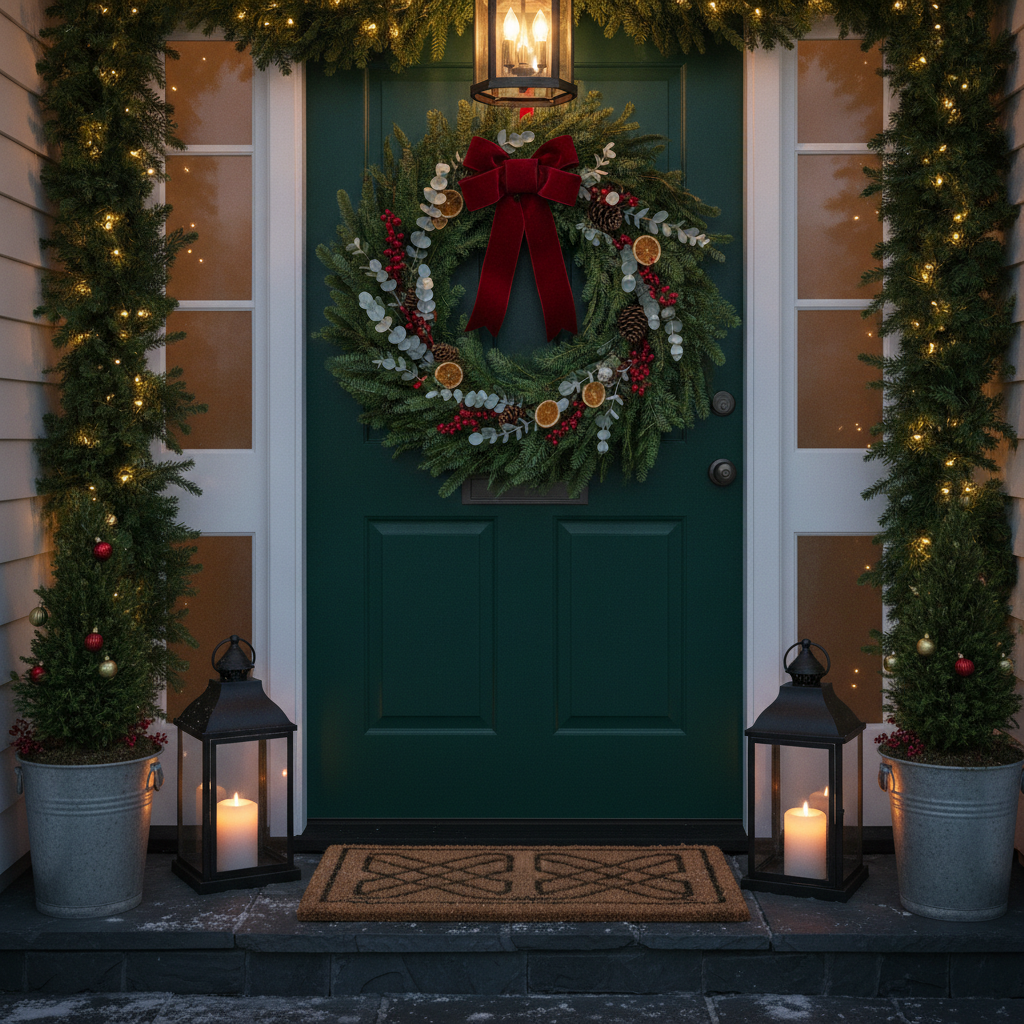
Front Door Only
Made with GPT Image 2
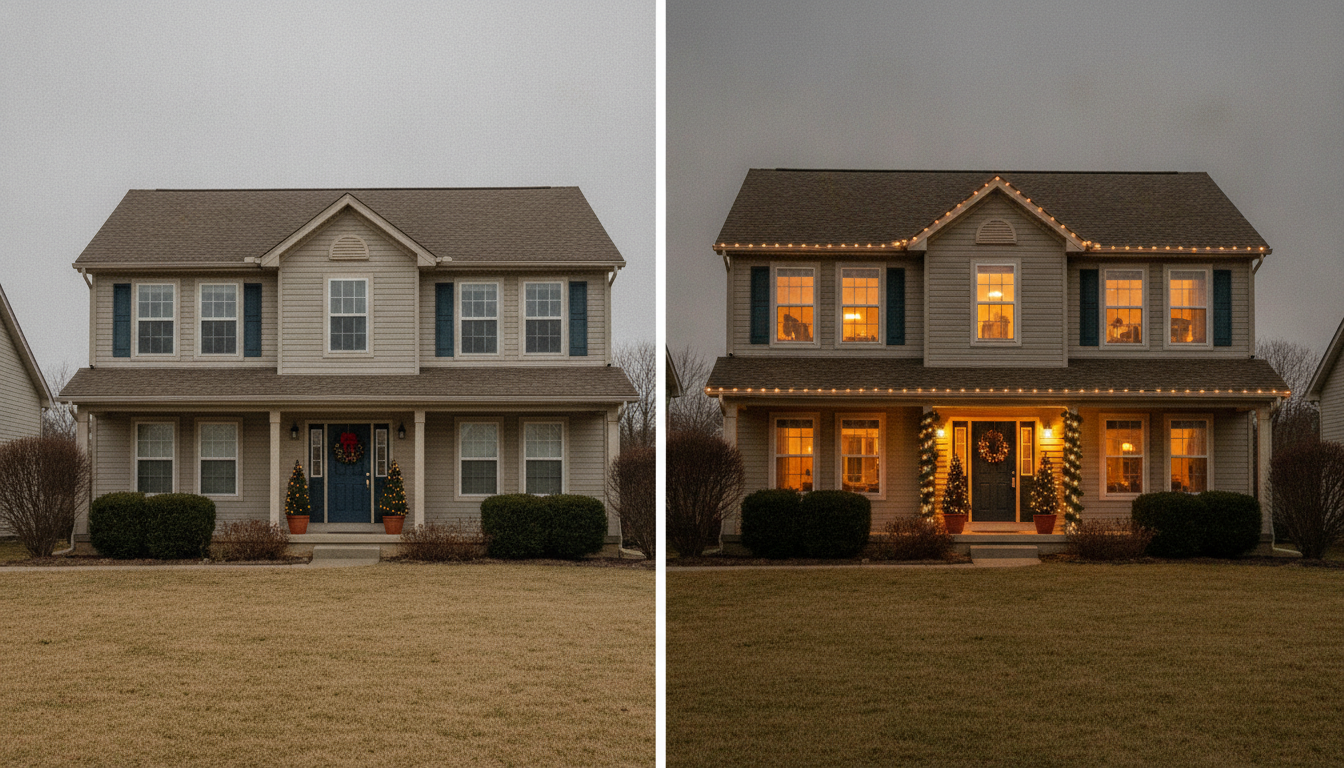
Door Only vs the Full Scheme
Made with GPT Image 2
Two Things This AI Christmas Decoration Generator Will Not Do
It is not an installation plan. It produces a picture, not a shopping list: no measured roofline, no linear footage, no bulb count, no advice on how many strands you can safely run off one circuit, and no idea whether there is an outdoor socket anywhere near the gable it just lit. It also cannot see that the ridge it decorated is thirty feet up. Decide the look here, then measure the runs with a tape, read the amp rating on the box, and be honest about the ladder — or hire the people who do this for a living. And it will sometimes add snow you do not get. Christmas imagery is thick with it, so a dusting can appear on a roof in a climate that has never seen any, and small details drift the way they do in any image edit — a window gains a pane, a downpipe moves, a shrub changes species. Neither is a reason to skip it. They are the two things worth knowing before you take a render to a client, or to your neighbour, as if it were a photograph.
How the AI Christmas Decoration Generator Works
One good photo, one scheme, then a tape measure before anybody orders four boxes of lights
Photograph the Place
One shot from the street with the whole roofline in frame, or one shot of the corner of the room where the tree goes. Daylight, lamps on indoors.
Pick This Year’s Scheme
Warm white, retro multicolour, a full yard display, the front door only, the tree and mantel, or Nordic minimal — then let it decorate your photo.
Then Measure For Real
Shortlist two schemes, walk the roofline with a tape, count the sockets and check the amp rating before you order a single box of lights.
Why Use AI for Christmas Decoration Ideas
Because the boxes are non-returnable by the second week of December and nobody can picture two schemes at once
Your House, Not a Stock House
Pinterest shows you a decorated colonial in Connecticut. This shows you your own brick semi, your own roofline, your own angle from the pavement.
Settles Warm White vs Multicolour
The argument that reopens every December. Two passes and thirty seconds of looking at both on the actual facade ends it faster than any amount of describing.
Try the Big Display Without Buying It
Reindeer, arches, an inflatable by the drive. See whether it reads generous or cluttered on a frontage your size before four boxes arrive.
Indoors as Well as Out
Tree placement, a loaded mantel, stockings and lit garland — the interior presets work on a photo of the room you are actually decorating.
A Front-Door-Only Option
Not everyone wants the roofline. One preset changes nothing but the door, the wreath, the garland and the pots — an afternoon and a small budget.
Free, No Sign Up, No Watermark
Powered by GPT Image 2. Generate as a guest, download clean images, and share them with whoever is holding the other end of the ladder.
Who Uses It
Anyone who has stood in the loft in November holding a tangle of lights and trying to remember what last year looked like
Households Planning the Display
The main use. Seeing warm white and retro multicolour on your own facade settles in ten minutes an argument that otherwise runs until the shops sell out.
Holiday Lighting Installers
A visual at the front gate closes work. Photograph the house on the estimate visit, show two schemes before you leave, and quote against something the client can actually picture.
Indoor Decorators
Where the tree stands, whether the mantel takes a heavy garland, whether coloured lights fight the sofa. Interior presets answer all three on a photo of the real room.
Shops, Cafés & Offices
Small businesses budgeting a window and a frontage. Show the landlord or the team what the spend buys before the order goes in.
AI Christmas Decoration Generator FAQ
Photos, accuracy, indoor decorating, snow, cost and how it differs from the other tools
Free AI Christmas Decoration Generator — Your Own House, Lit Up in Fifteen Seconds
Christmas decorating is a decision made blind. You stand on the pavement in November trying to picture warm white along a roofline you have looked at every day for nine years, and you cannot do it — nobody can. So you scroll pictures of other people’s houses, which are other people’s houses, with different rooflines and different brick and a porch yours does not have, and then you buy four boxes of something and find out in the dark on a ladder whether it was right. An AI Christmas decoration generator closes that gap: upload one photograph of your house as it stands, pick the scheme you are weighing up, and fifteen seconds later you are looking at your house — your gable, your windows, your angle from the street — wearing it. Three schemes become one before the boxes are ordered, and the argument about multicolour ends on evidence instead of volume.
What makes this different from a Pinterest board of Christmas decoration ideas is that it edits your own photo rather than showing you somebody else’s finished result. The six presets cover the decisions people actually make: classic warm white along the roofline with garland on the porch and a wreath on the door; big retro multicolour C9 bulbs with candy cane path markers, the scheme most of us grew up with; a full yard display with reindeer, light arches and an inflatable, so you can see whether that reads generous or cluttered on a frontage your size; a front-door-only pass that touches nothing above head height, for the households who want the porch to look like Christmas without anybody going up a ladder; and two interior schemes — the loaded tree and mantel with stockings and firelight, and a Nordic minimal version in wood, white and green with no red and no gold — which work on a photo of the actual room and settle where the tree goes. Because every pass keeps your building and your camera angle, you can put the before and after side by side and judge the spend honestly.
Two limits deserve saying as plainly as the strengths, because most pages in this niche stay quiet about both. First, this is a picture, not an installation plan. It will not measure your roofline, count how many linear feet of C9 you need, tell you how many strands can safely share a circuit, notice that there is no outdoor socket within thirty feet of the gable it just lit, or care that the ridge is three storeys up in the cold. Decide the look here, then measure the real runs with a tape, read the amp rating on the box, and be honest about the ladder — or hand the render to a professional installer and let them price the version that is actually safe. Second, it is an image edit, so details drift and imagination creeps in: a window can gain a pane, a downpipe can move, a shrub can change species, and the model will cheerfully lay a dusting of snow on a roof in a climate that has never had any, because Christmas imagery is soaked in it. Look at the side-by-side in the gallery above and calibrate on that, rather than assuming a pixel-perfect match to your house.
Getting a good result is mostly the photograph, and that part is free too: for the outside, stand back on the street, shoot at eye level straight on or at a gentle three-quarter angle, keep the whole roofline and both ends of the house in frame, move the car and the bins, and shoot in daylight even though you want a night result — the tool relights the scene to dusk and a dark original just hides detail. For the inside, shoot the corner where the tree will really stand with the fireplace or window in shot and the lamps on. The tool on this page is fixed to 16:9 landscape, the shape a street view of a house naturally wants; crop with the AI image cropper if you need a portrait version, and run it through the AI image upscaler before any large print. The rest of Christmas divides cleanly between the other tools: the AI Christmas card generator makes the card you post rather than the house you decorate, the AI greeting card maker covers everything else you send, the AI exterior design tool changes the permanent parts of the building rather than what you hang on it for six weeks, and the AI interior design tool restyles a room for the other eleven months of the year. Scroll back up, upload one photo, and see this year lit before you buy a single box.