
AI Exterior Design Tool
See the New Siding on Your Own House
Free AI home exterior design. Upload one street photo and get it back with new siding, a different paint colour, a darker roof, black window frames and a rebuilt porch — in about fifteen seconds, before you spend a penny.
Try the AI Exterior Design Tool — Free
Upload one photo of the front of your house, then pick the direction you want to see it in
AI Exterior Design Tool
Upload a street-level photo of the front of your house, pick a style below, and get the same house back restyled. Shoot at eye level with the whole roofline in frame — overcast light gives a cleaner result than hard sun.
Upload a photo of your house taken from the street, choose a style, then click Generate
Tip: the tool here is fixed to 16:9 landscape, which is the shape a street photo of a house wants — for another shape, crop the result with the AI image cropper. Planning the planting and the paths too? That is the AI garden design generator’s job, not this one.
AI Exterior Design Examples
Six directions, including a before-and-after where you can see exactly which details drift
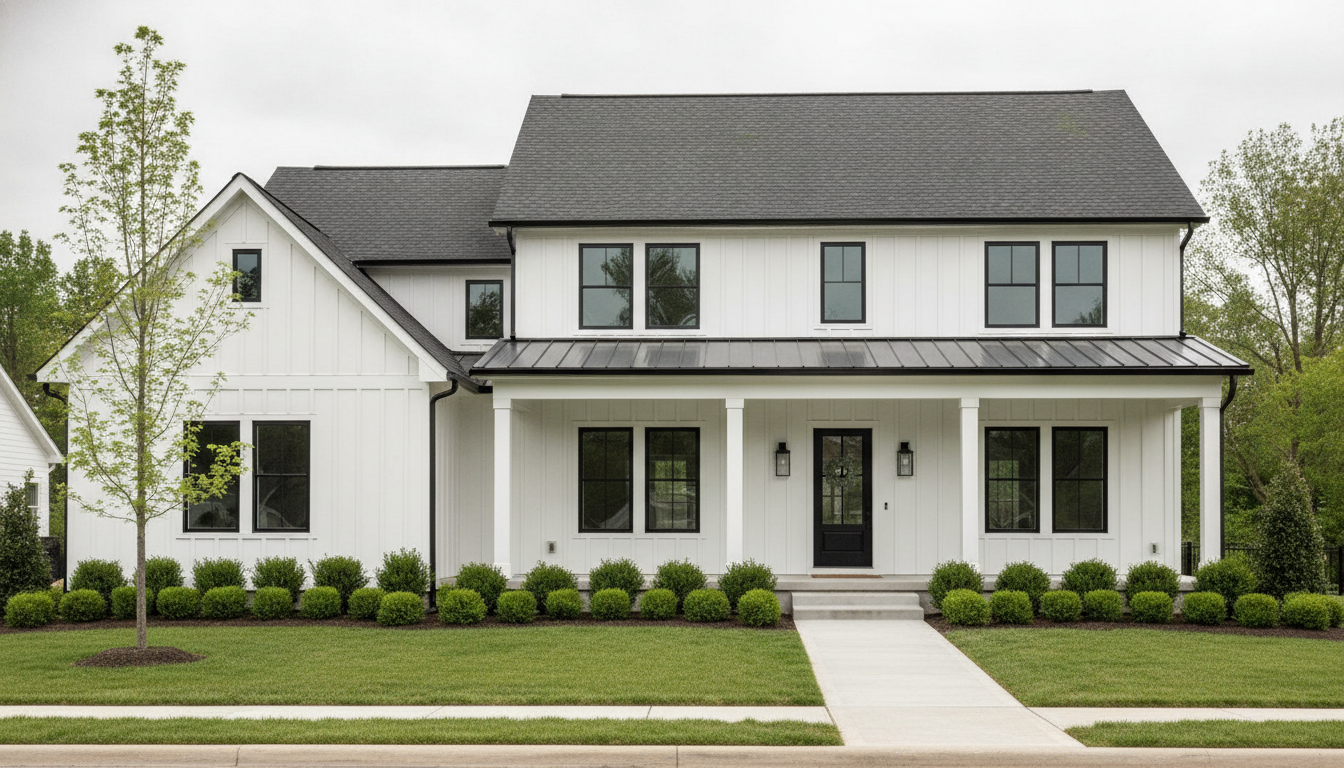
Modern Farmhouse
Made with GPT Image 2
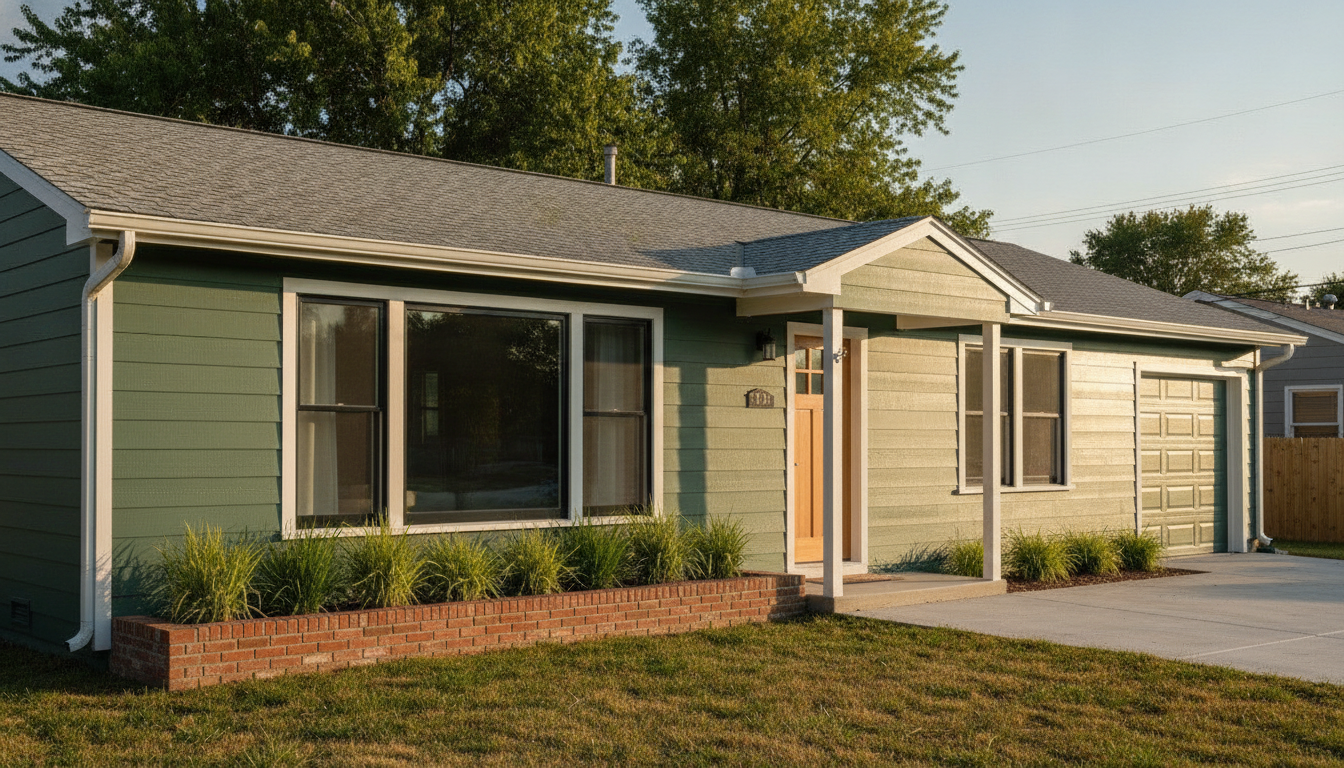
Repaint & New Trim
Made with GPT Image 2
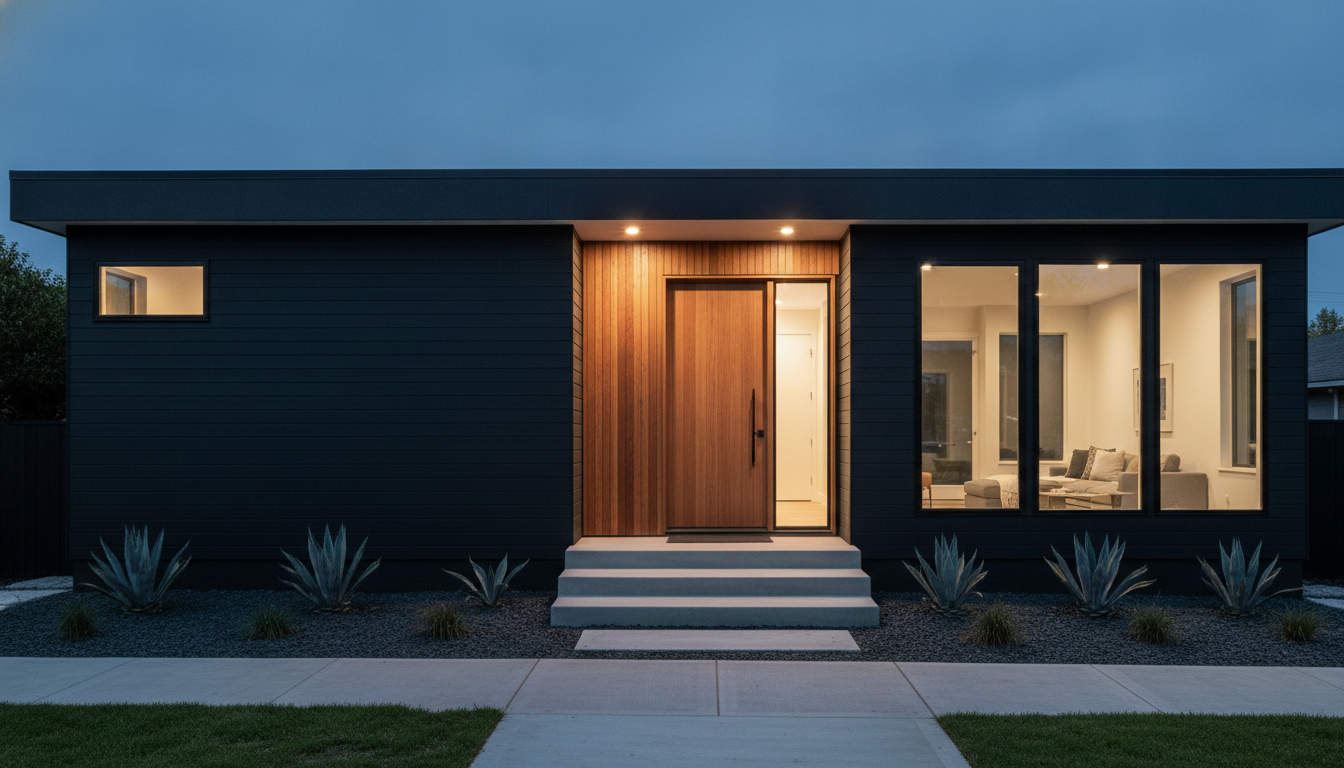
Black & Cedar, at Dusk
Made with GPT Image 2
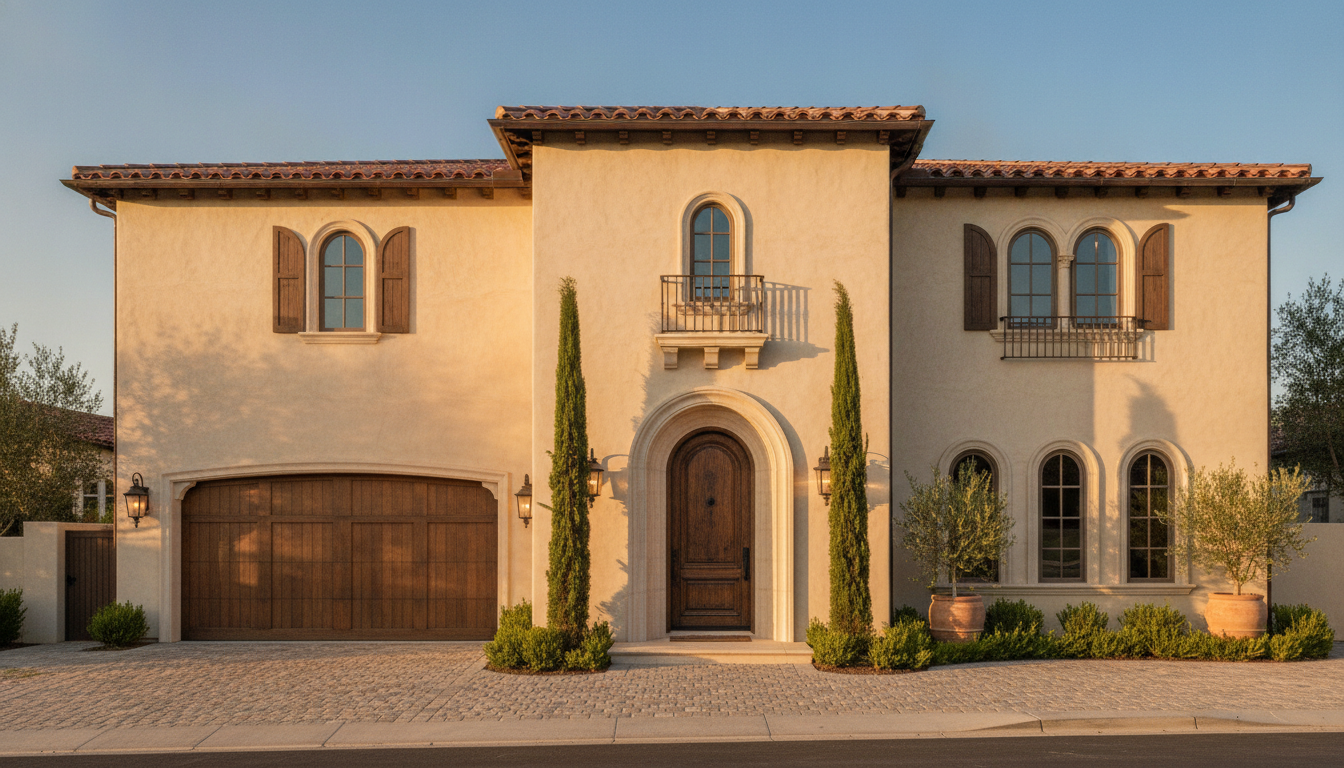
Mediterranean Stucco
Made with GPT Image 2
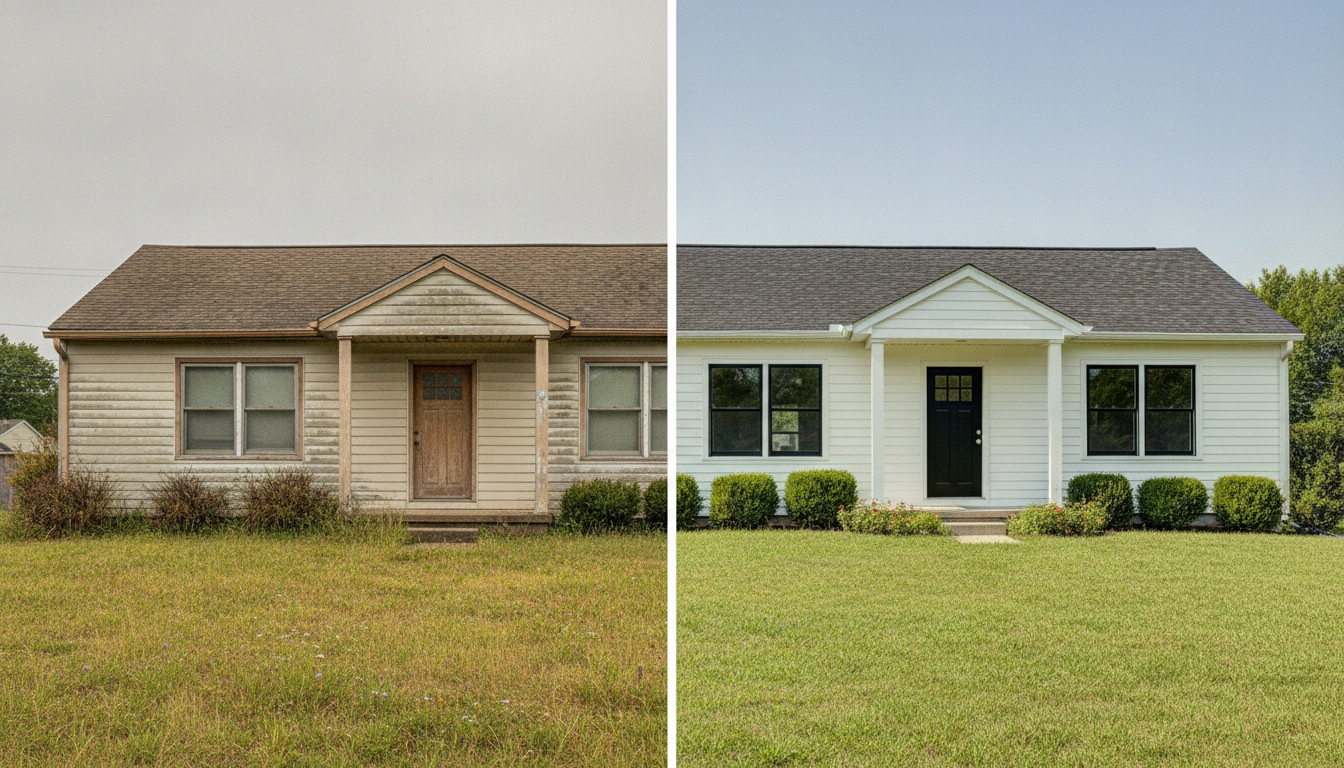
Before & After — Read the Drift
Made with GPT Image 2
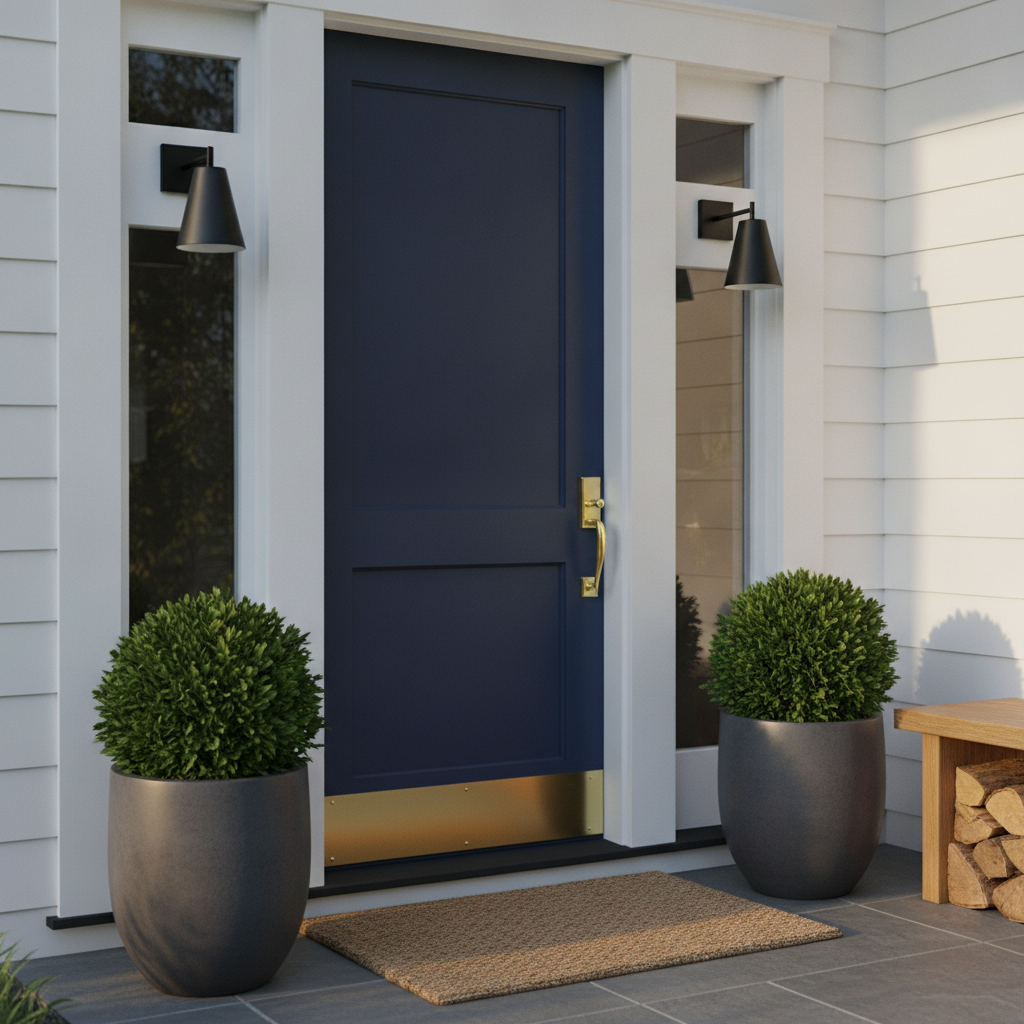
Curb Appeal — The Entry
Made with GPT Image 2
Two Things This AI Exterior Design Tool Will Not Do
It is not a measured drawing. It restyles the surfaces of your photo, so small details drift — a window can gain a pane, a porch post can shift, and the far side of the house is the least reliable part of the frame. It produces no dimensions, no materials list and no cost estimate, and it knows nothing about your local code or what your HOA will approve. Bring it to a contractor to show intent, not to build from. And the colours are indicative, not paint codes. A render is not colour-managed to a swatch, and real siding, stucco and brick each take the same colour differently. Use it to get from twenty options down to three — then buy sample pots and paint a real square on the real wall, in morning light and after dark. Neither of these is a reason to skip it; they are the two things worth knowing before anyone orders materials.
How the AI Exterior Design Tool Works
One good photo, one direction, then sample the colour for real before anybody buys anything
Shoot the Front From the Street
Eye level, straight on or a gentle three-quarter angle, whole roofline in frame, overcast light if you can. This step decides most of the result.
Upload and Pick a Direction
Choose a style preset — farmhouse, fresh paint, black and cedar, stucco, cottage, or a curb-appeal-only refresh — and let it restyle the surfaces.
Compare, Then Sample for Real
Run three or four passes and shortlist. Then buy the sample pots and paint a real square on the real wall before anybody orders anything.
Why Use an AI Home Exterior Design Tool
Because a re-side is a five-figure decision and nobody can hold two paint colours in their head
Your House, Not a Stock House
It works from your own street photo and keeps the massing, roofline and camera angle, so you are looking at your house restyled — not a beautiful building that belongs to somebody else.
The Whole Facade Together
Siding, roof, trim, window frames, front door and planting all change as one coherent scheme, instead of flooding a single wall with a flat swatch the way a paint app does.
Swap the Material, Not Just the Colour
Brick to board and batten, siding to stucco, a stone base, a standing seam roof. The changes that are hardest to picture in your head are the ones this shows fastest.
Curb Appeal on Its Own
Not every project is a re-side. One preset changes only the front door, sconces, house numbers, paving and planters — the cheap weekend version of the same idea.
Honest About the Tolerance
It is a restyle, not a measured drawing: small details drift and colours are indicative, not paint codes. Both are stated here plainly, with what to do about them.
Free, No Sign Up, No Watermark
Run a dozen directions before dinner. Nothing stamped across the download and no account needed to see whether that green was ever going to work.
Who Uses It
Anyone who has stood on the pavement squinting at their own house trying to imagine it darker
Homeowners Before a Repaint
The main use, and the one that saves the most money. Seeing sage green, charcoal and warm white on your own facade settles an argument in ten minutes that sample pots alone can drag out for a month.
Contractors & Painters
A visual at the kitchen table closes work. Photograph the house on the site visit, show the client two directions before you leave, and quote against something they can actually picture.
Buyers Judging Potential
The tired listing with the ugly siding is usually the one with room in the price. Run the listing photo through before the second viewing and you will know whether the bones are worth it.
Weekend Curb Appeal
No re-side, no scaffolding. A new front door colour, black sconces, decent house numbers and two planters is a Saturday and a small budget — and the curb-appeal preset shows only that.
AI Exterior Design Tool FAQ
Photos, accuracy, paint colours, contractors, materials and how it differs from the other tools
Free AI Exterior Design Tool — Your Own House, Restyled in Fifteen Seconds
The hardest part of any exterior project is that nobody can picture it. You can hold a paint chip against the wall, but a chip is four square centimetres and a house is not, and the colour that looked confident in the shop turns out chalky across a whole gable. You can look at other people’s houses online, but they are other people’s houses, with different rooflines and different light. That gap between the decision and the ability to see it is why so many exteriors get repainted the same colour they already were. An AI exterior design tool closes it: upload one photograph of your house as it stands, pick a direction, and fifteen seconds later you are looking at your house — your roofline, your windows, your angle from the street — wearing the thing you were trying to imagine. Twenty options become three before you have finished a coffee.
What makes this AI home exterior design workflow different from a paint-company visualiser is that it changes the whole facade as one scheme rather than flooding a single wall with a flat swatch. Siding, roof, trim, gutters, window frames, front door, lighting and the planting along the base all move together, which is how exteriors actually read in real life — a dark siding choice lives or dies on whether the trim is crisp white or matched black, and no swatch tool will tell you that. It also handles the changes that are genuinely hard to visualise: brick to board and batten, lap siding to stucco, a shingle roof to standing seam metal, or a stone base added under the porch. And because it is a restyle of your own photo rather than a generated concept building, you can put the before and after side by side and have an honest conversation about whether the money is worth it. If it is only the entry you are rethinking, the curb-appeal preset changes nothing but the front door, the sconces, the house numbers, the paving and the planters — the weekend version of the same project.
Two limits are worth stating as clearly as the strengths, because most pages in this niche stay quiet about both. First, this is a restyle, not a measured drawing. It keeps the massing, roofline, window positions and camera angle, but small details drift: a window can gain or lose a pane, a porch post can shift a little, ornate period trim can simplify, and whatever is on the far side of the house is the least reliable part of the frame. In the before-and-after above, the panes do not match one for one and a power line has disappeared from the sky — look for that kind of thing rather than assuming a pixel-perfect match. There are no dimensions here, no materials schedule, no quantities and no cost estimate, and the tool knows nothing about your local building code, your setbacks, or what a conservation area or HOA will approve — so bring the render to your contractor to show intent, and let the trades and, where a structural change is involved, an architect or surveyor produce the drawings that actually get built from. Second, the colours are indicative rather than a colour-managed match to a paint code. Screens differ, the render carries its own grading, and real siding, stucco and brick each take the same pigment differently. Narrow the field here for free, then buy the sample pots and paint a large square on the real wall — and look at it in morning light, in afternoon light, and after dark under the porch light before anyone orders anything.
Getting a good result is mostly about the photograph you start with, and that part is free too: stand back on the street, shoot at eye level either straight on or at a gentle three-quarter angle, keep the whole roofline in the frame, move the bins and the car, and shoot on an overcast day if you can, because hard shadows across a facade get baked into everything that follows. The tool on this page is fixed to 16:9 landscape, which is the shape a street view of a house naturally wants; crop the result with the AI image cropper if you need another, and run it through the AI image upscaler before any large print. For the rest of the project, the tools divide by what is in the frame: the AI garden design generator handles the yard, planting and paths around the house, the AI interior design tool and AI virtual staging take over once you are through the front door, the AI architectural design tool is for concept buildings rather than a house you already own, and the AI photo editor cleans up the listing shot afterwards. Scroll back up, upload one photo of the front of your house, and see what it could look like.