
AI Virtual Staging
Furnish an Empty Listing in Seconds
Free AI virtual staging for real estate. Upload a photo of an empty room and get a furnished, listing-ready image in about fifteen seconds — living rooms, bedrooms, dining areas, home offices and outdoor space.
Try the AI Virtual Staging Tool — Free
Upload an empty room photo, choose the room type, and download the staged image in seconds
AI Virtual Staging
Upload a photo of an empty room, pick the room type, and the AI furnishes it as a listing-ready image
Upload a well-lit photo of the empty room, choose the room type you want it staged as, and click Generate
Tip: shoot from a corner with the camera level and the blinds open — virtual staging is only ever as good as the empty room photo you feed it.
AI Virtual Staging Examples
One empty room, then five spaces staged the way buyers expect to see them

Before: Empty Room
Made with GPT Image 2
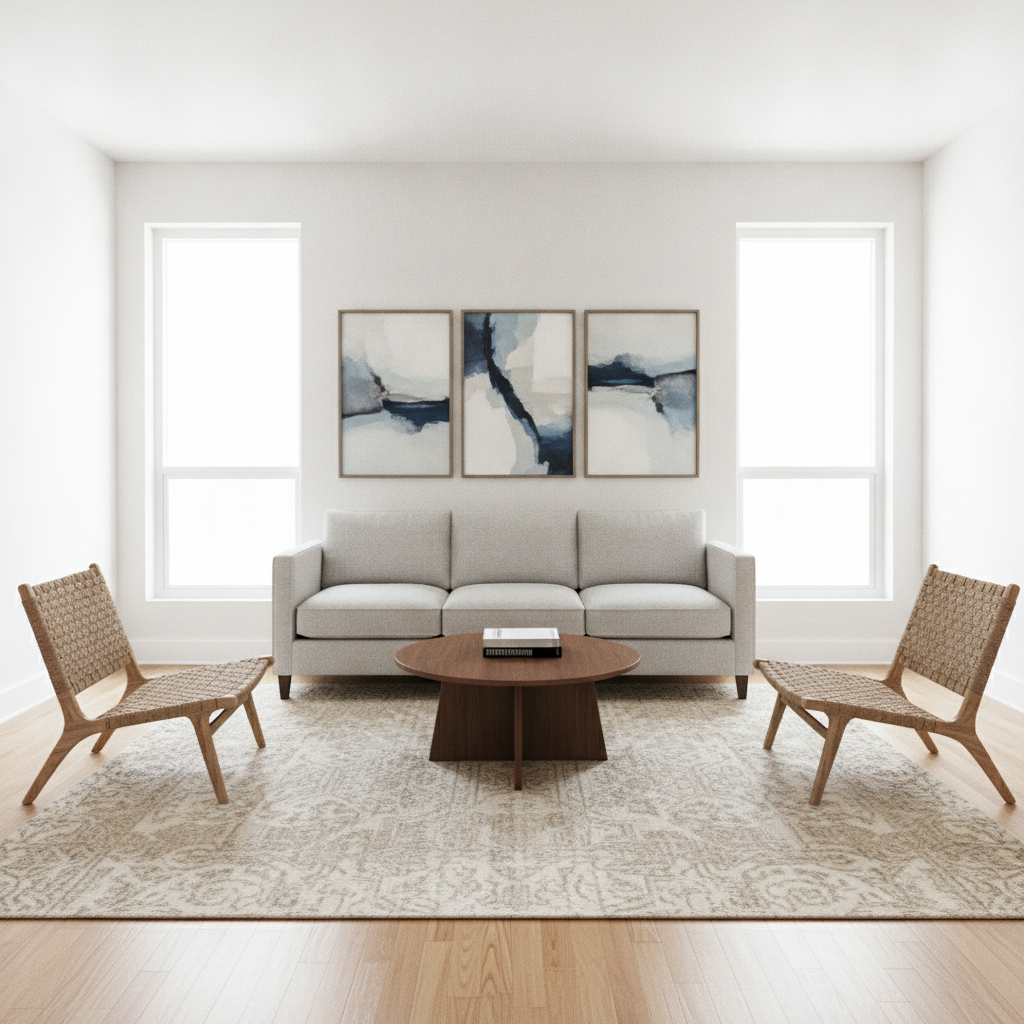
After: Living Room
Made with GPT Image 2
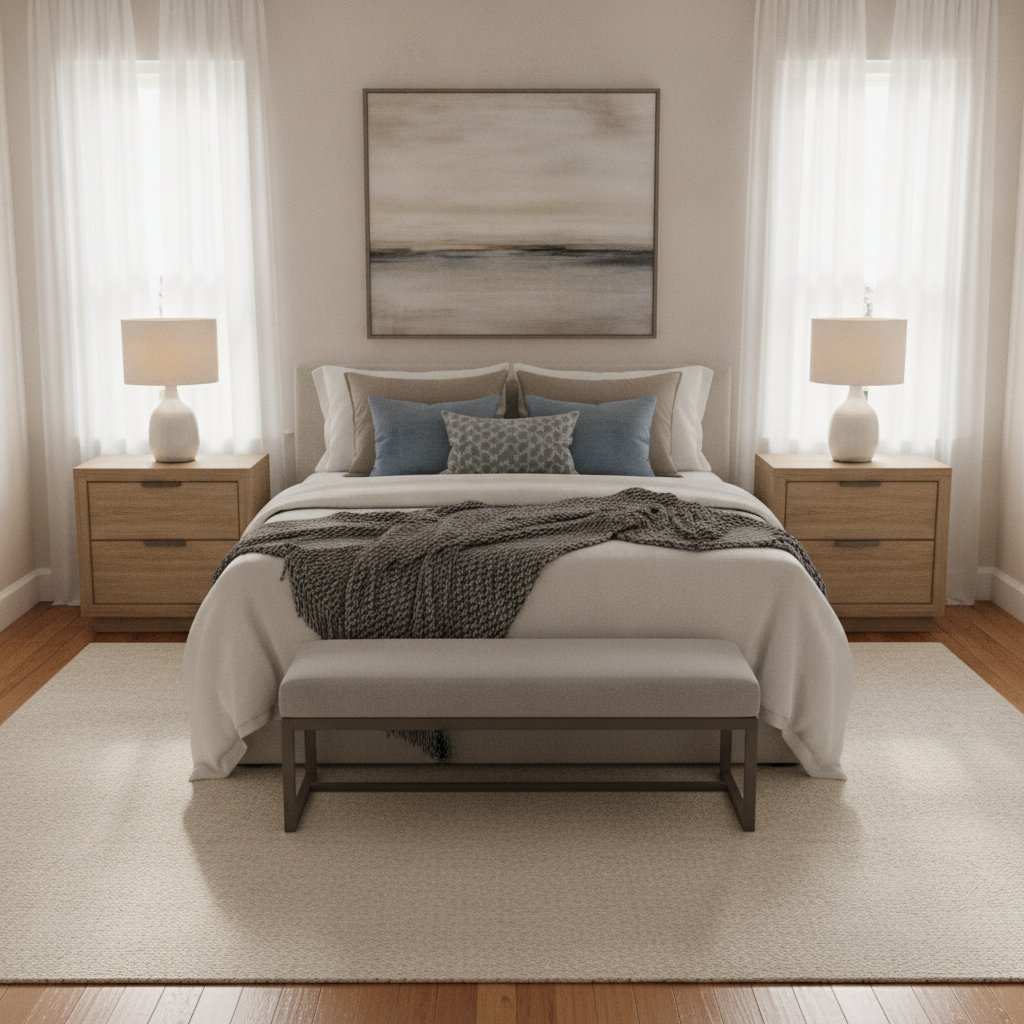
Primary Bedroom
Made with GPT Image 2
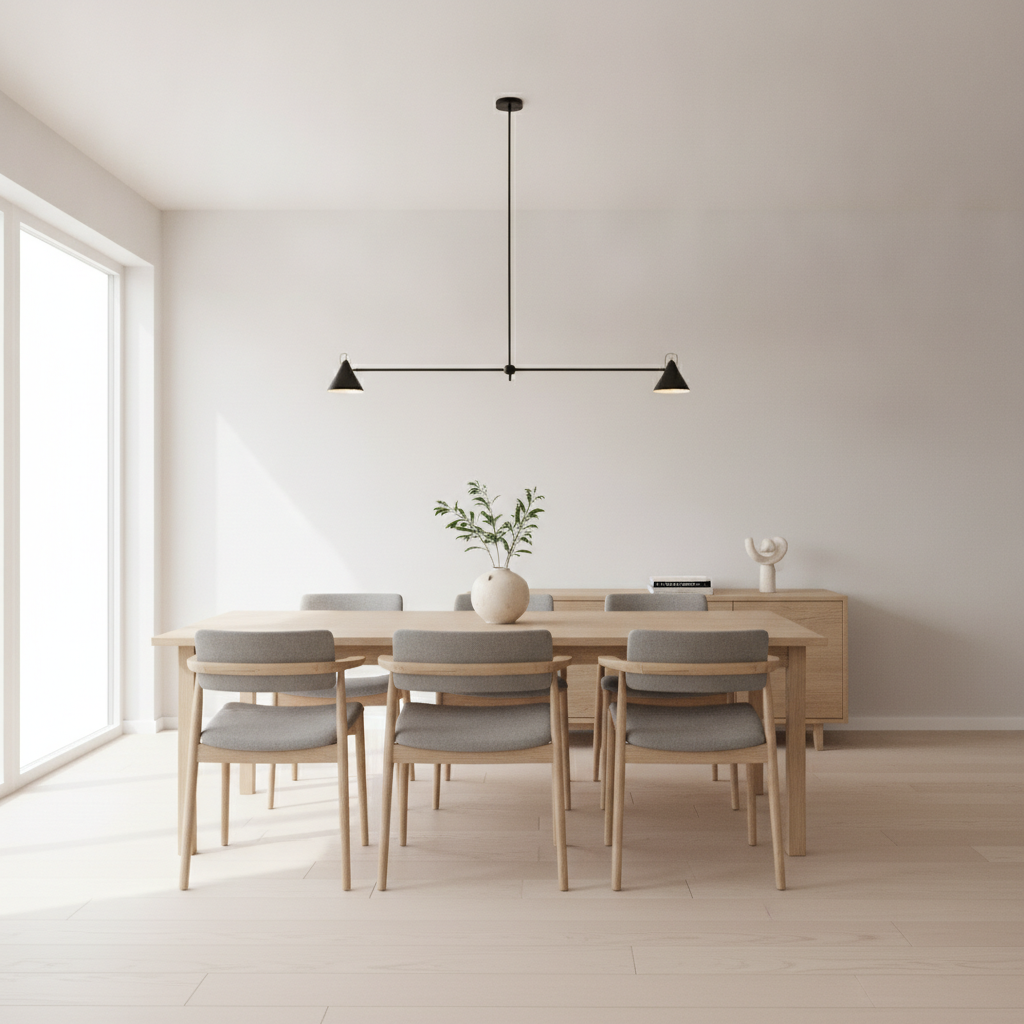
Dining Area
Made with GPT Image 2
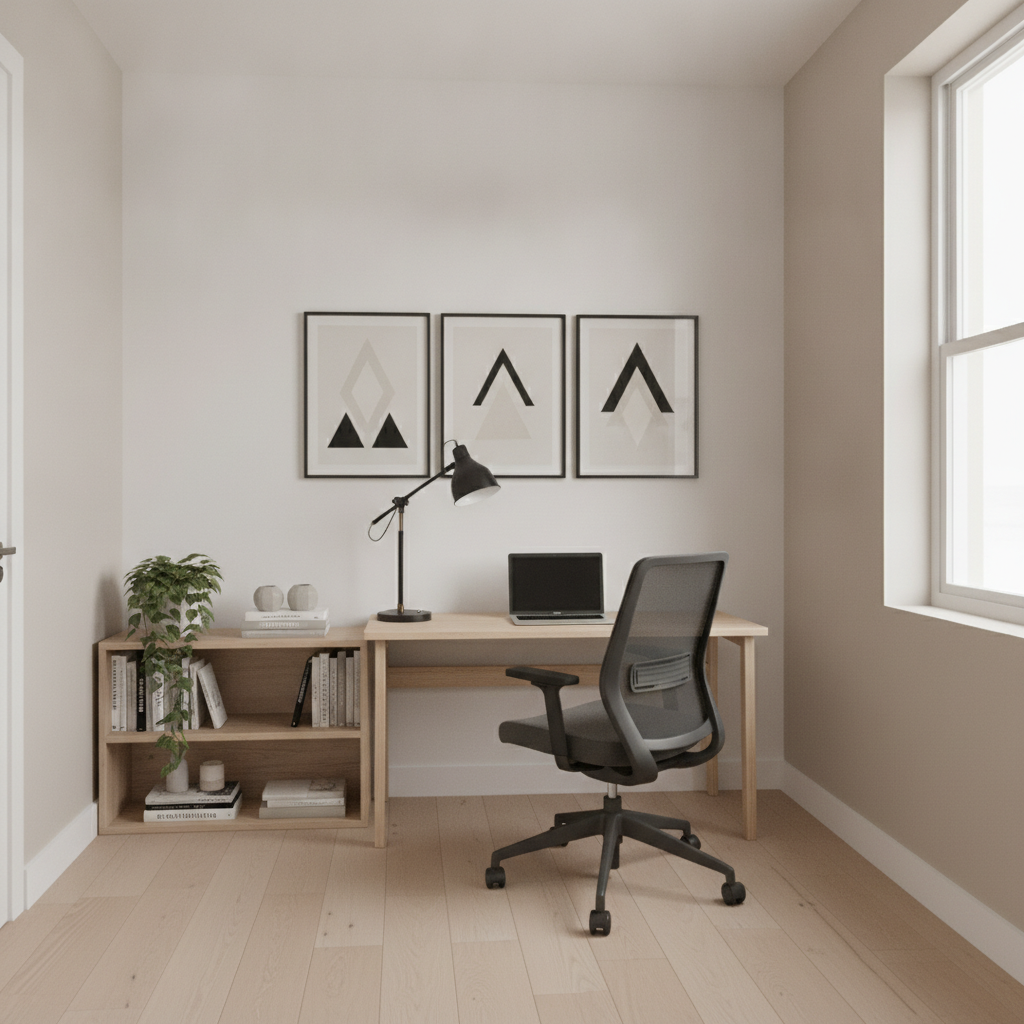
Home Office
Made with GPT Image 2
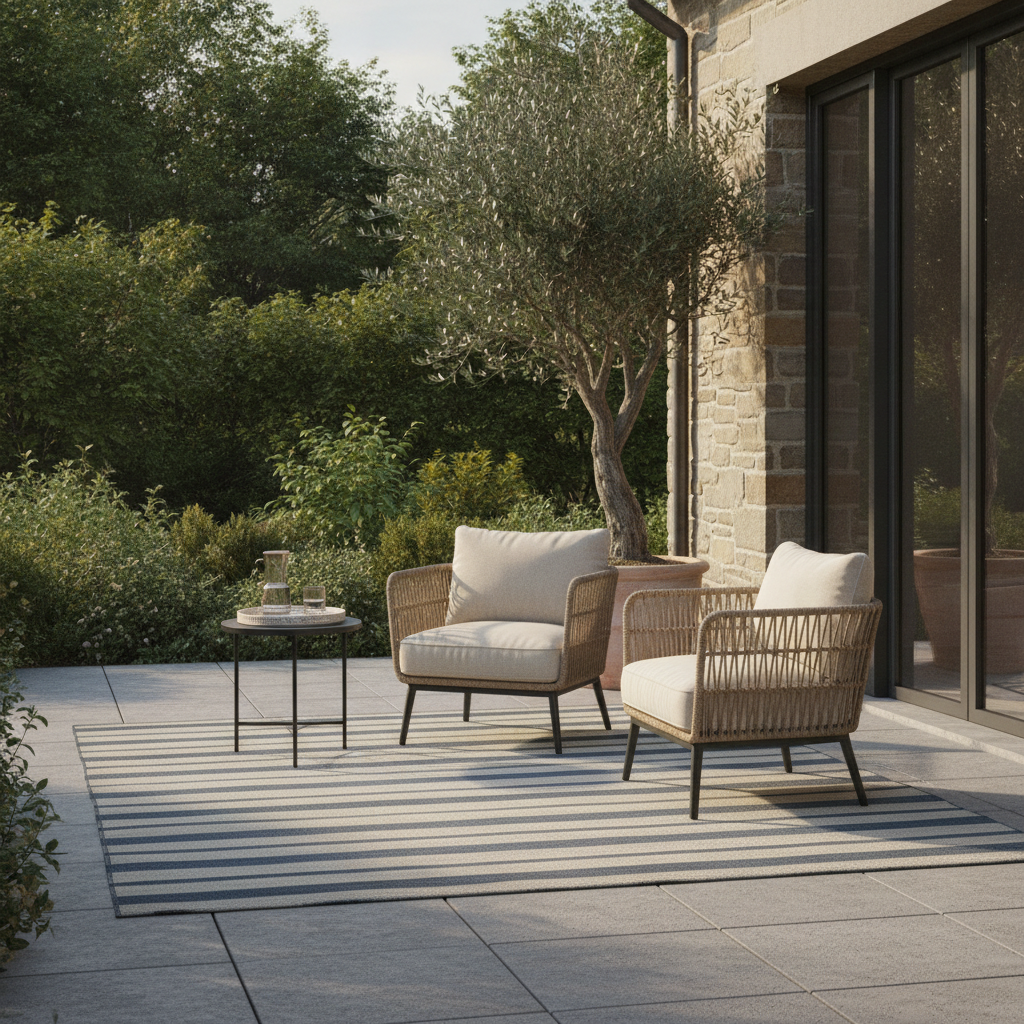
Patio & Outdoor
Made with GPT Image 2
How AI Virtual Staging Works
Upload the empty room, pick the room type, download the staged photo
Upload the Empty Room
A level, well-lit listing photo that shows two walls and the whole floor gives the AI everything it needs.
Pick the Room Type
Choose how the space should read to a buyer — living room, bedroom, dining, office, guest room or patio.
Download & Disclose
Save the staged image, check it against the original, and label it as virtually staged in your listing.
Why Agents Stage Listings Virtually
An empty room shows square footage. A staged room shows a life.
Six Room Types
Living room, primary bedroom, dining area, home office, kids or guest room and patio, each staged to its own brief.
Keeps the Architecture
Walls, windows, floors and camera angle stay as photographed. Only the furniture and styling are added.
Seconds, Not Days
Stage a whole property between the shoot and the listing going live, instead of booking a stager for next week.
Neutral, Buyer-Friendly Styling
Light, uncluttered furniture that shows scale and flow — the look listing photographers stage toward.
Yours to Use
Use staged images in listings, portals, brochures and ads. No watermark, no attribution — just disclose the staging.
One Photo In, One Out
No floor plans, no measurements, no 3D software. Upload the room photo you already have and download the staged version.
Who Uses AI Virtual Staging
Anyone who has to sell or let a space that is standing empty
Real Estate Agents
Get a vacant listing online the same day it is photographed, with every room furnished, instead of holding the launch for a stager's schedule and a four-figure invoice.
Listing Photographers
Add virtual staging as a paid extra on top of the shoot, delivered with the gallery, without buying software seats or outsourcing to a rendering service.
Landlords & Hosts
Show a bare rental or short-let as it will feel once furnished, so enquiries come from tenants who can already picture the space working for them.
Developers & Builders
Present every unit in a new scheme as furnished when only the show home is dressed, and vary the styling per unit type without moving a single sofa.
AI Virtual Staging FAQ
Disclosure rules, photo requirements, limits and commercial use
Free AI Virtual Staging for Empty Listings, Rentals and New Builds
Buyers are famously bad at reading an empty room. Without furniture there is nothing to judge scale against, no obvious answer to "where would the sofa go", and a space that photographs as a hollow box rather than a home. That is the entire reason physical staging exists — and also why it costs $1,500 to $5,000 a property and adds a week of scheduling to a launch. AI virtual staging solves the same problem from the listing photo instead of from a furniture van: you upload the empty room, the model furnishes it at a believable scale, and the image is ready before the shoot has finished uploading.
The quality of virtual staging is decided almost entirely at the camera. Stand in a corner so two walls are in frame, keep the camera level at chest height so verticals stay straight, open every blind, and include the whole floor — the AI places furniture by reading where the floor meets the walls, so a cropped or tilted floor produces sofas that float or shrink. Shoot each room empty and clean. If the property is still occupied, clear it first with the object remover rather than asking the staging pass to overwrite existing furniture, which tends to leave fragments of the old room blended into the new one.
Then there is the rule that separates professional virtual staging from a complaint. Staged images must be disclosed. Most MLS systems, real estate boards and advertising regulators require a caption or on-image label reading "Virtually Staged", and the reasoning is simple: adding furniture that is not there is a visualisation, while removing damage, hiding a stain, straightening a wall or inventing a window is a misrepresentation. Check each output against the original photo before publishing — the model does occasionally alter architecture, and that is the one change you can never ship. Keep an unfurnished shot of every room in the gallery, label the staged versions, and virtual staging stays what it should be: an honest answer to "what would this look like furnished?"
Neighbouring tools handle the rest of a listing workflow. Use the AI object remover and AI image inpainting to empty an occupied room first, the AI photo editor and AI image upscaler to clean up and enlarge the final shots, and the AI image extender when a portal needs a wider crop than you shot. For renovation rather than resale, the AI interior design tool restyles rooms you are keeping, the AI garden design generator does the same for the yard, and the AI architectural design tool covers the building itself. Agents building marketing around a listing can pull it together with the AI mood board creator, the AI flyer generator and the AI social media content creator. Scroll back up and stage your first room free.