
AI Gift Certificate Generator
A Voucher You Can Sell, in Fifteen Seconds
Describe a gift certificate and get it back as a finished landscape image — slate and gold for a restaurant, blush and botanical for a salon, a tear-off stub for a shop, or a blank decorated frame you set your own type into. This ai gift certificate generator is free, needs no account, and the gallery below shows you at 4x exactly which words to read twice before you print a hundred of them.
Try the AI Gift Certificate Generator — Free
Pick a layout, then type your business name, your amount and your colours in the box
AI Gift Certificate Generator
Choose a voucher layout below, then describe what you want on it — your business name, the amount, the colours. Each preset already carries the certificate framing and the landscape shape, so you only supply the wording. Two things worth knowing before you start: keep the text short, because three or four short lines place far more reliably than a paragraph of terms, and read the business name back letter by letter when it arrives, because invented accents are this model’s most reliable mistake.
Renders at 16:9 landscape, the shape every image in the gallery below was generated at. A classic voucher is a little wider than that, so trim the top and bottom with the AI image cropper before printing, or pick a different ratio on the home page generator.
AI Gift Certificate Generator Examples
Six vouchers exactly as they came back, at the same 16:9 ratio the presets use — including the ones that quietly disobeyed
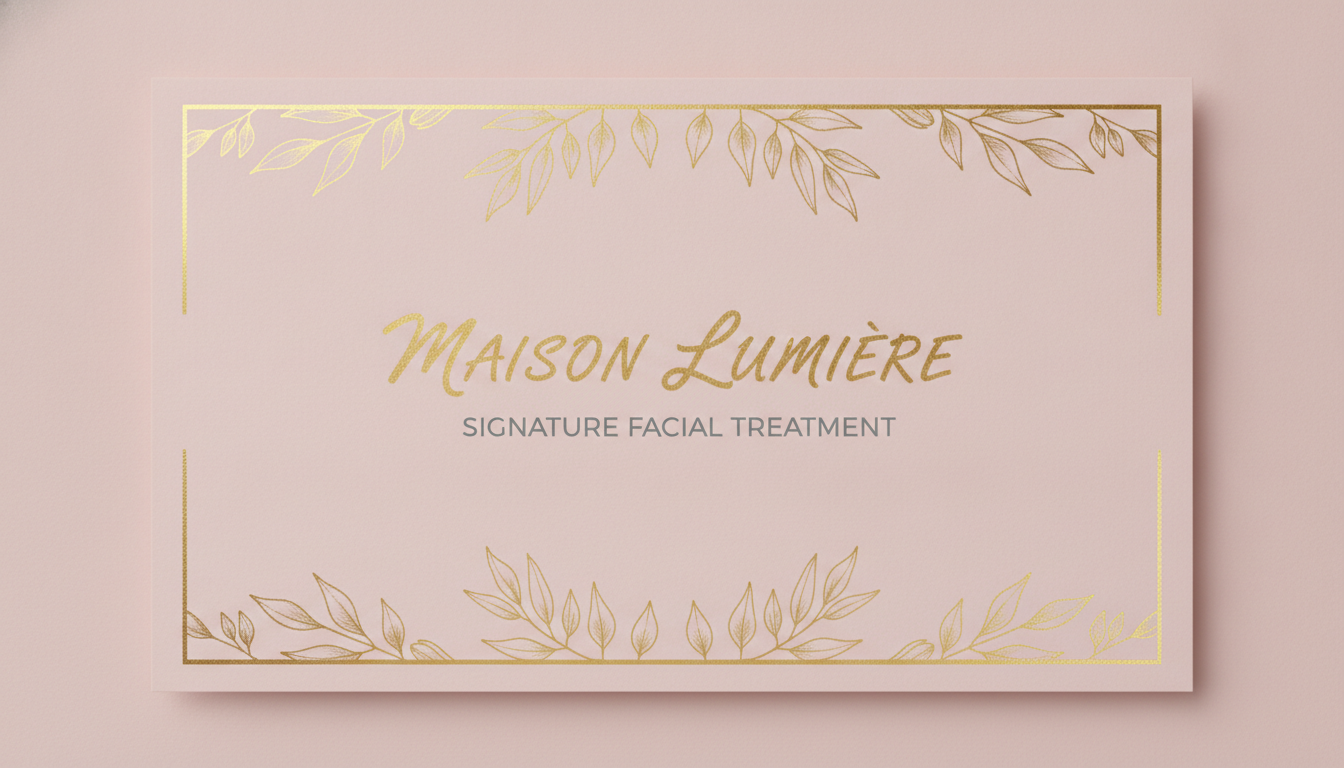
It Put an Accent on the Salon’s Name. Nobody Asked It To.
The prompt asked for the name MAISON LUMIERE and said, in as many words, to use only plain unaccented letters and to add no grave, no acute and no other mark to any letter. What came back is MAISON LUMIÈRE. Enlarge it and the accent is unmistakable, beautifully drawn, sitting over the E in gold script that is otherwise flawless. The reason this one is worth studying rather than laughing at is that the accent is arguably correct French — so it does not read as a mistake, it reads as good typography. But a gift certificate names the business that has to honour it, and a salon registered as Lumiere has just printed a hundred vouchers for a business called Lumière. Note the second thing it did too: the certificate was asked for full bleed with no matte and no border, and it delivered a photograph of a card lying on a pink surface, drop shadow and all, so the usable voucher is about three quarters of the file.
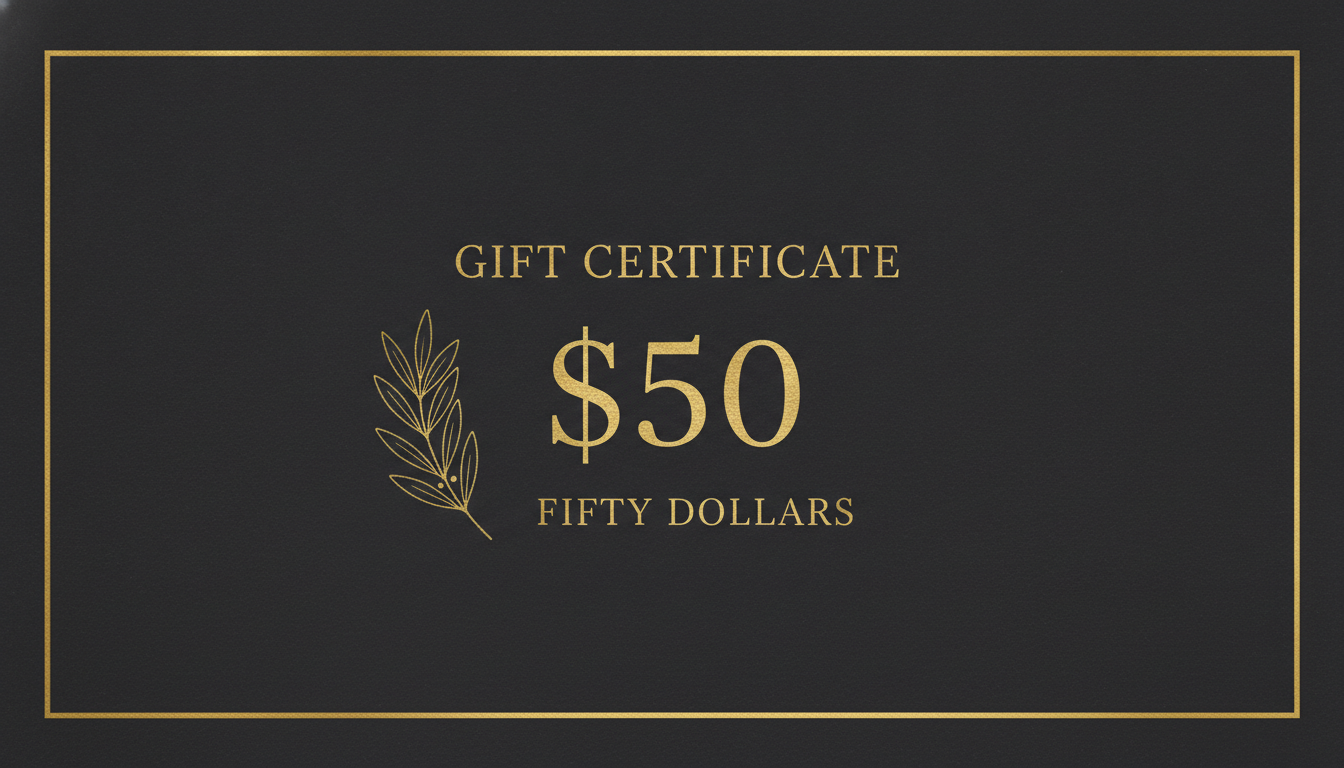
The One Number That Has to Agree With Itself, and Here It Did
The one in the set that did everything right, and it is the one that mattered most. A gift certificate has exactly one number on it, and if the figure and the written words disagree — $50 above FIFTY DOLLARS — you have handed a customer an argument to have at your till. Here they agree. GIFT CERTIFICATE, $50 and FIFTY DOLLARS are all spelled correctly, the numerals are the tallest thing on the card as asked, the letterspacing on the small capitals is even, and the olive sprig sits where it was told to. So the model can absolutely do this. It simply does not do it reliably, which is why the instruction on this page is to read the amount rather than to trust it. Generate the denomination two or three times and keep the one where the figure and the words match.
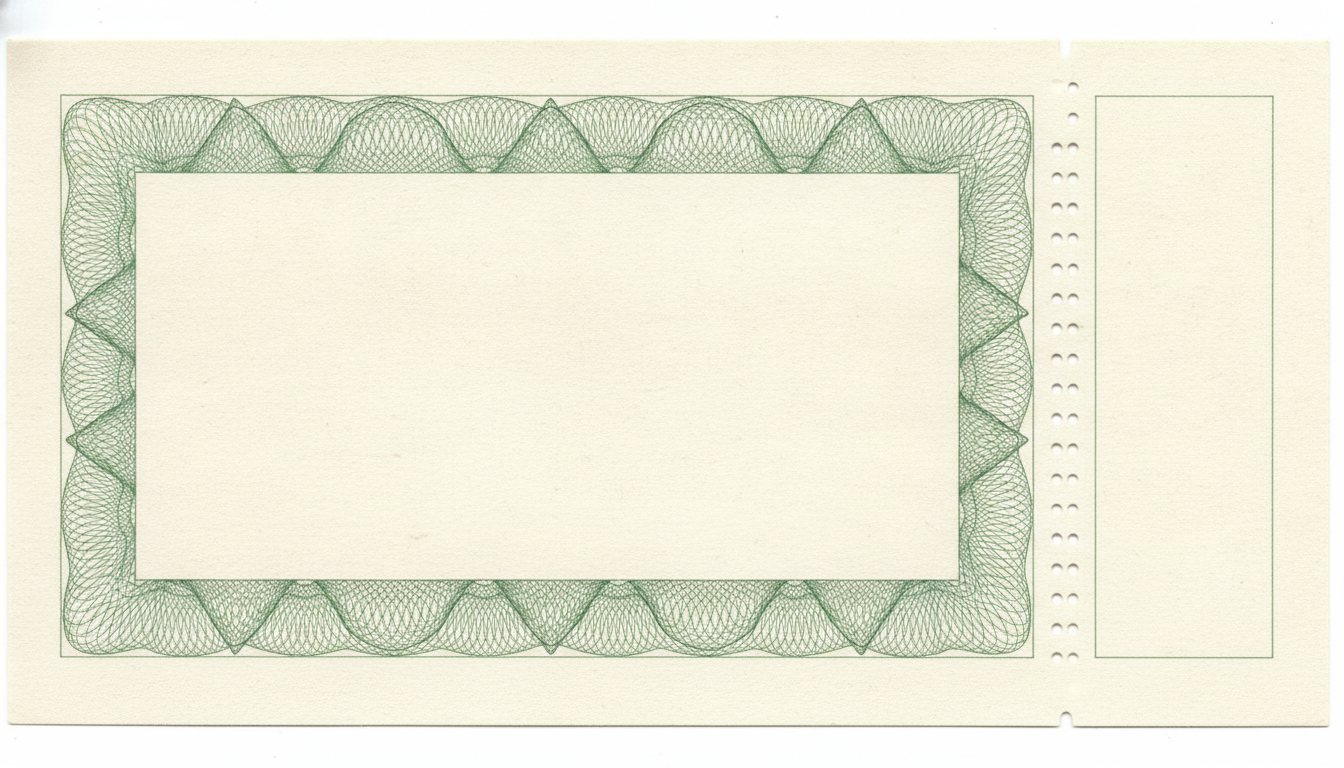
A Perforation You Could Not Tear
The guilloche engraving is genuinely beautiful and would pass on a real voucher. Now look at the perforation. The prompt asked for one straight vertical line of exactly twenty-four identical oval holes, equally spaced, top edge to bottom edge. Crop it and there is not one line of holes, there are two parallel columns of them — and only for most of the way down, because the top two holes are single, larger, and sit alone before the doubling starts. That is not a pedantic complaint: a perforation is a line you tear along, and two columns side by side is a thing that tears in the middle of nowhere. The count is nowhere near twenty-four either, and the card arrived tilted on a white ground with the corners showing, despite being asked for a flat full-bleed certificate.
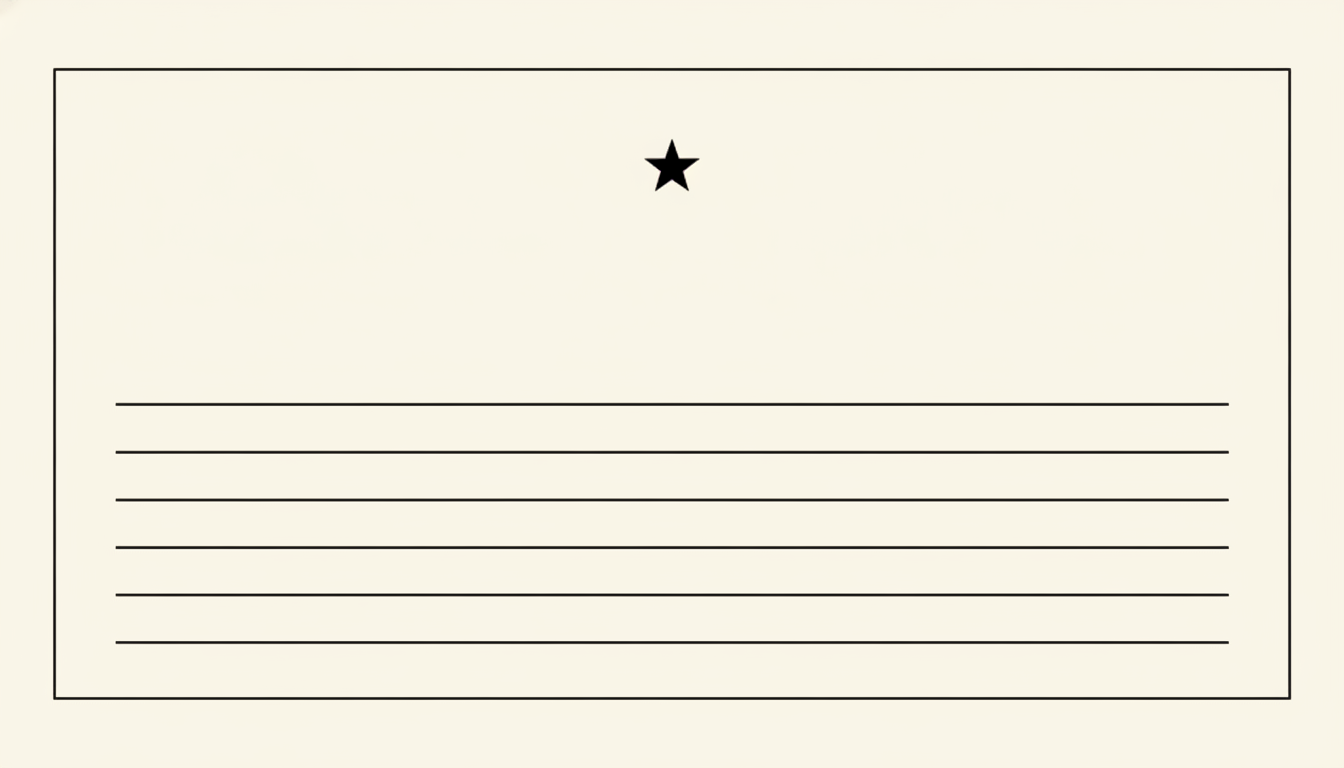
Four Elements on the Card. Two of Them Are the Wrong Number.
There is almost nothing in this frame — a hairline rule, a star, some ruled lines and a great deal of cream — which makes it the cleanest demonstration of the counting problem you could ask for. Exactly five ruled writing lines were requested. Count them: there are six. A six-pointed star ornament was requested. The star is a five-pointed star. Two of the four things on the card are the wrong number, in an image so sparse that there was nothing to distract the model and nothing to hide behind. Everything else is impeccable — the lines really are the same length, the same weight and evenly spaced, the border is clean, the whole thing would print beautifully. If you are generating a write-in voucher where the number of blanks has to match the number of things a customer fills in, count them yourself.
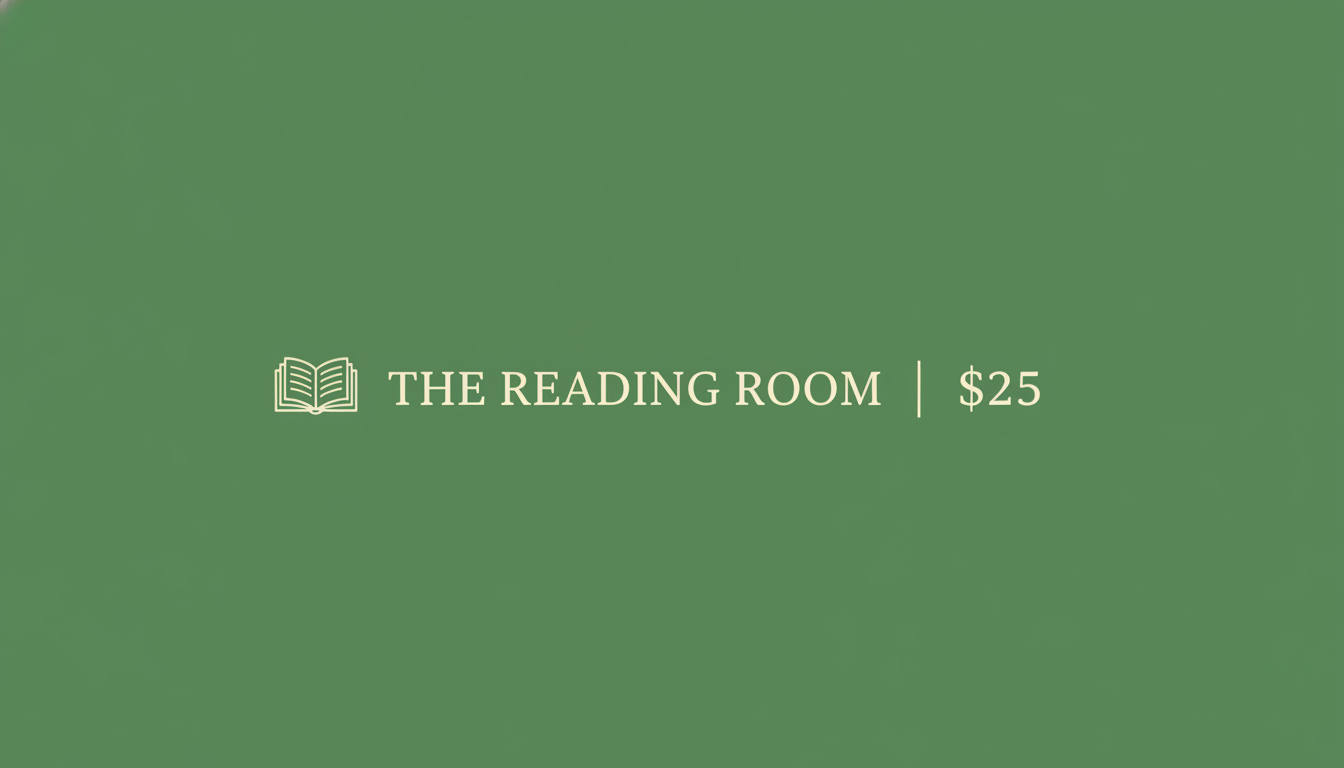
Perfect Type, on a Background That Is Not Flat
Second clean text result of the six. THE READING ROOM and $25 are spelled correctly, sit on one single line with the book drawing and the divider rule at exactly the same height, and the whole line is centred, which is precisely the layout that was asked for — worth noting, because text placement is usually the first thing to wander. The instruction it dropped is the quiet one. The prompt said flat modern graphic design, no gradients, no texture. Crop the top-left corner and there is a soft vignette darkening toward the edges, visible grain across the whole green field, and a small grey wedge sitting right in the corner where nothing should be. On screen none of that matters. If you are having this printed as a flat spot colour, all three of them do.
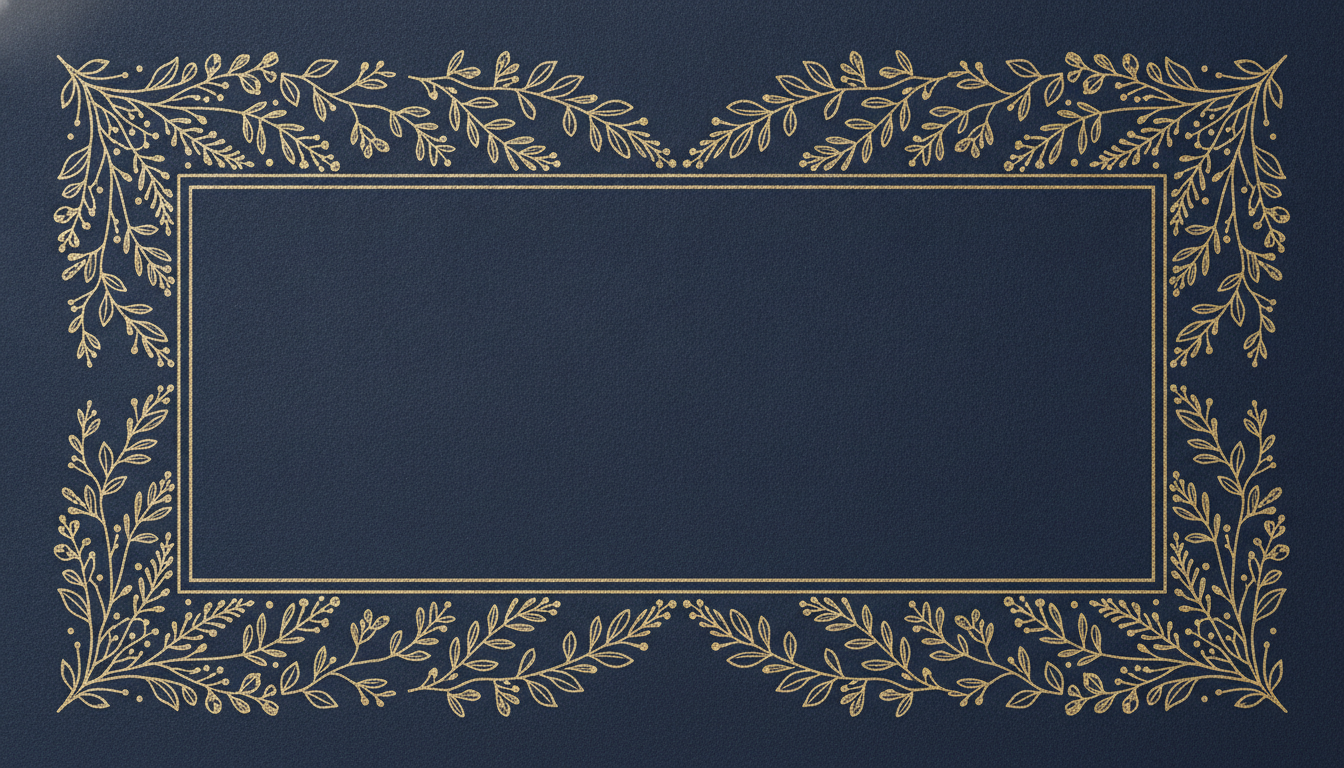
The Preset We Would Actually Use — and Its Frame Is Not Symmetrical
This is the one to reach for if the voucher is going to paying customers: no lettering means nothing to misspell, so you generate the artwork here and set your own type over the empty middle afterwards. It is also a neat illustration of what the model is doing underneath. A symmetrical frame was requested. Crop the left edge and the right edge and hold them side by side: the sprigs are not mirrored, they are two completely different drawings with different leaf counts, different berry clusters and different stems, and the gap between the two gold rules that box in the empty centre is visibly wider on the right than on the left. There is a small blown-out white patch in the top-left corner as well. It draws each edge freehand rather than repeating one, which is why you cannot generate a matching back or a second size and expect the same frame.
Read the Business Name Letter by Letter
This is the one that will cost you a print run. The salon card at the top of the gallery was asked for the name MAISON LUMIERE, in plain unaccented capitals, with an explicit instruction not to add a grave, an acute or any other mark to any letter. It returned MAISON LUMIÈRE. What makes it dangerous is that it does not look wrong. The accent is drawn as beautifully as the rest of the gold script, it is the mark French would actually take on that word, and it therefore reads as a designer getting the typography right rather than as a model inventing a character. Nobody proofreads a business name that looks correct. On a gift certificate that is not a typo, it is the wrong issuer. The name on a voucher is the business obliged to honour it, and the one on your signage, your receipts and your bank account is the unaccented one. Expect it on any name with French, Spanish, Portuguese, Turkish or Vietnamese roots — and on any non-Latin script, where it gets considerably worse. Read the accents separately from the letters, because your eye will skate straight over them. If the name has to be exact, use the Blank Frame preset and set the type yourself.
It Counts Badly, Draws Rather Than Repeats, and Adds Edges You Did Not Ask For
Three smaller failures, all of them visible in the gallery above. First, numbers drift, and the emptier the card the less that protects you. The minimal write-in certificate contains four things in total and got two of them wrong: five ruled lines came back as six, and a six-pointed star came back with five points. The tear-off stub was asked for twenty-four holes and returned something closer to fifty. The restaurant card, meanwhile, got its amount exactly right, with $50 and FIFTY DOLLARS agreeing — so this is not a failure you can predict, only one you can check. Second, a repeat is never a repeat. The perforation is two parallel columns of holes rather than one tearable line. The botanical frame that was asked to be symmetrical has two completely different drawings on its left and right edges and an unequal gap between its gold rules. Every element is drawn from scratch, which is fine when the image is the deliverable and useless when something has to be made from it. Third, it adds edges. Two of the six ignored a full-bleed instruction and returned a photograph of a card on a surface, complete with drop shadow, tilt and visible corners. One added a vignette and grain to a background specified as flat. Check the four corners of every certificate before it goes to a printer, and trim what you find.
How the AI Gift Certificate Generator Works
Three steps, and the third one is the one people skip
Pick the Voucher Layout
Slate and gold, blush botanical, tear-off stub, write-in lines, a single-line shop band, or a blank decorated frame. Each preset already carries the certificate framing and the landscape shape.
Type Your Business Name and Amount
Into the box under the presets. Keep it short — a name, a figure and the value in words is plenty. Long strap lines and lists of terms are where the layout starts to wander.
Read Every Word Before You Print
Enlarge the business name and check the accents, check the figure and the written amount agree, and look at the edges for a border or drop shadow the model added on its own.
Voucher, Award or Business Card — Picking the Right Page
This page makes the money voucher. If what you want is an award or a recognition certificate — employee of the month, a course completion, a classroom prize — the AI certificate generator is the right page, because its presets are built around a name and an achievement rather than an amount. For something card-sized to keep in a wallet, use the AI business card maker. For a seasonal promotion or a discount announcement rather than a sellable voucher, the AI flyer generator fits better, and the AI menu design generator matches a restaurant voucher to the menu it sits beside. If the certificate is a present in its own right, pair it with a card from the AI greeting card maker, and trim any border the model added with the AI image cropper.
Why Use This Gift Certificate Generator
Because one voucher is easy and nine denominations before December is the actual problem
Amounts That Read Across a Counter
The restaurant preset sets the figure as the tallest thing on the card, with the value written out underneath. Type the amount you want and check the two agree before you sell it.
Tear-Off Stubs and Write-In Lines
Two of the six presets are built for how vouchers are actually used: a perforated stub you keep when one is redeemed, and ruled blanks you fill in by hand at the till.
Honest About Your Business Name
The gallery shows a salon name that came back with an accent nobody asked for. We put that on the page rather than let you find it after a hundred are printed.
Salon, Restaurant, Shop or Spa
Six layouts spanning warm and traditional to flat and minimal, so a nail bar, a bistro and an independent bookshop can each land somewhere that matches their signage.
One Design, Every Denomination
Generate a run of variations in the time a template takes to download. Keep the palette, change the figure, or leave the amount off and fill it in per sale.
Free, No Sign Up
About fifteen seconds a certificate, no account, no queue and no watermark. Generate six, keep the two that work, and get them to the printer.
Who Uses It
Small businesses who need a voucher on the counter this week, not a design project
Salons, Spas and Barbers
The blush botanical preset is built for this: a treatment name, a business name in script, and a card that looks like it came from the same designer as the price list. Generate one per service rather than one generic voucher.
Restaurants and Bars
Slate and gold, with the figure set large enough to read across a counter and the value written out beneath it. Run $25, $50 and $100 as three generations and take all three to the printer at once.
Independent Shops
A one-line band with a small line drawing of whatever you sell, or a tear-off stub you keep in the till when a voucher is redeemed. No subscription to a template library for four vouchers a year.
Anyone Giving One Privately
A voucher for a favour, a babysitting evening, a home-cooked dinner or a day out. Write-In Lines is the preset for that — print it, fill it in with a pen, and it reads as something made rather than bought.
AI Gift Certificate Generator FAQ
Spelling, amounts, sizes, and what a picture of a voucher is not
Free AI Gift Certificate Generator — Salons, Restaurants, Shops and Spas
Gift certificates have a shape of problem that most small businesses meet in the same fortnight of the year. You need more than one — three denominations, or one per treatment, or a version for the shop and a version for the website — and each has to carry your business name, an amount, and enough of your look that a customer recognises it on the counter. Buying a template solves the first one and leaves you editing the others, which is how every salon on the same street ends up handing out the same four stock designs. A free ai gift certificate generator removes the cost of variation. You describe the voucher — the layout, the colours, the name, the figure — and about fifteen seconds later you have a finished landscape certificate. Generate six, keep two, send them to the printer.
The six presets on this gift certificate generator cover how vouchers are actually used rather than how they look in a stock library. Slate and Gold is the restaurant one, with the figure set as the tallest thing on the card and the value written out beneath it. Blush Botanical is the salon and spa card, a business name in gold script over a eucalyptus border. Tear-Off Stub gives you a perforated counterfoil to keep in the till when one is redeemed. Write-In Lines is a minimal card with ruled blanks you fill in by hand, so a single design covers every sale. One-Line Band puts a small line drawing, your shop name and the amount on a single centre line for anyone who wants restraint. Blank Frame is the decorated border with a deliberately empty middle, for when you would rather set the wording yourself. Every preset already carries the certificate framing and the 16:9 landscape shape, so all you supply is the wording.
Two limits, demonstrated in the gallery rather than asserted, because between them they decide whether this fits your job. The first is your business name. The salon card above asked for MAISON LUMIERE in plain unaccented letters and returned MAISON LUMIÈRE — an accent nobody requested, inside lettering that is otherwise immaculate, on the one word that identifies who has to honour the voucher. The second is that it draws rather than counts or repeats. Five ruled lines came back as six and a six-pointed star as a five-pointed one, in a card containing four elements. A perforation asked for as one line of twenty-four holes came back as two parallel columns of roughly fifty. A frame asked to be symmetrical has different drawings on its two sides. None of that is visible at a glance, which is exactly the danger, and all of it takes twenty seconds to check by enlarging the image before you print.
For most of what people want a gift certificate for, none of that is a blocker. A voucher for a haircut, a dinner, a stack of books or an afternoon of babysitting only ever needed a convincing image, and this makes one in seconds with no account and no watermark. It matters when the name has to be exact or the denominations have to be right, in which case generate the artwork clean with the Blank Frame preset and set the type yourself. Remember too that the image is artwork, not a legal instrument: expiry terms, serial numbers, redemption codes and any wording your local consumer law requires are yours to add. The neighbouring tools finish the job: awards and recognition certificates at the AI certificate generator, wallet-sized cards at the AI business card maker, promotions and seasonal offers at the AI flyer generator, the menu a restaurant voucher sits beside at the AI menu design generator, the card you tuck it into at the AI greeting card maker, lettering treatments at the AI typography generator, and any stray border trimmed off at the AI image cropper. Everything here is free to try, nothing is watermarked, certificates come back at 16:9 landscape, and paid plans start at $2.99. Scroll back up and make one.