
AI Virtual Try On
See the Outfit on You, Not on a Model
Free AI virtual try on and online fitting room. Upload one photo, pick a look, and see yourself in a tailored blazer, a summer dress, streetwear, a winter coat or a full suit — before you buy.
Try the AI Virtual Try On — Free
Upload one photo, choose an outfit direction, and see it on you in seconds
AI Virtual Try On
Upload a clear, straight-on photo of yourself, then pick the outfit you want to see. Your face, pose and background stay; the clothes change. Generate a few and compare.
Upload a straight-on full body photo in even daylight, arms slightly away from your sides — then pick an outfit and click Generate
Tip: keep the opening line about changing only the clothing when you edit a prompt — it is what stops the model rewriting your face along with the outfit. Then be specific about length, cut, colour and fabric.
AI Virtual Try On Examples
Six wardrobe directions — and one grid showing the same person in all of them
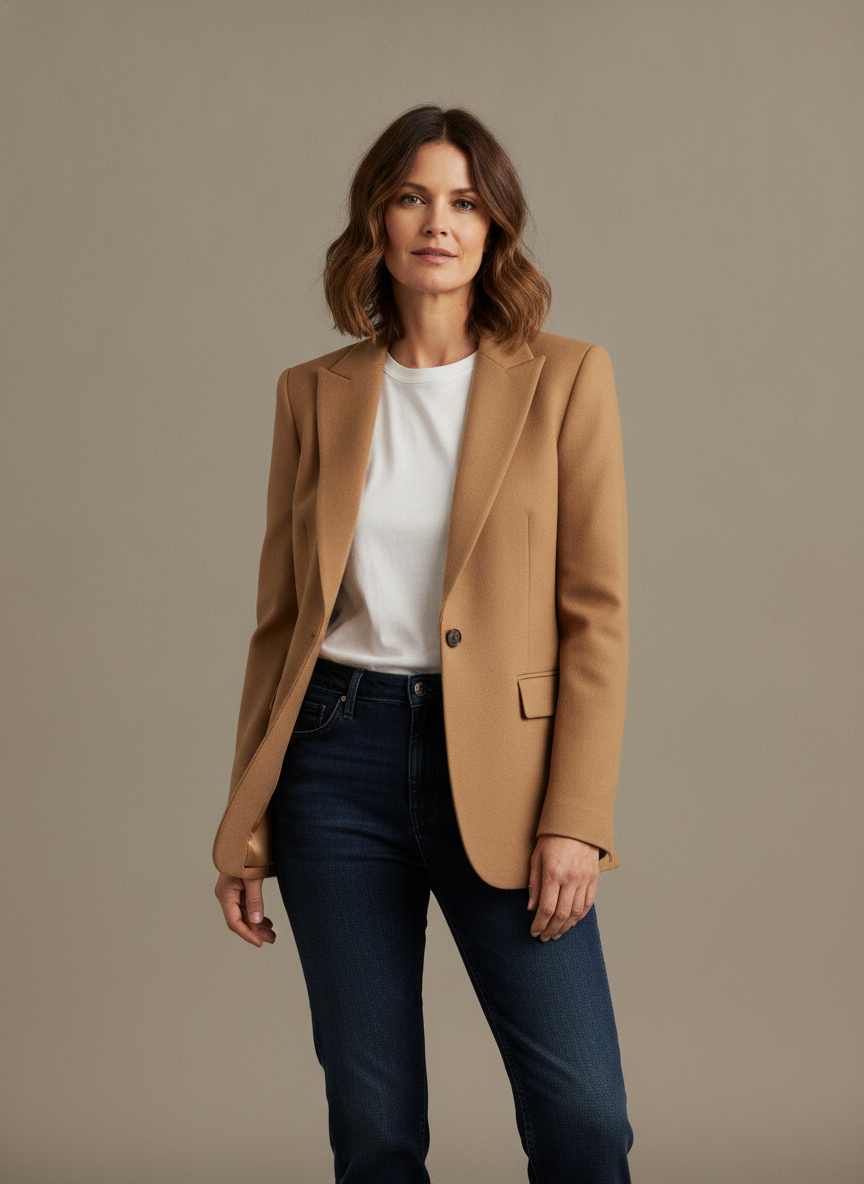
Tailored Blazer
Made with GPT Image 2
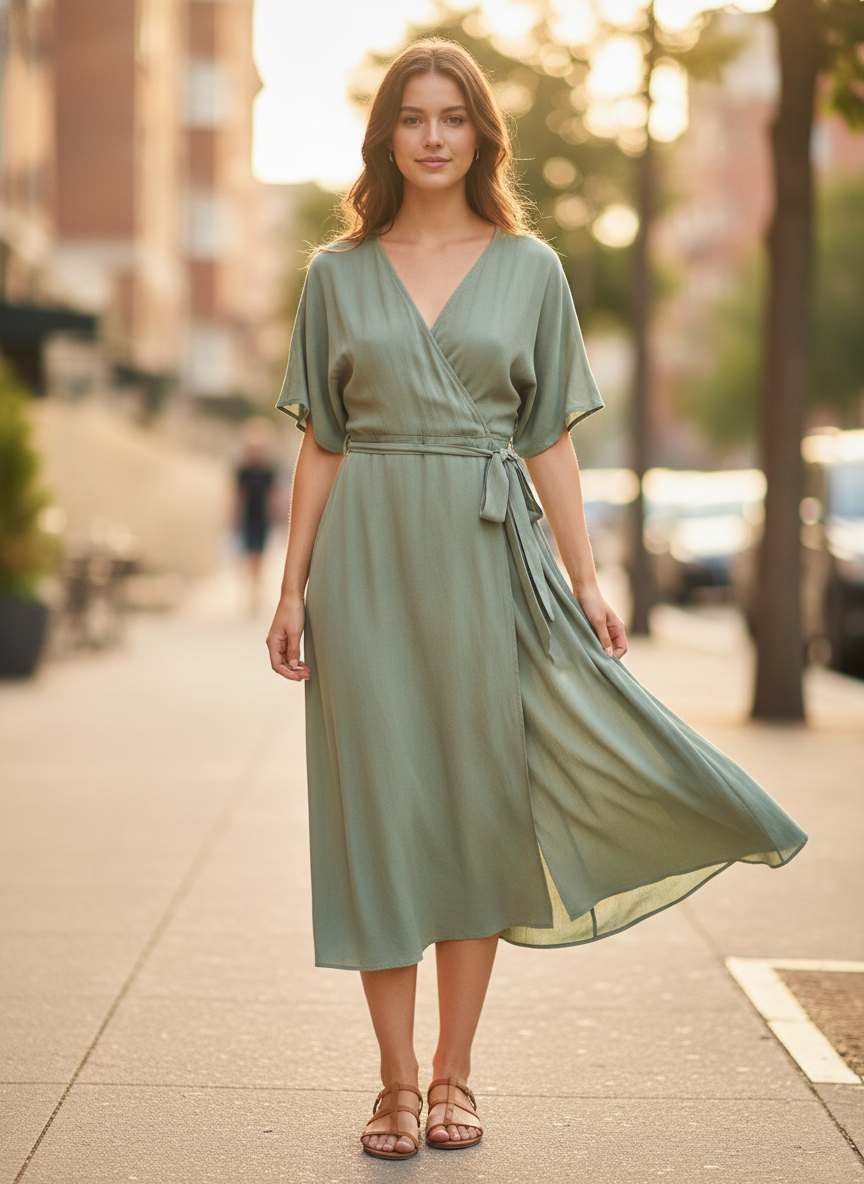
Summer Dress
Made with GPT Image 2
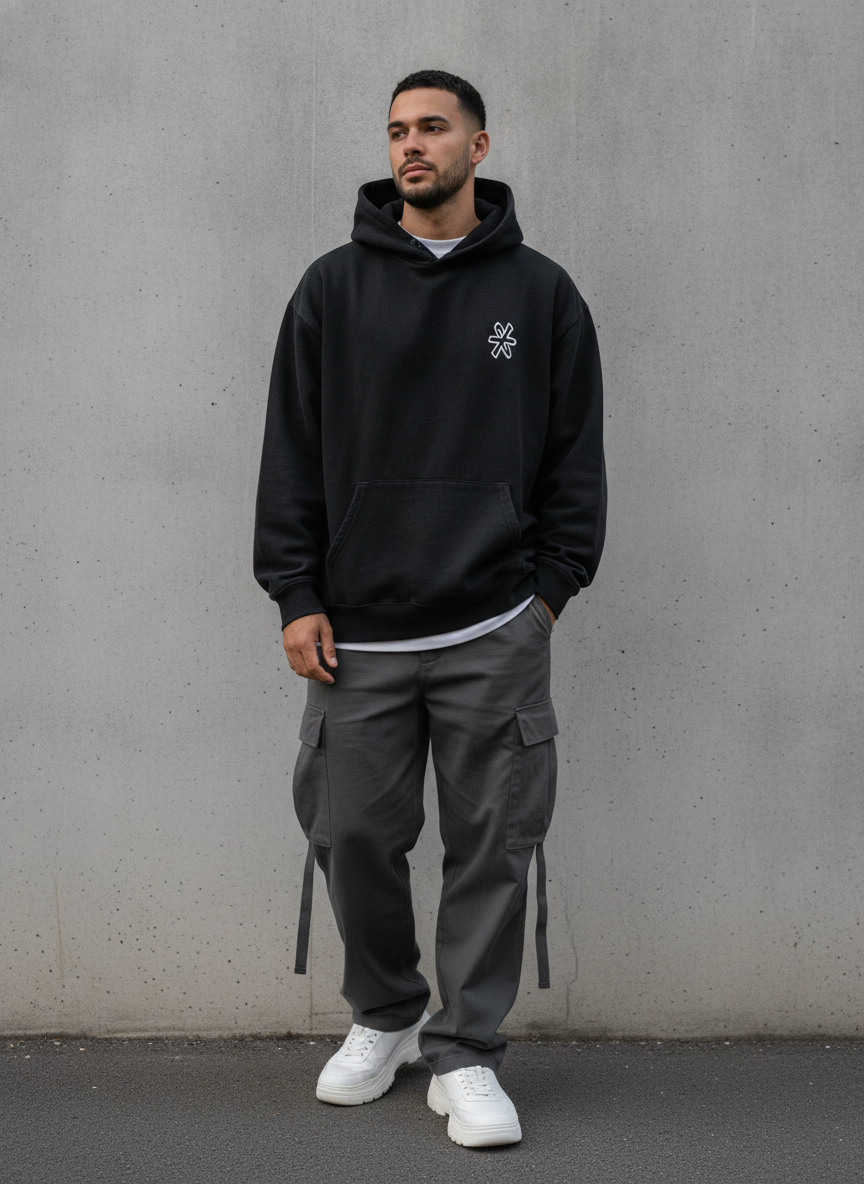
Streetwear
Made with GPT Image 2
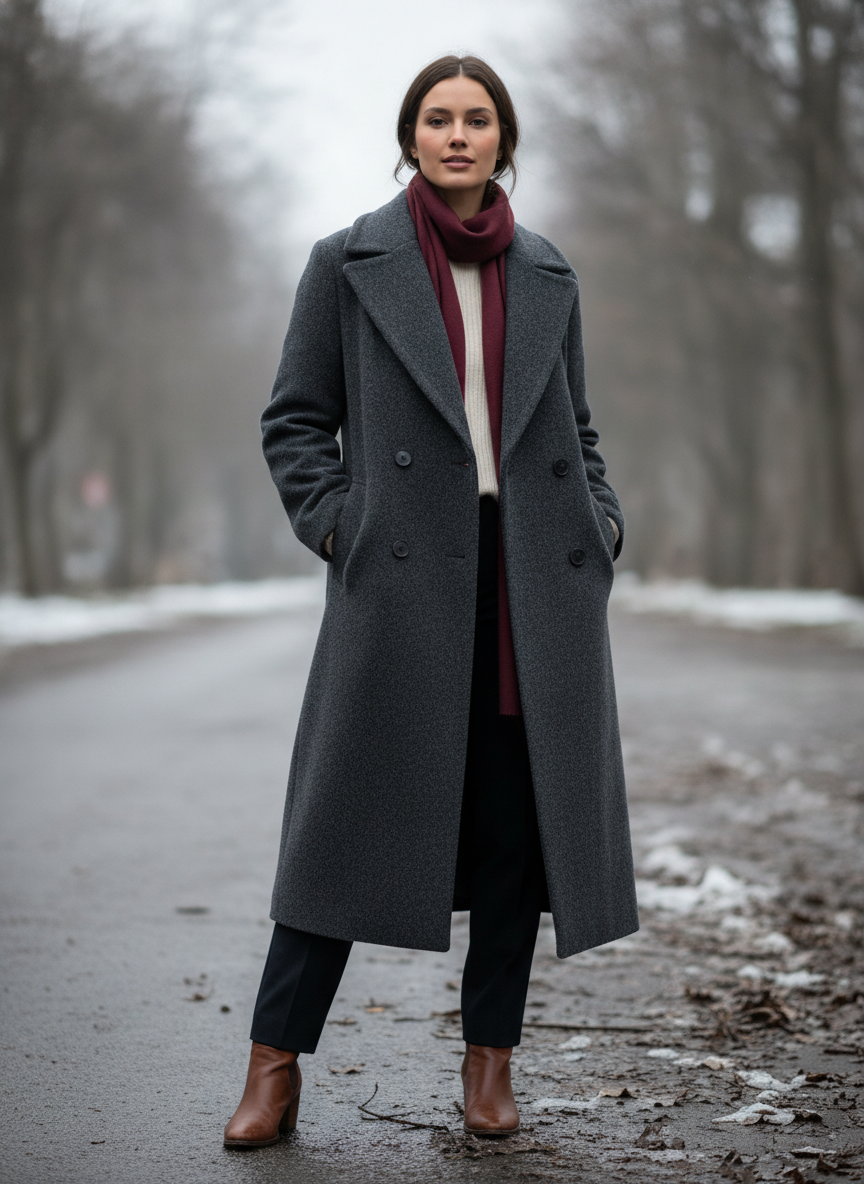
Winter Coat
Made with GPT Image 2
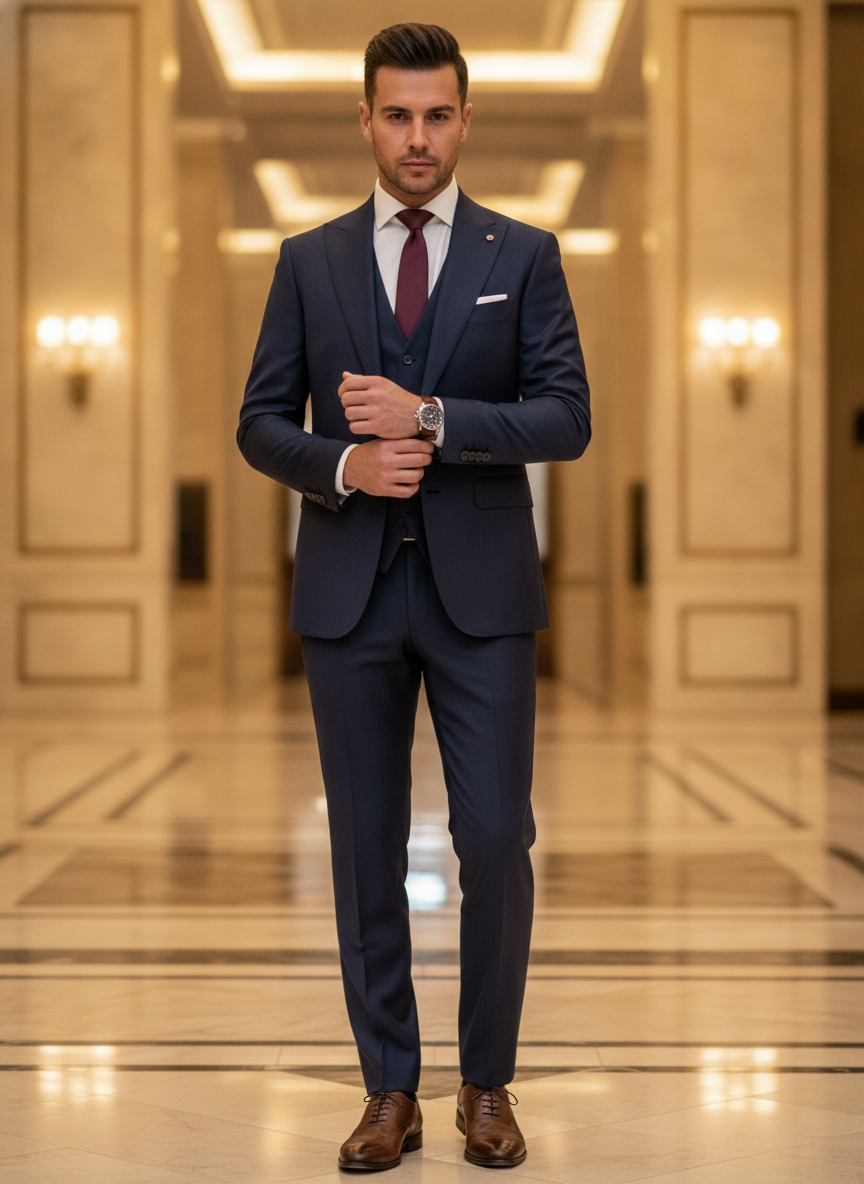
Formal Suit
Made with GPT Image 2
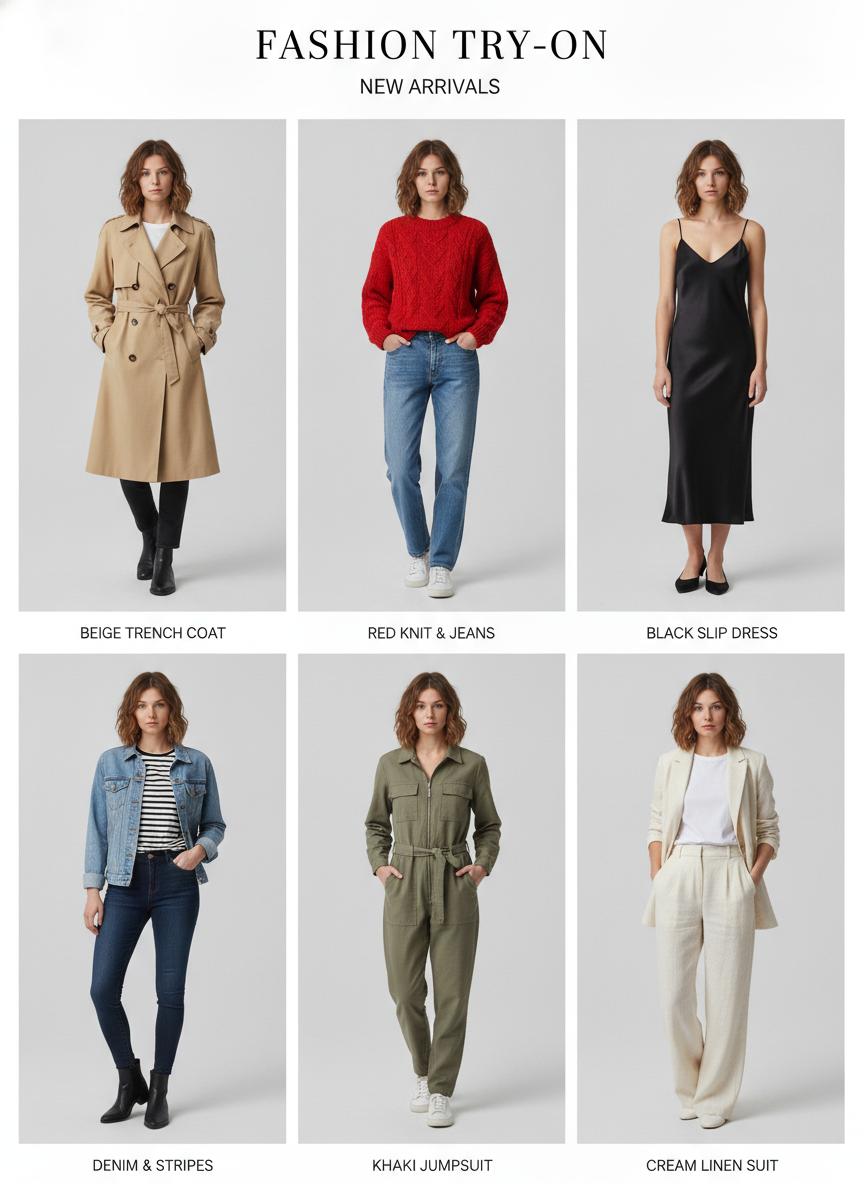
Six-Look Grid
Made with GPT Image 2
A Styling Preview, Not a Fitting Room
Three limits worth knowing before you rely on a result. First, no measurements are involved — not yours, not the garment’s — so this shows whether a silhouette, length and colour suit you, and never what size to order. Second, it draws the description, not the product: category, cut and colour family come through, while logos, prints, buttons and exact shades are invented, so it is not a preview of what arrives in the parcel. Third, use photos of yourself or someone who agreed, and if you sell clothing, label generated visualisations clearly — showing a garment the customer will not receive is misleading however the image was made.
How the AI Virtual Try On Works
One photo in, the outfit changed, and a few versions to choose between
Upload a Clear Photo
Straight on, even daylight, whole body in frame, arms slightly away from your sides. A good input fixes more problems than a clever prompt ever will.
Pick or Describe the Outfit
Start from one of the six looks below, then edit the words — length, cut, colour, fabric. Specific descriptions give far better results than adjectives.
Generate a Few, Then Compare
Make three or four and keep the one where you still look like yourself. Judging silhouettes works best when you can see the options together.
Why Try Clothes On Virtually
Because a coat on a hanger tells you almost nothing about the coat on you
Your Photo, Different Clothes
Face, hair, pose and background stay. The outfit changes. That is a far more useful picture than the same coat on a model shaped nothing like you.
Six Wardrobe Directions
Tailoring, summer dress, streetwear, outerwear, formalwear and smart casual — the categories people actually shop in, each with a full starting prompt.
Compare Before You Commit
Run the same photo through four looks and put them side by side. Deciding between silhouettes is much easier when they are all on the same body.
Honest About Fit
No measurements are used, so this shows whether a style suits you, never what size to order. Size charts and returns policies still do that job.
No Watermark, Commercial Use
Free downloads, no account to start, no watermark across your outfit, and commercial use allowed — with AI imagery labelled as such if you sell.
Your Photo, Your Call
Use pictures of yourself or of someone who agreed. Dressing other people up without asking is where a styling tool turns into something else.
Who Uses It
Anyone deciding what to wear before committing money to it
Online Shoppers
Five tabs open and no idea which silhouette actually suits you. Put all five on your own photo, compare them together, and order one instead of three — then check the size chart, which this cannot do for you.
Stylists & Personal Shoppers
Showing a client a rail of clothes asks them to imagine. Showing them four generated looks on their own photo does not. Ask before you use their picture, and be clear that the images are visualisations.
Occasion & Interview Planning
Wedding guest, first day at a new job, a shoot with a dress code. See the navy suit and the linen shirt on you side by side a week early, rather than discovering the problem in a changing room on the day.
Resellers & Small Brands
Mock up how a piece reads styled rather than flat-lay, for a lookbook or a social post. Keep real photography on the listing itself and label the generated shots, or you are advertising something you cannot ship.
AI Virtual Try On FAQ
Fit, accuracy, photo quality, privacy and how it compares to a retailer’s fitting room
Free AI Virtual Try On — An Online Fitting Room for Clothes You Have Not Bought Yet
The reason online clothes shopping produces so many returns is not that the sizes are wrong, or not only that. It is that a product photograph answers the wrong question. It tells you what the garment looks like on a professional model, lit by a studio, styled by someone whose job it is to make it work — and none of those things describe you. An AI virtual try on flips the frame: instead of imagining yourself into their photo, you put the clothes into yours. Upload one picture, describe the piece, and the model redraws you wearing it, keeping your face, your proportions, your pose and the room you were standing in. The question it answers — does this shape, this length, this colour actually suit me — is the one that decides whether something gets worn or sits in a bag by the door.
The six looks here cover the directions people genuinely shop in rather than a list of fabrics. Tailored blazer over a plain tee is the workwear-to-weekend test, and the one where shoulder line and length matter most. A midi wrap dress shows how a soft silhouette falls, which is impossible to judge from a flat product shot. Oversized streetwear is where proportion goes wrong fastest, so seeing it on your own frame is worth more than any size guide. A long wool coat is the highest-stakes purchase of the six and the hardest to picture from a hanger. A three piece suit is what people search for a week before a wedding or an interview. Smart casual linen is the holiday-and-summer default. Start from any of them, then edit the words that matter — hem length, cut, colour, fabric weight — and keep the opening instruction that tells the model to change only the clothing, because that single line is what protects your face from being redrawn along with the outfit.
It is worth being direct about what this cannot do, because the failure modes are predictable. There is no measurement anywhere in the process: the model has never seen your height, your shoulder width, that brand’s size chart or how heavy the fabric is, so a result that looks good is evidence about style and no evidence at all about fit. Anyone treating it as a sizing tool will be disappointed, and the retailer’s chart and returns policy remain the only real answers there. Garment fidelity has the same shape of limit. The model works from your description, so it reliably gets the category, cut and colour family and reliably invents the specifics — button placement, stitching, knit texture, and above all logos and printed graphics, which almost never come back the way you meant. Identity drift is the third: the more of the image gets rewritten, the more likely something about your face shifts, which is why a well-lit forward-facing photo and three or four attempts beat a longer prompt every time. And two rules that are about people rather than pixels — upload photos of yourself or of someone who agreed to it, and if you sell clothing, label generated images clearly, because a picture a customer reads as the product they will receive is misleading advertising whatever licence sits behind it.
Styling is a whole cluster on this site, so the neighbouring tools pick up where this one stops. Work out what to wear in the first place with the AI outfit generator, or design the piece itself with the AI fashion design generator and the AI t-shirt design generator. Change the rest of the look with the AI hairstyle generator, the AI makeup generator and the AI glasses guide, and finish it with the AI jewelry design generator and the AI shoe design generator. Find out which colours are worth trying on at all with personal color analysis and the AI style analysis. For the photo craft around it, the AI image to image tool and the AI photo editor handle everything else in the frame, the AI background remover and the AI product mockup generator turn a look into a listing, the AI headshot generator takes the suit somewhere useful, and the AI image upscaler gets any of it print-ready. Scroll back up and try your first outfit on free.